15-10 Sun Blade 1500 Service, Diagnostics, and Troubleshooting Manual • December 2004
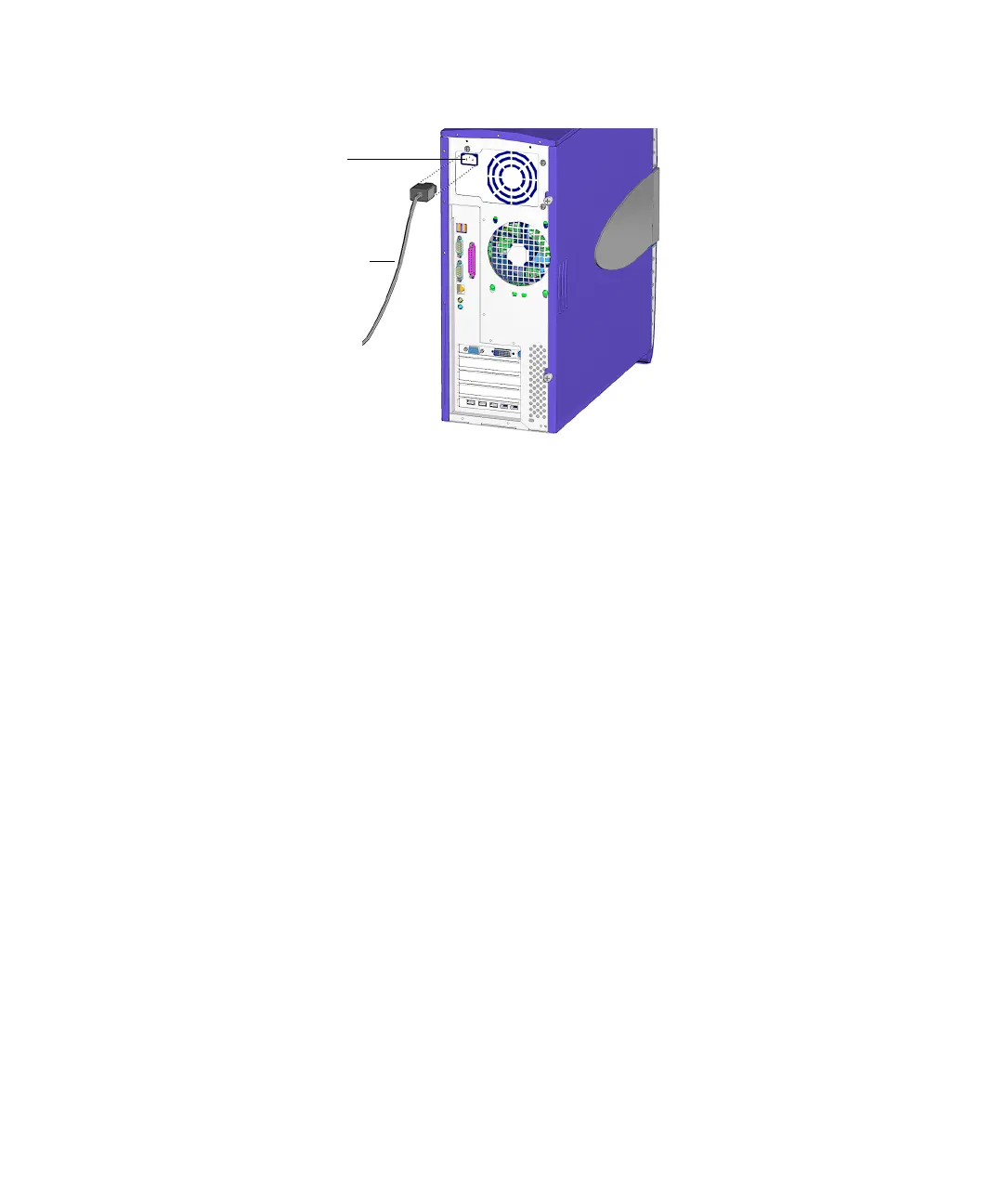
FIGURE 15-9 Reconnecting the Power Cord
15.4.2 Choosing the Boot Mode
When the workstation is powered up, the initial action is the boot sequence.
There are several methods for booting the workstation.
■ Booting from the hard drive
Default when an operating system disc is not in the optical drive.
■ Booting from optical drive
Default when an operating system disc is in the optical drive.
■ Booting in single-user mode
Occurs when an init 1 command was specified during the power down
sequence.
■ Booting in multi-user mode
Default mode when the workstation was shut down gracefully.
1. Select the boot source:
■ If from a optical media disc, insert an operating system disc in the optical drive.
■ If from the hard drive, make sure there is no operating system disc in the optical
drive.
2. Press and release the Power button.
The Power button is located on the bezel of the workstation. See FIGURE 15-10. You
should hear the internal fans or the hard drive spin up.
IEC-320
connector
Power cord














 To Next Page