Chapter 11 Replacing the Motherboard and Associated Components 11-7
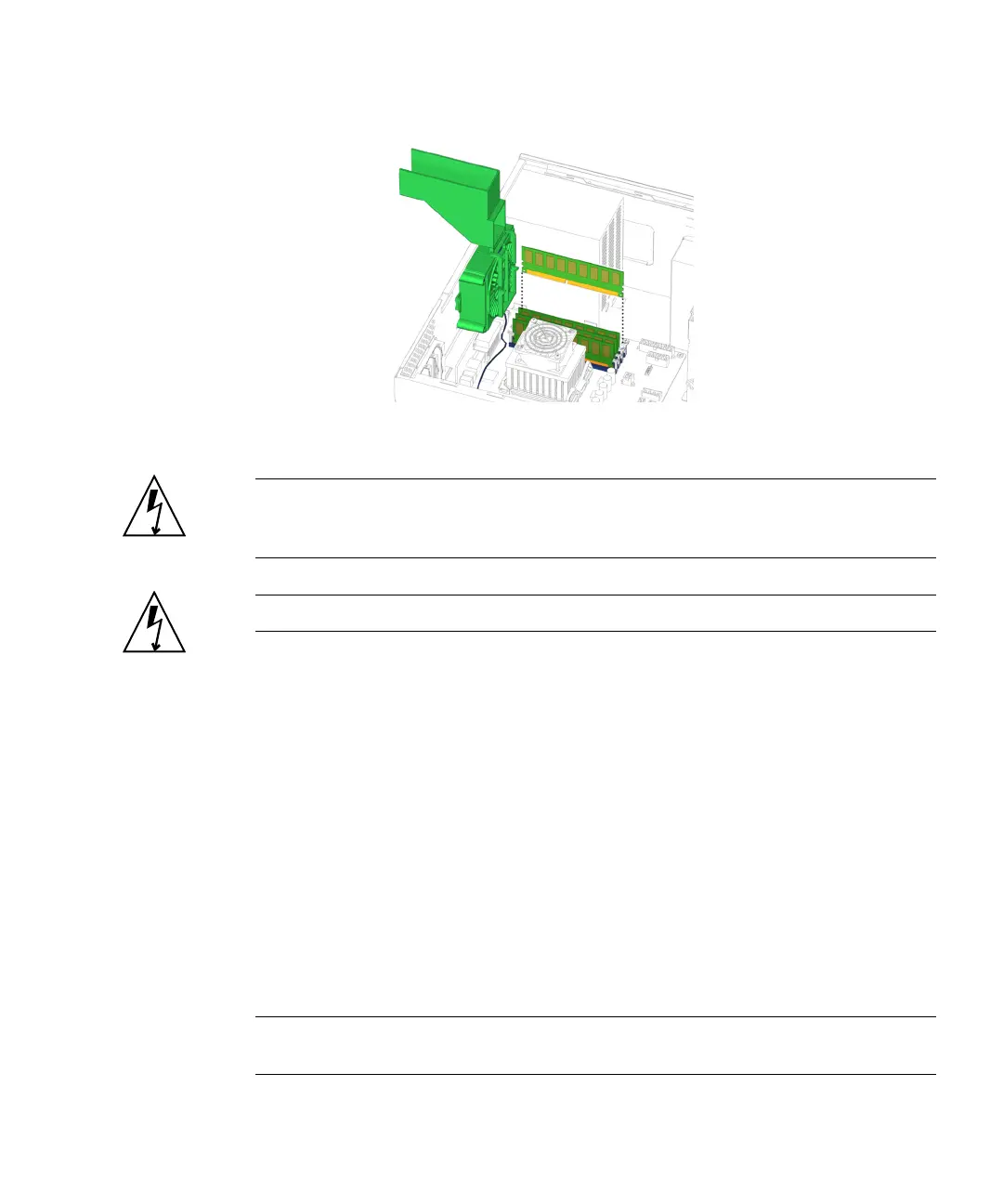
FIGURE 11-7 Lifting the DIMM Out of the Slot
Caution – Handle the DIMMs along the outside edges. Do not handle the DIMM
along the gold edge. Do not touch DIMM components or other metal parts. Always
wear a antistatic wrist strap when handling DIMMs.
Caution – Do not lift the DIMM out at an angle as it might damage the DIMM slot.
9. Set the DIMM aside on an antistatic mat.
10. Repeat Step 7 through Step 9 until you have removed all relevant DIMMs.
11. Choose your next step:
■ If you removed a DIMM to replace it, proceed to “Installing DIMMs” on
page 11-7.
■ If you removed DIMMs prior to removing the motherboard, return to Step 6 in
“Removing the Motherboard” on page 11-46.
■ If you removed a DIMM and will not replace it at this time, continue with Step 8
of “Installing DIMMs” on page 11-7, to finish the procedure.
11.1.3 Installing DIMMs
Note – If you are installing additional memory, it must be installed in matched pairs
of DIMMs according to the specification in “Identifying the DIMMs” on page 11-2.














 To Next Page