11-6 Sun Blade 1500 Service, Diagnostics, and Troubleshooting Manual • December 2004
■ If you lifted the DIMM cooling duct prior to installing DIMMs, return to Step 4 of
“Installing DIMMs” on page 11-7.
■ If you lifted the DIMM cooling duct prior to removing the CPU fan and heat sink
assembly, return to
Step 6 of “Replacing the CPU Fan and Heat Sink Assembly” on
page 11-13.
■ If you lifted the DIMM cooling duct prior to installing the CPU fan and heat sink
assembly, return to
Step 4 of “Installing the CPU Fan and Heat Sink Assembly” on
page 11-18.
■ Otherwise, continue to Step 7.
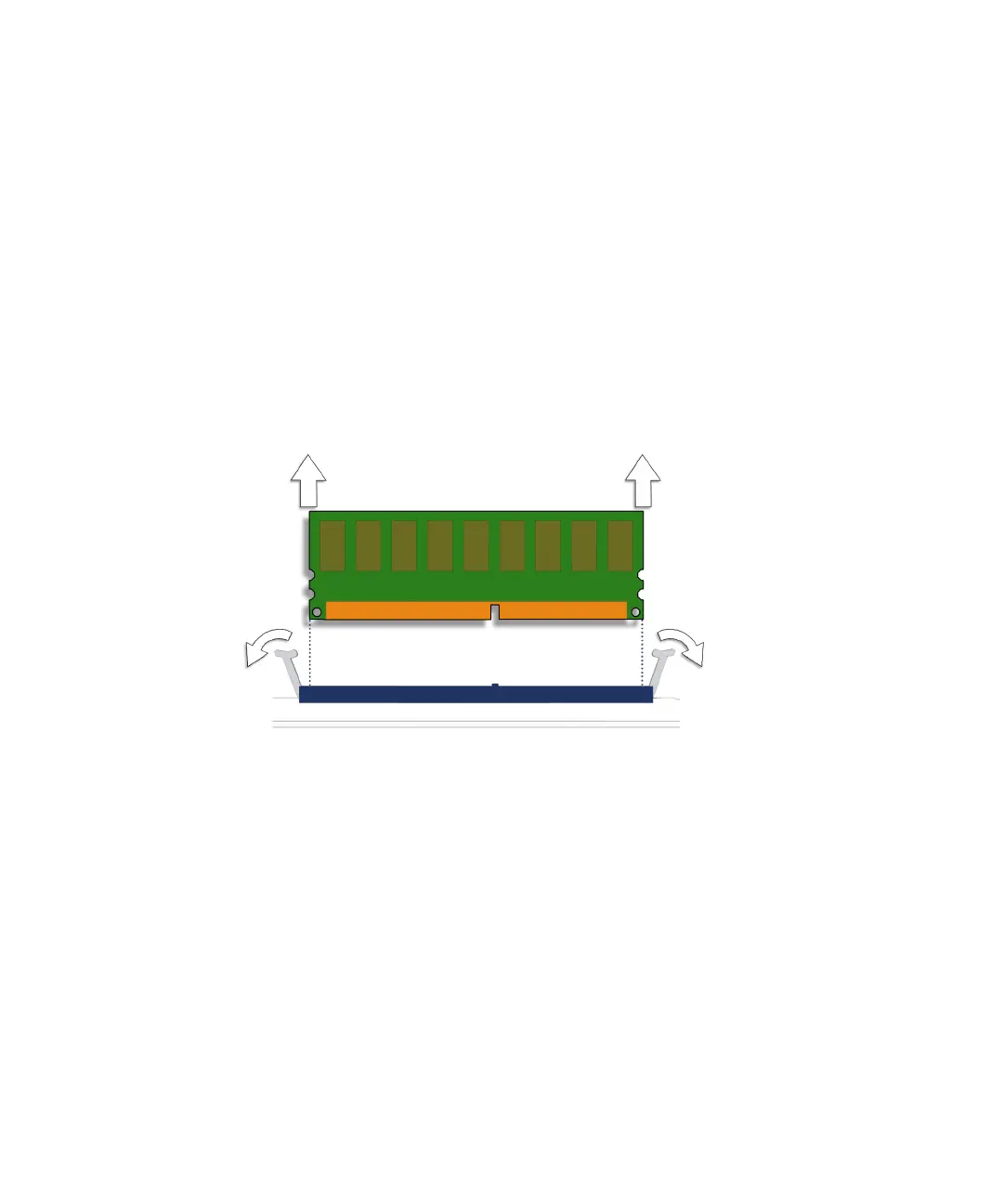
7. Release the desired DIMM.
Simultaneously press down on both ejector levers at the ends of the DIMM to unlock
the DIMM from the DIMM slot. See
FIGURE 11-6.
FIGURE 11-6 Removing the DIMM
8. Lift the DIMM straight out of the DIMM slot.
See FIGURE 11-7.














 To Next Page