12-14 Sun Blade 1500 Service, Diagnostics, and Troubleshooting Manual • December 2004
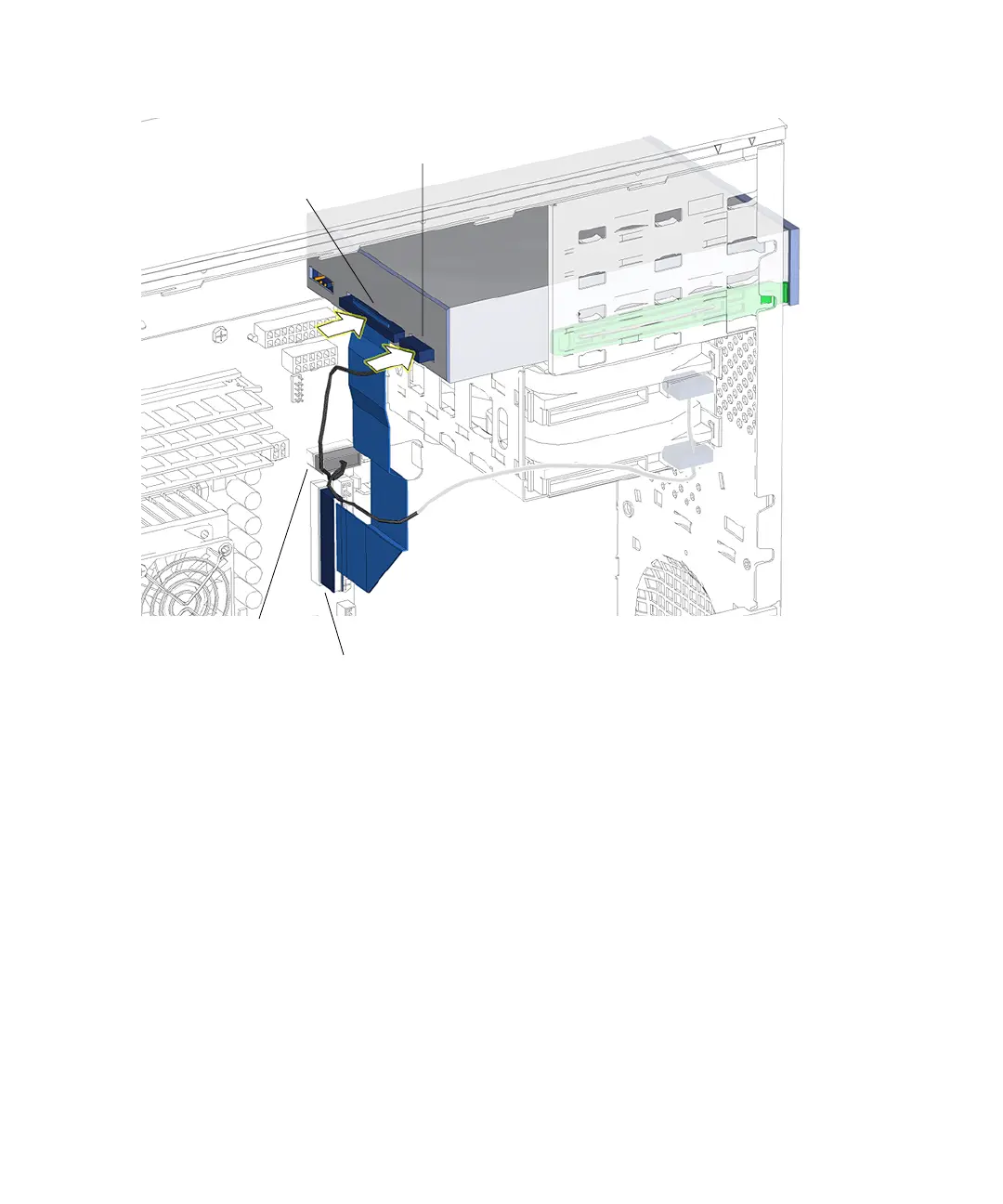
FIGURE 12-12 Connecting Cables to the Optical Drive
8. Connect the optical drive interface cable.
See FIGURE 12-12.
9. Inspect the optical drive fasteners to verify that:
■ The optical drive rails are well seated on the optical drive.
■ The optical drive is tight in the removable media bay.
10. Inspect the optical drive cabling to verify that:
■ The optical drive power cable is firmly connected to the motherboard at
IDE PWR.
■ The optical drive power cable is firmly connected to the optical drive.
■ The optical drive interface cable is firmly connected to the motherboard at IDE
SEC.
■ The optical drive interface cable is firmly connected to optical drive.
Connector
IDE PWR
Connector
IDE SEC
Interface cable
IDE power cable














 To Next Page