14-10 Sun Blade 1500 Service, Diagnostics, and Troubleshooting Manual • December 2004
14.3 Replacing the Hard Drive Interface
Cable
This section describes removal and installation of the hard drive interface cables.
Topics include:
■ “Identifying the Hard Drive Interface Cable” on page 14-10
■ “Removing the Hard Drive Interface Cable” on page 14-11
■ “Installing the Hard Drive Interface Cable” on page 14-12
14.3.1 Identifying the Hard Drive Interface Cable
The hard drives have separate power and interface cables. Both cables have two
inline connectors to support up to two drives. The power cable is a Y cable that
connects to the motherboard at IDE PWR and the other ends to the hard drives and
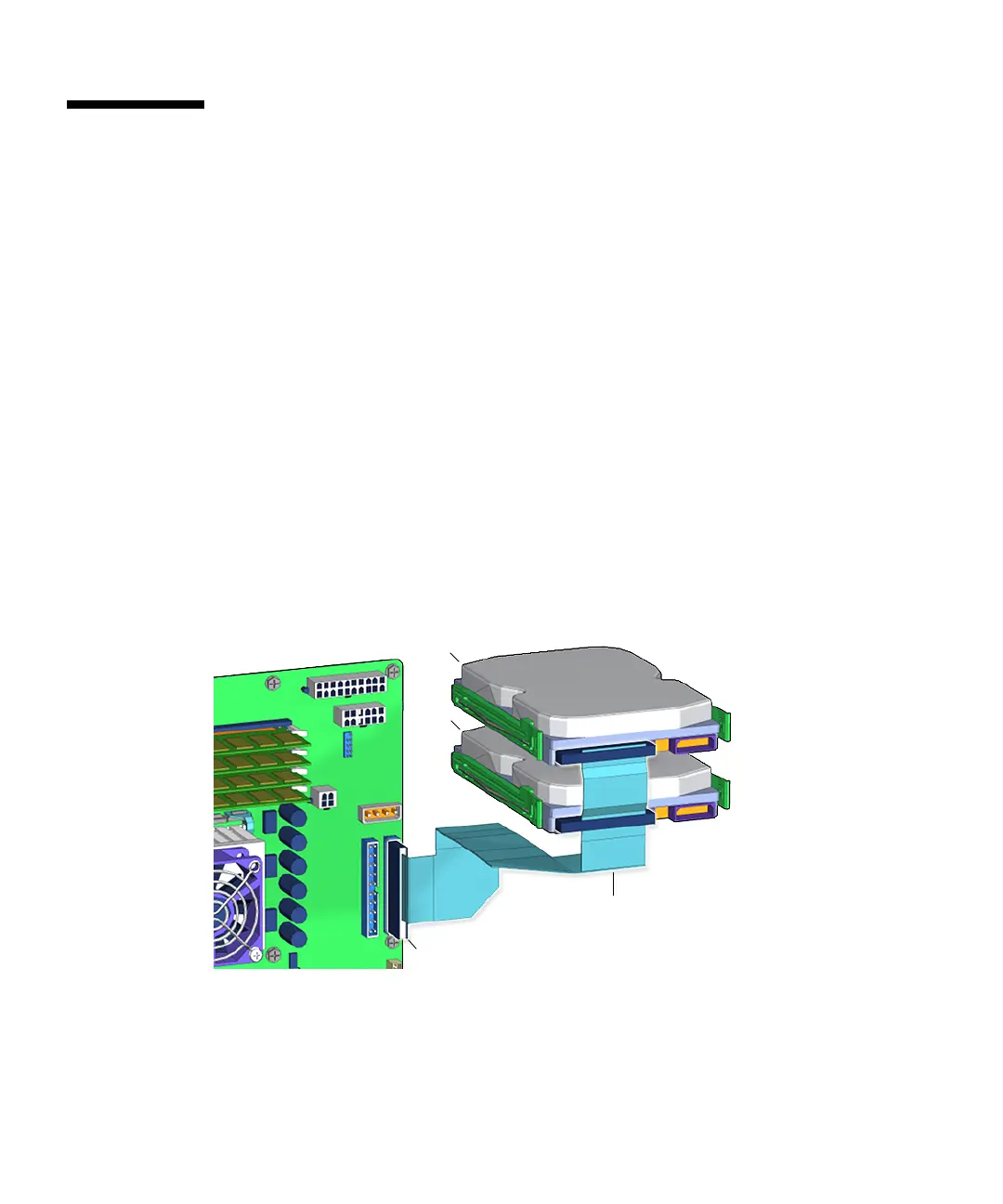
optical drive. The interface cable connects the hard drives to the motherboard. The
interface cable is an 80-conductor ribbon cable that is routed through the chassis.
FIGURE 14-8 shows the hard drive interface cable connections.
FIGURE 14-8 Hard Drive Interface Cable Connection
Connector IDE PRI
HDD0
HDD1
Hard drive
interface cable














 To Next Page