11-24 Sun Blade 1500 Service, Diagnostics, and Troubleshooting Manual • December 2004
2. Locate the battery.
See FIGURE 11-25.
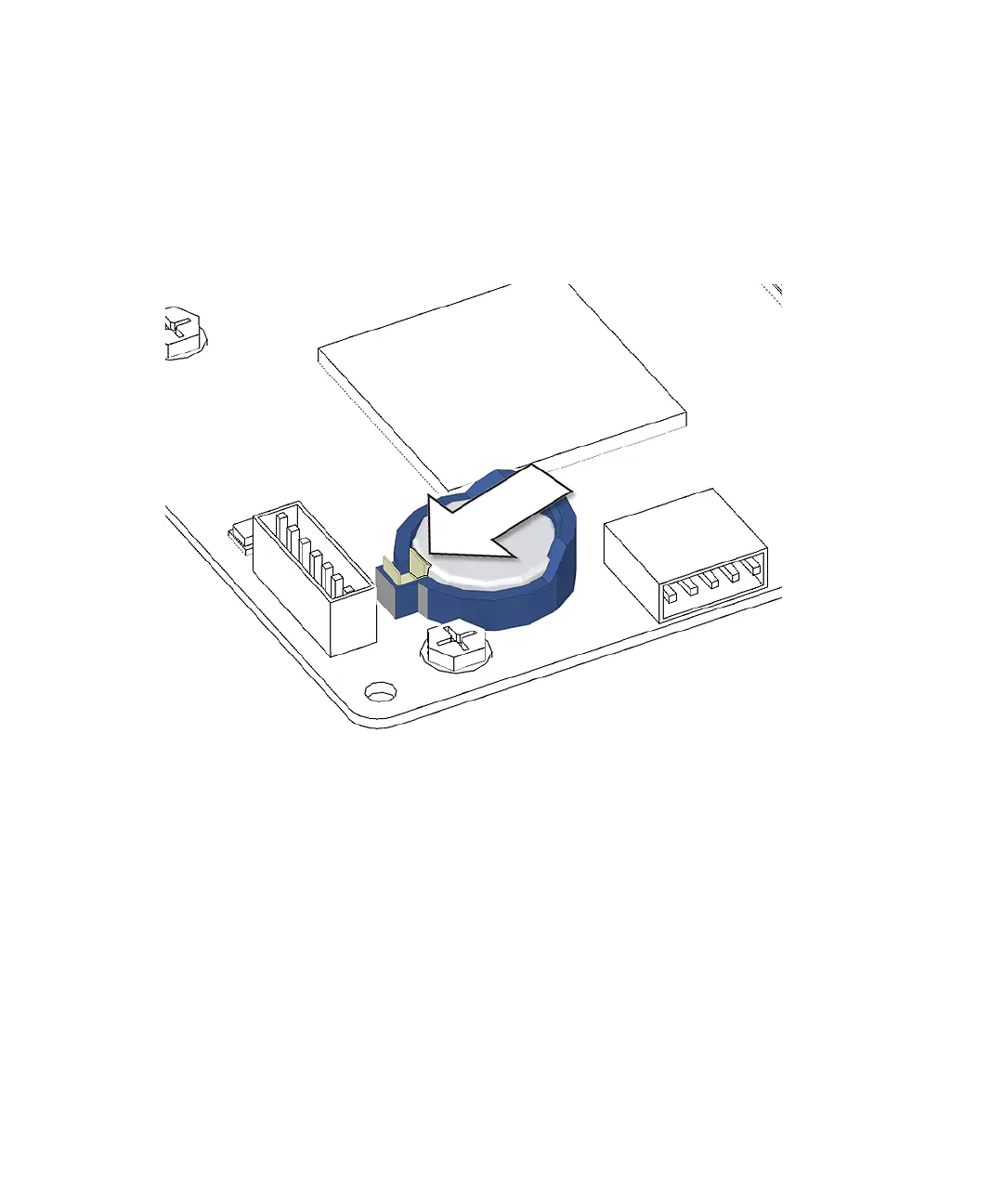
3. Release the battery by pressing the battery clip away from the battery until the
battery shifts out of the battery socket.
See FIGURE 11-26. Remove the battery.
FIGURE 11-26 Releasing the Battery
The workstation does not function without the battery. To install the new battery,
proceed to
“Installing the Battery” on page 11-24.
11.3.3 Installing the Battery
The battery installs directly into a socket on the motherboard. There are no
additional fasteners or cables.
1. Open and position the chassis.
Refer to:
■ “Removing the Access Panel” on page 10-12














 To Next Page