Chapter 4 Troubleshooting Flowcharts 4-23
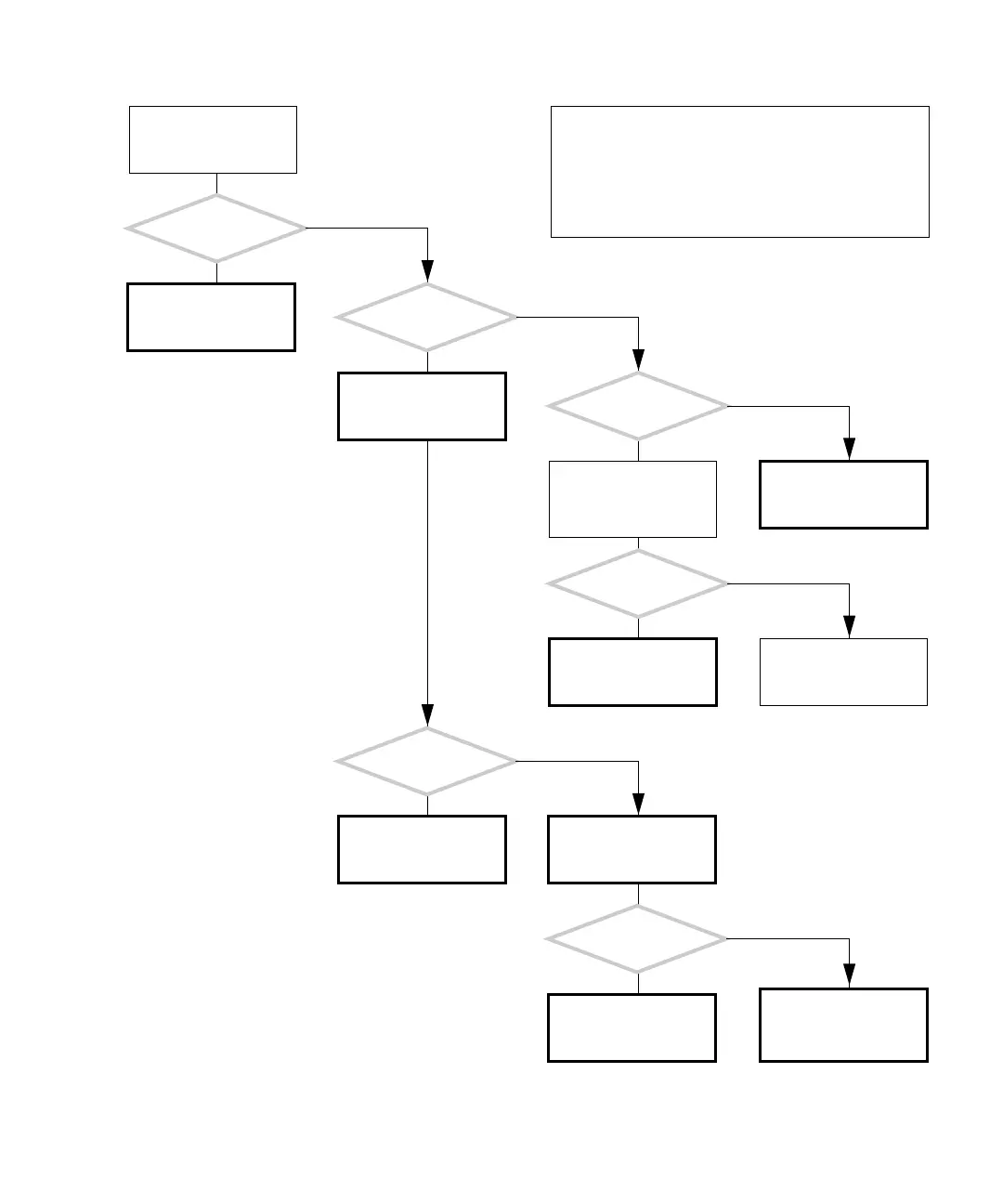
4.2.11 Data Access and Running Applications Problem
FIGURE 4-20 Data Access and Running Applications Problems
Check the hard drive. See
“Hard Drive Problem” on
page 4-8.
Refer to the message
tables. See “Displayed
Messages” on page 3-5.
There is a problem
accessing data and run-
ning applications.
Are
other systems having
the same problem?
Is the
data or application on
the suspect system?
Is an error
displayed?
Check the network con-
nection. See “Network
Problem” on page 4-17.
Return to “Power-On
Flowchart” on page 4-3.
Diagnose file server or
application server. Con-
tact system administra-
tor.
Did this solve
the problem?
Did this solve
the problem?
Did this solve
the problem?
Check network hardware
and status.
Return to “Power-On
Flowchart” on page 4-3.
Check the memory. See
“Memory Problem” on
page 4-37.
Return to “Power-On
Flowchart” on page 4-3.
Check motherboard and
replace if necessary. See
“Motherboard Problem”
on page 4-34.
Y
N
Y
N
Y
N
Y
N
Y
N
Y
N
In normal operation, accessing data and running applica-
tions is smooth and without error. There might be load
time delays for programs that require a lot of memory.
If you suspect a software problem, consult with the system
administrator.
Checking a component means checking the electrical con-
nections and fit.














 To Next Page