13-4 Sun Blade 1500 Service, Diagnostics, and Troubleshooting Manual • December 2004
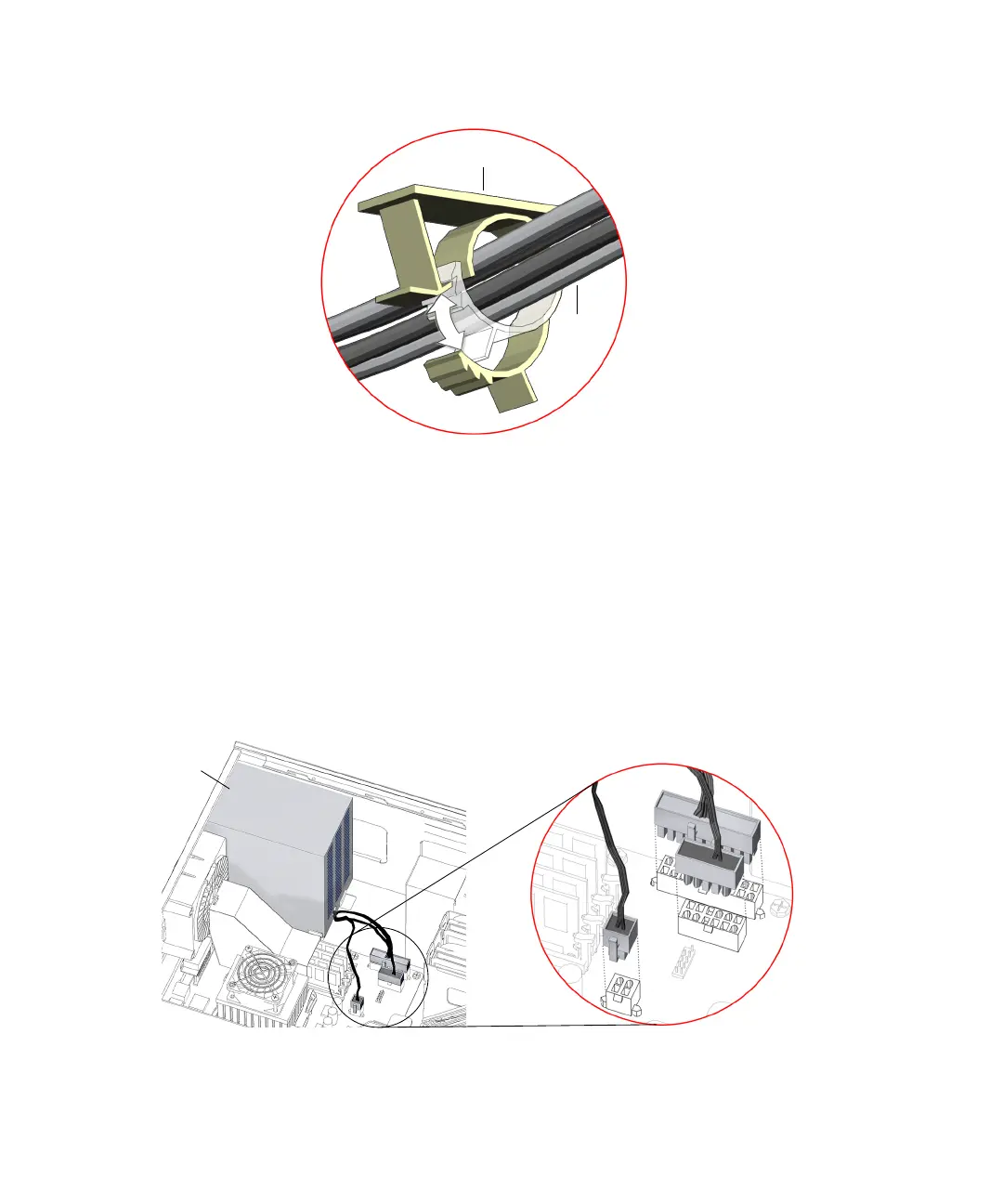
FIGURE 13-2 Releasing Cable From Routing Clip
4. Disconnect the three power supply cables from the motherboard power
connectors.
See FIGURE 13-3. The power supply connectors have clips that fasten to the
motherboard connectors, PS0, PS1, and PS2.
a. Squeeze the power supply connector clip and pull the connector from the
motherboard to disengage it.
b. Lift the power supply cable up and away from the motherboard.
FIGURE 13-3 Power Supply Motherboard Connections
Routing clip
Power
supply
cables
PS0
PS1
PS2
Power
supply














 To Next Page