4-28 Sun Blade 1500 Service, Diagnostics, and Troubleshooting Manual • December 2004
4.3.2 PCI Card Problem
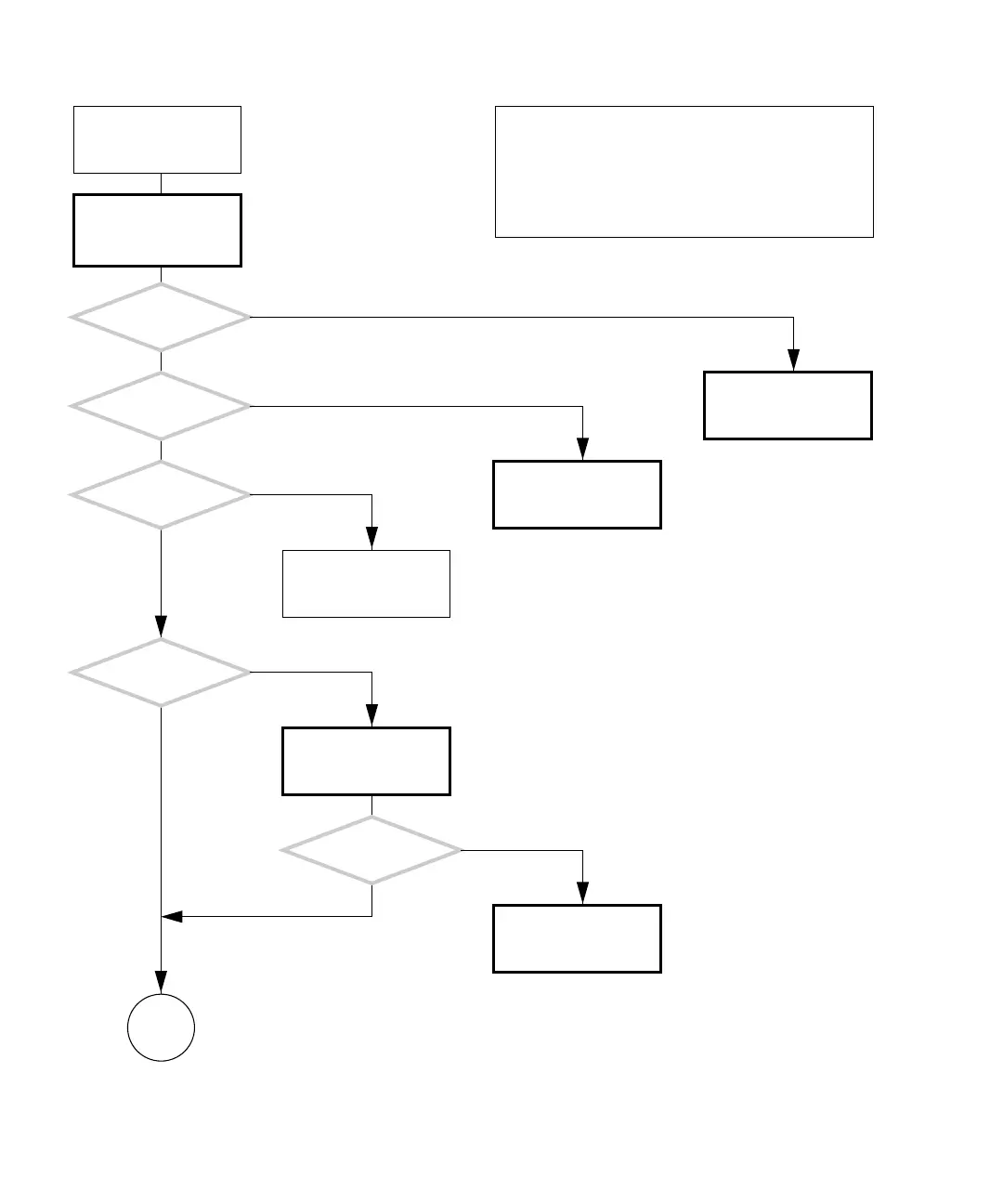
FIGURE 4-24 PCI Card Problem
Return to “Power-On
Flowchart” on page 4-3.
Remove any non-Sun sup-
ported PCI cards. See
“Removing a PCI Card” on
page 11-30.
There is a problem with
a PCI card or graphics
accelerator.
Are the
connections between the
card and peripheral
good?
Are
the PCI cards properly
seated in their slots?
Is the problem
still there?
Check card slot seating.
See “Installing a PCI
Card” on page 11-38.
Check the cable, periph-
eral, and card and
replace if necessary.
Is the problem
still there?
Is the
PCI card other than a
graphics accelerator?
Return to “Power-On
Flowchart” on page 4-3.
Refer to displayed screens
table. See “Displayed
Screens” on page 3-2.
Y
N
Y
N
Y
N
Y
N
Y
N
If you have just installed a PCI card, refer to “Customizing
Your System” on page 16-1 for more information about
supported PCI cards.
Some PCI cards need extra care when installing as they fit
tightly.
Checking a component means checking the electrical con-
nections and fit.
Go to
K














 To Next Page