13-60 Sun Blade 1500 Service, Diagnostics, and Troubleshooting Manual • December 2004
2. Remove the hard drive.
■ If you are replacing an existing hard drive, refer to “Replacing a Hard Drive” on
page 12-2.
■ If you are installing a new hard drive and not replacing an existing hard drive,
proceed to
“Installing the Drive Rails” on page 13-61.
3. Locate the drive rails.
The drive rails are on the side of each hard drive.
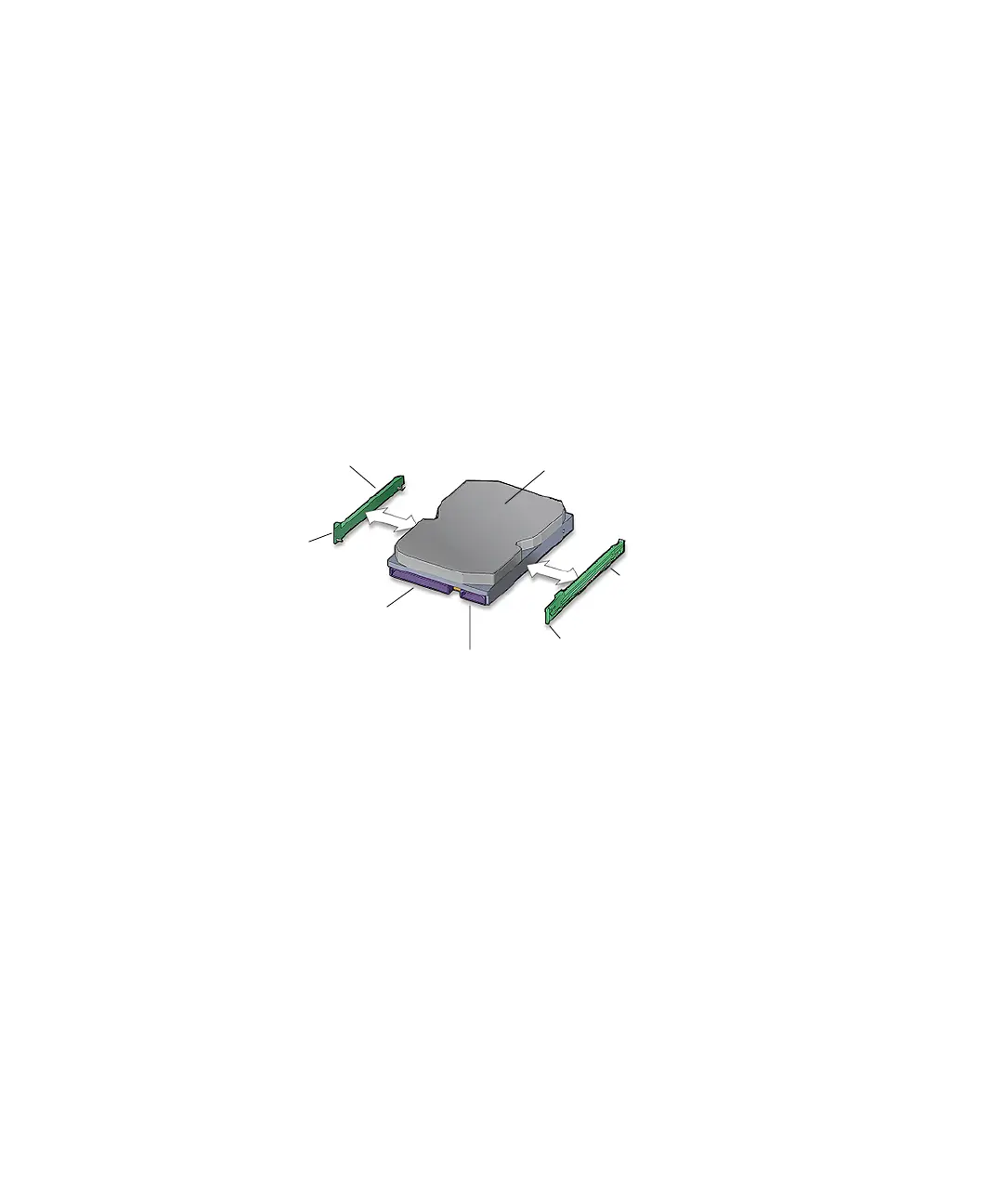
4. Pull the green plastic drive rails off the sides of the hard drive.
See FIGURE 13-62. Set them aside.
FIGURE 13-62 Removing the Drive Rails From the Hard Drive
5. Choose your next step:
■ If you are going to replace the hard drive, proceed to “Installing the Drive Rails”
on page 13-61.
■ Otherwise, continue to Step 6.
6. Store the drive rails on the underside of the hard drive bay.
See FIGURE 13-61.
7. Install the access panel, and power on the system.
Refer to:
■ “Installing the Access Panel” on page 15-5
■ “Powering On the Workstation” on page 15-8
Drive rail
HDD-L
Drive rail
HDD-R
Interface
connector
IDE power connector
Tab R
Tab L
Hard drive














 To Next Page