10-12 Sun Blade 1500 Service, Diagnostics, and Troubleshooting Manual • December 2004
10.4 Removing the Access Panel
1. Power off the workstation.
If you have not already done so, complete the procedure in “Powering Off the
Workstation” on page 10-4.
After the system is powered off and the power cord has been removed, it is safe to
remove the access panel to gain access to internal components.
2. Locate the access panel.
Facing the workstation bezel, the access panel is on the left side of the chassis.
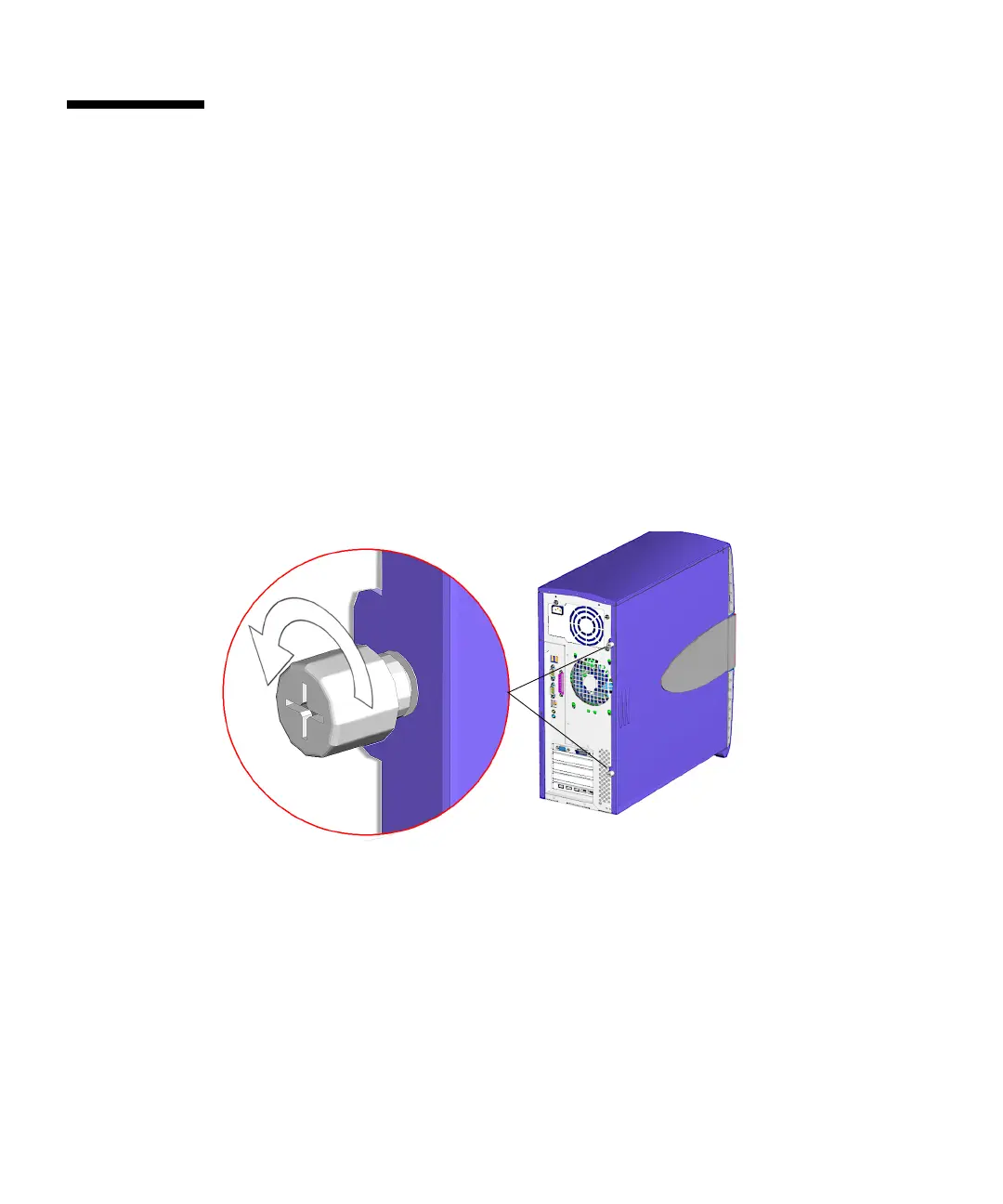
3. Turn the captive thumbscrews, located at the rear of the system, counter-clockwise
to loosen them.
See FIGURE 10-6. If the thumbscrews are very tight, use a No. 2 Phillips screwdriver to
loosen them.
FIGURE 10-6 Loosening the Screws
4. Slide the access panel toward the rear of the system chassis about an inch (2.5 cm),
then lift the access panel from the chassis and set it aside.
See FIGURE 10-7.














 To Next Page