11-34 Sun Blade 1500 Service, Diagnostics, and Troubleshooting Manual • December 2004
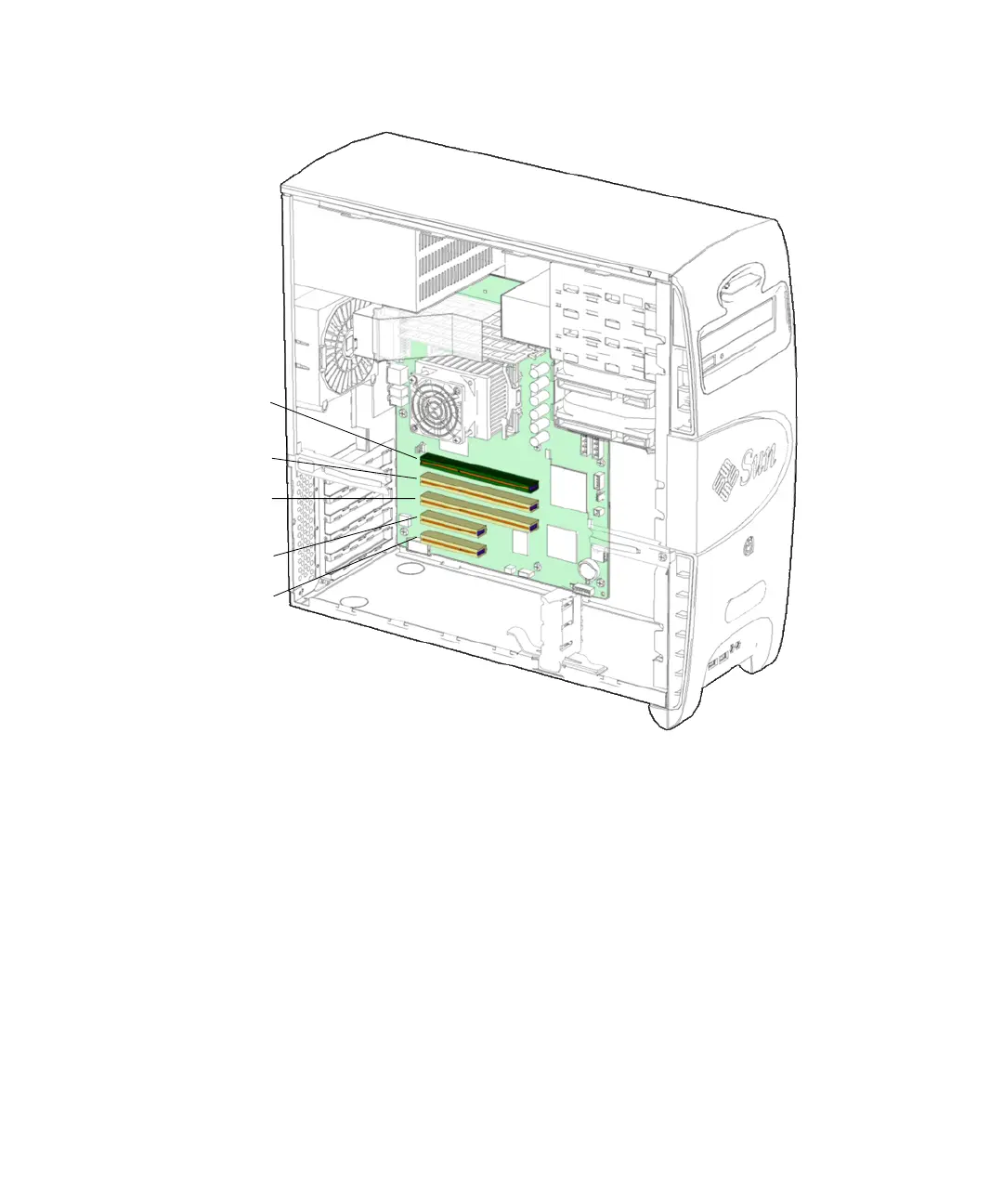
FIGURE 11-36 Identifying the PCI Card Slots
11.5.4 Special Considerations for Graphics Accelerators
11.5.4.1 Visual Inspection
If the firmware does not configure a console display, you can determine the default
console display by inspecting the rear panel of the workstation. If a graphics
accelerator is installed into the top slot, then that card is the default console display.
If there is no graphics accelerator installed into PCI4, consider the following probe
order.
PCI4
(66 MHz, 64-bit)
PCI3
(33 MHz, 64-bit)
PCI2
(33 MHz, 64-bit)
PCI1
(33 MHz, 32-bit)
PCI0
(33 MHz, 32-bit)














 To Next Page