11-10 Sun Blade 1500 Service, Diagnostics, and Troubleshooting Manual • December 2004
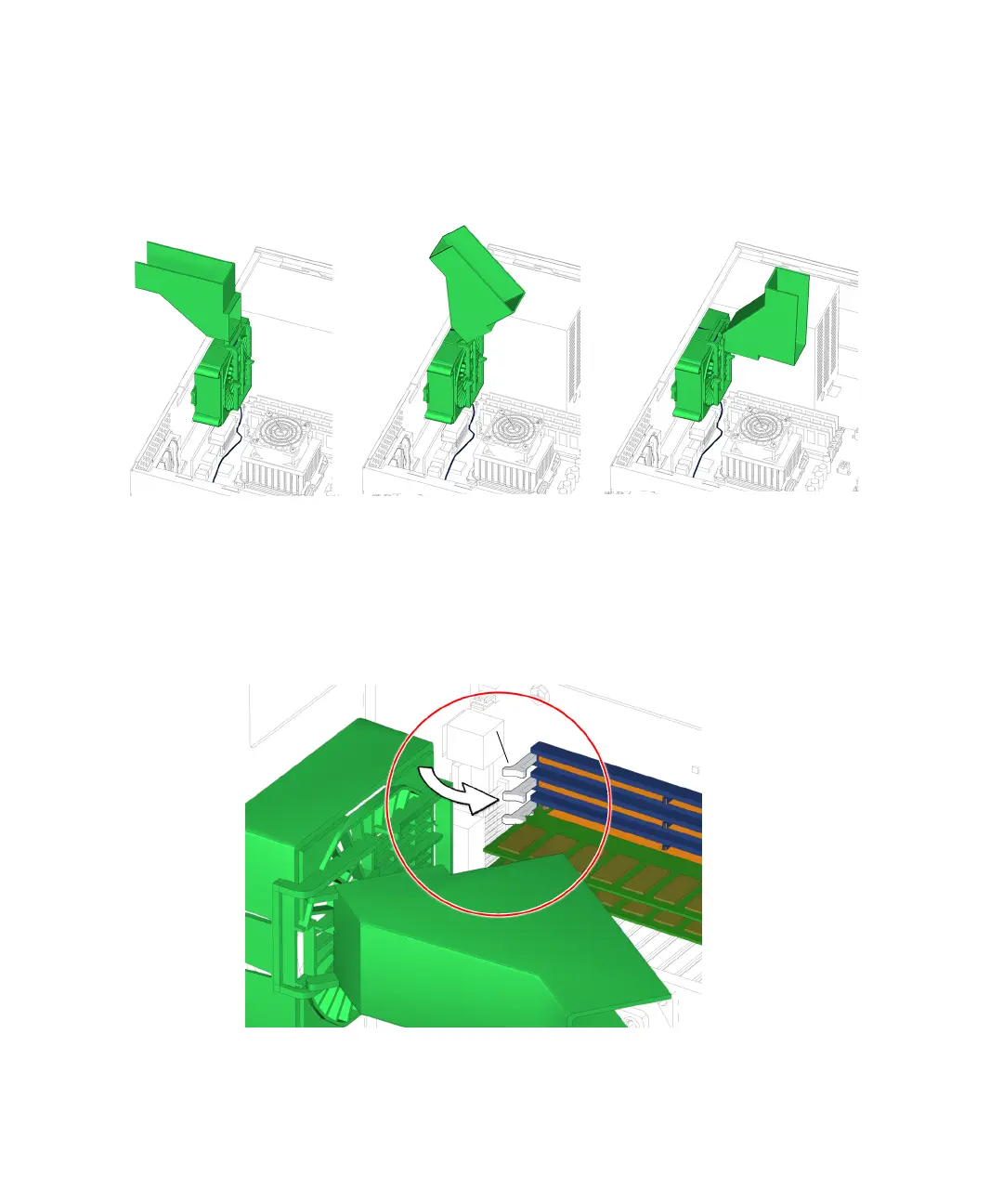
8. Flip the DIMM cooling duct over toward the front of the chassis, so that the guide
rails of the duct are flush with the guide rails of the rear fan bracket.
See FIGURE 11-10.
FIGURE 11-10 Flipping DIMM Cooling Duct Back
9. Ensure that the DIMM ejector levers are in the closed position before sliding the
DIMM cooling duct into the locked position.
See FIGURE 11-11.
FIGURE 11-11 Ejector Levers Closed Position
Ejector levers














 To Next Page