13-18 Sun Blade 1500 Service, Diagnostics, and Troubleshooting Manual • December 2004
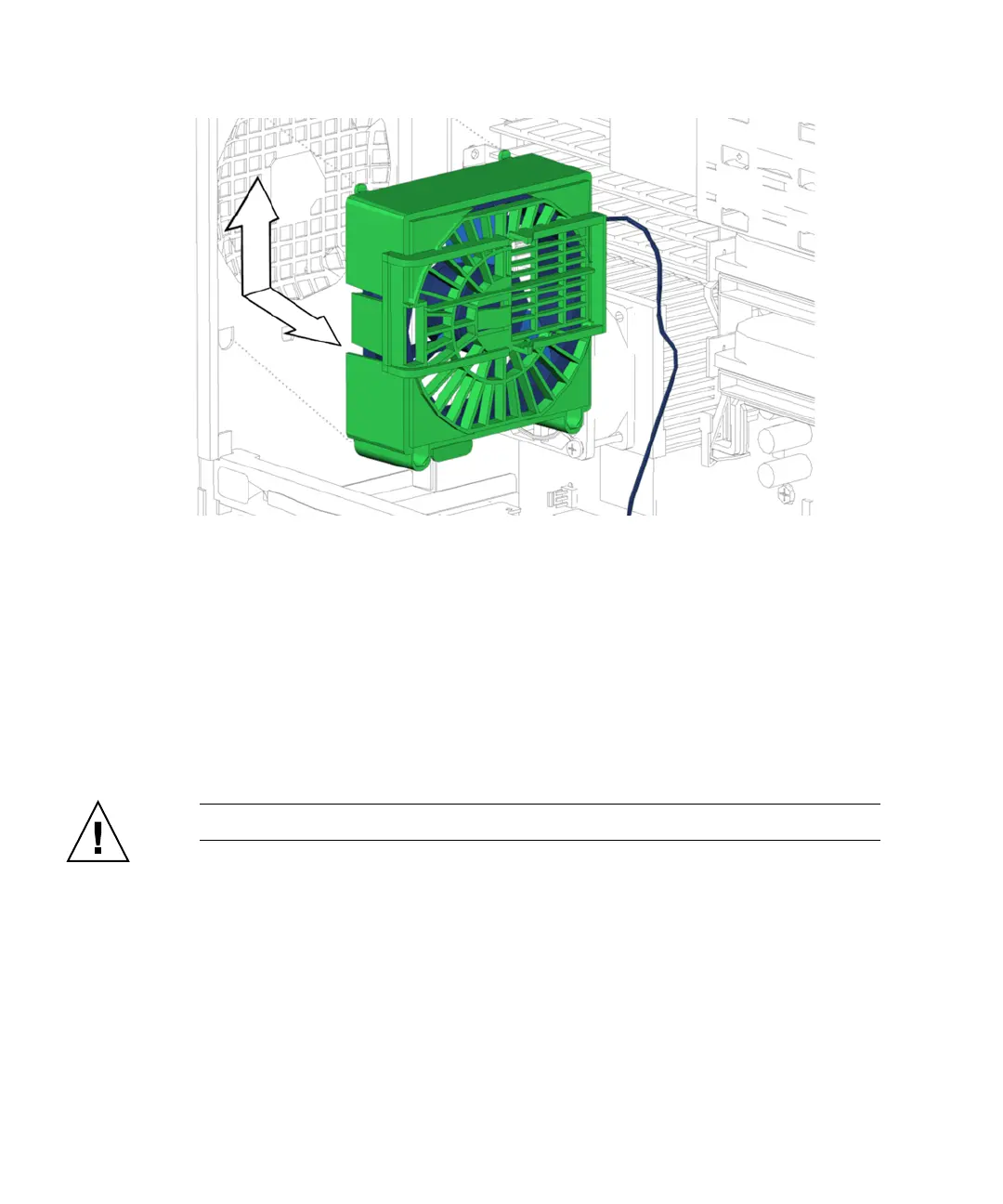
FIGURE 13-16 Removing the Rear Fan
6. Lift the rear fan assembly out of the system chassis and set it aside.
7. Choose your next step:
■ If you removed the rear fan prior to removing the motherboard, return to Step 5
of “Removing the Motherboard” on page 11-46.
■ If you removed the rear fan prior to removing the CPU fan and heat sink
assembly, return to
Step 4 of “Removing the CPU Fan and Heat Sink Assembly”
on page 11-14.
■ Otherwise, proceed to “Installing the Rear Fan” on page 13-18.
Caution – Do not operate the workstation without the rear fan.
13.3.3 Installing the Rear Fan
1. Open the chassis.
Refer to “Removing the Access Panel” on page 10-12
2. Locate where the rear fan is to be installed.
See FIGURE 13-14.














 To Next Page