Chapter 14 Replacing Internal Cables 14-7
14.2.1 Identifying the Optical Drive Interface Cable
The optical has separate power and interface cables. The power cable is a Y cable
that connects to the motherboard at IDE PWR and the other ends to the hard drives
and optical drive. The interface cable connects the optical drive to the motherboard
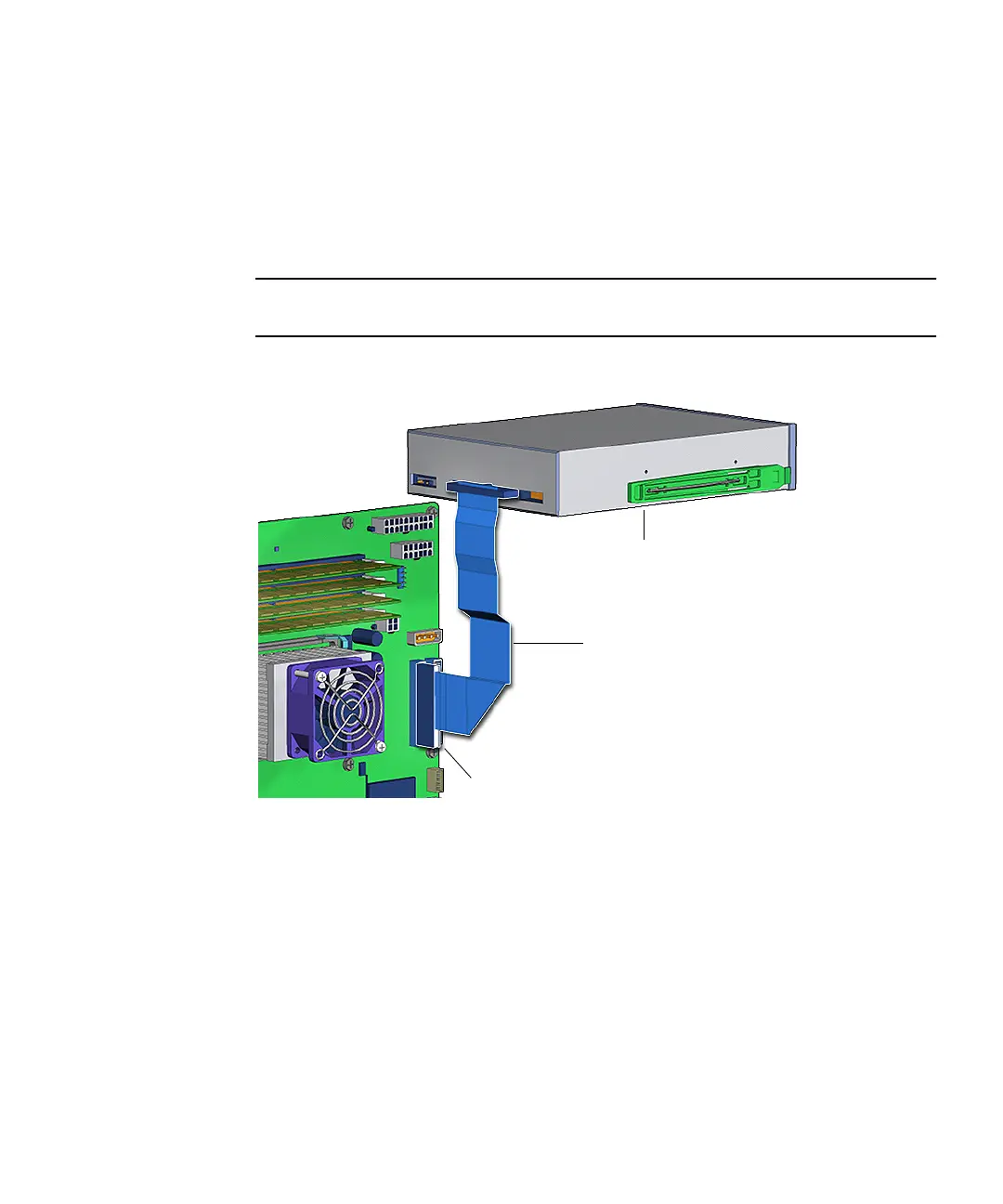
at IDE SEC. The interface cable is a 40-conductor ribbon cable that is routed through
the chassis.
FIGURE 14-5 shows the optical drive interface cable connections.
Note – The instructions in this section apply to any removable media drive, such as
a CD-ROM, tape, or DVD-ROM drive.
FIGURE 14-5 Optical Drive Interface Cable Connection
14.2.2 Removing the Optical Drive Interface Cable
1. Power off the system and open the chassis.
Refer to:
■ “Powering Off the Workstation” on page 10-4
■ “Removing the Access Panel” on page 10-12
Connector IDE SEC
Optical drive
Optical drive
interface cable














 To Next Page