11-50 Sun Blade 1500 Service, Diagnostics, and Troubleshooting Manual • December 2004
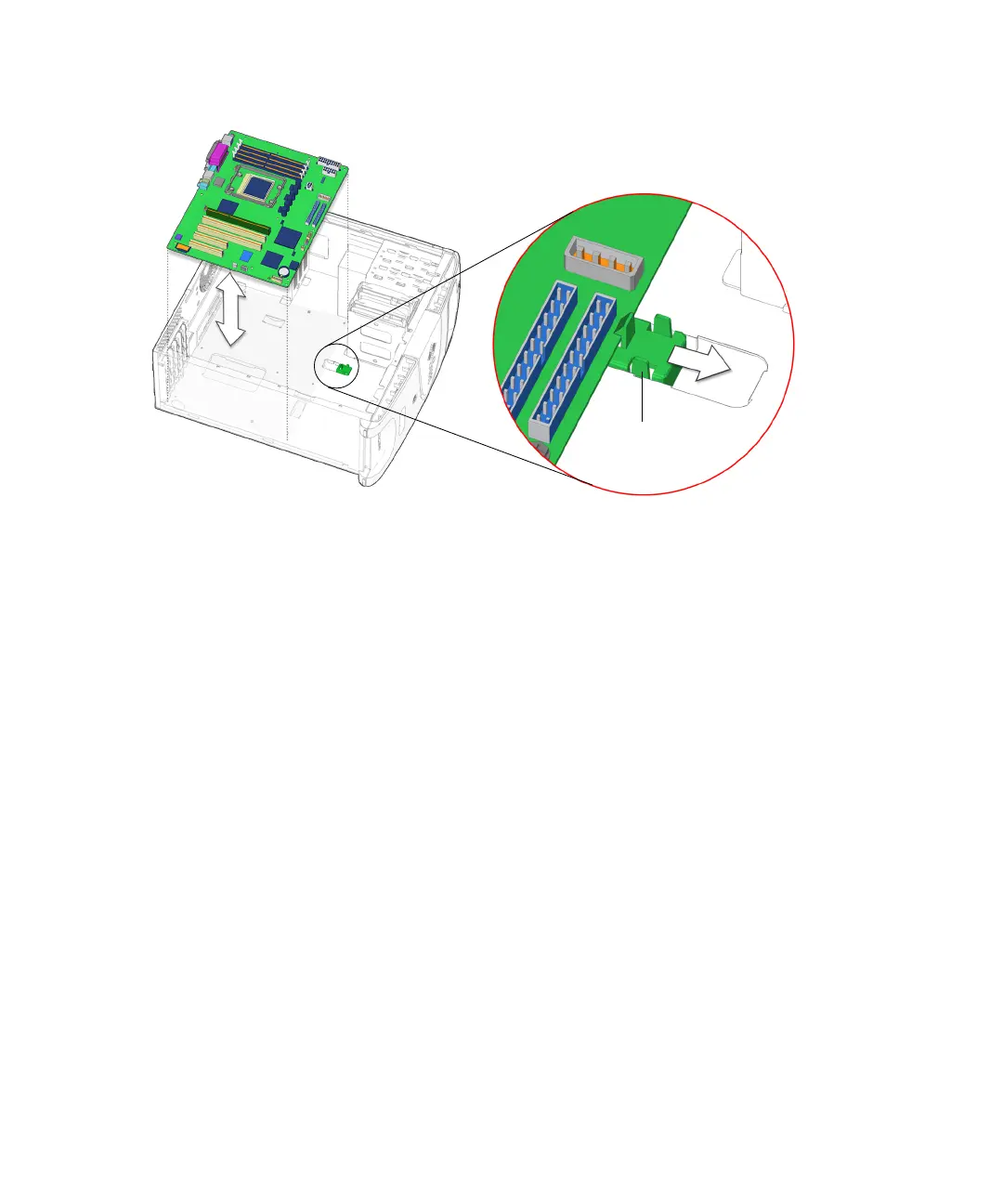
FIGURE 11-46 Releasing the Motherboard Retaining Clip
13. Move the cables out of the way.
14. Lift up on the edge of the motherboard nearest the front panel, pull the
motherboard away from the rear panel, and then up and out of the system.
See FIGURE 11-46.
15. Set the motherboard down onto the antistatic mat.
Proceed to “Installing the Motherboard” on page 11-50 to install the new
motherboard.
11.6.3 Installing the Motherboard
Install the following items after installing the motherboard:
■ Motherboard fastening screws
■ Interface cables
■ Signal cables
■ Power cables
■ (Optional) NVRAM
■ CPU fan and heat sink assembly
■ DIMMs
■ PCI cards
■ (Optional) Rear fan
Retaining clip














 To Next Page