12-20 Sun Blade 1500 Service, Diagnostics, and Troubleshooting Manual • December 2004
9. Tilt and lift the smart card reader from the bracket.
See FIGURE 12-17. Set the smart card reader aside.
10. Choose your next step:
■ If you removed the smart card reader to replace it, install the new smart card
reader. Proceed to
“Installing the Smart Card Reader” on page 12-20.
■ Otherwise, install the bezel, the access panel, and power on the system. Refer to:
■ “Installing the Bezel” on page 15-2
■ “Installing the Access Panel” on page 15-5
■ “Powering On the Workstation” on page 15-8
12.3.3 Installing the Smart Card Reader
1. Power off the system, open the chassis, and remove the bezel.
Refer to:
■ “Powering Off the Workstation” on page 10-4
■ “Removing the Access Panel” on page 10-12
■ “Removing the Bezel” on page 10-14
2. Locate the smart card reader bracket.
The smart card reader installs into the smart card reader bracket. See FIGURE 12-13.
3. Remove the new smart card reader from its packaging.
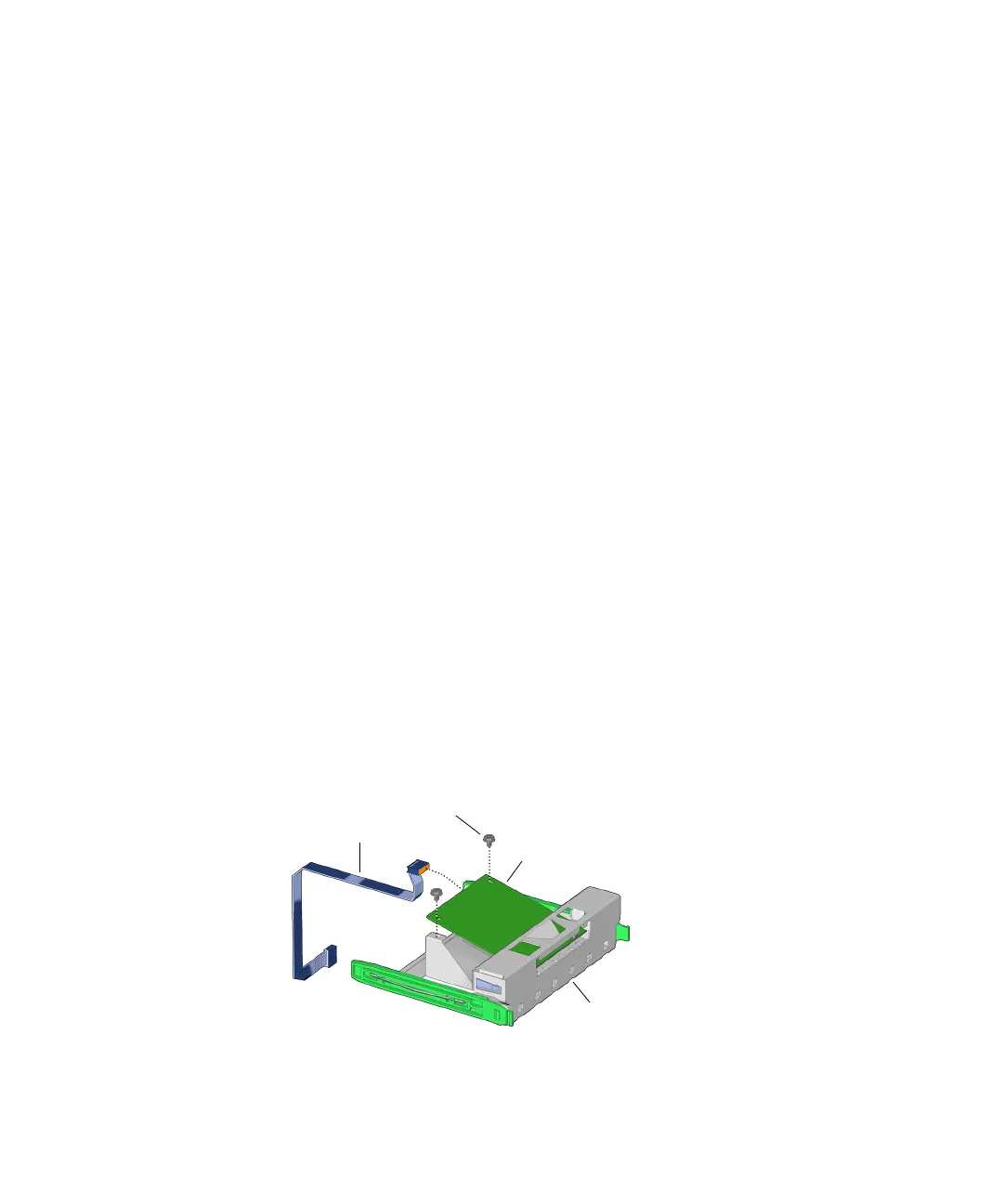
4. Tilt the reader, component side down, into the bracket rails and slide in until it
stops.
See FIGURE 12-18.
FIGURE 12-18 Installing Smart Card Reader Into Bracket
Screws (2)
Bracket
Smart card reader
Interface cable














 To Next Page