12-16 Sun Blade 1500 Service, Diagnostics, and Troubleshooting Manual • December 2004
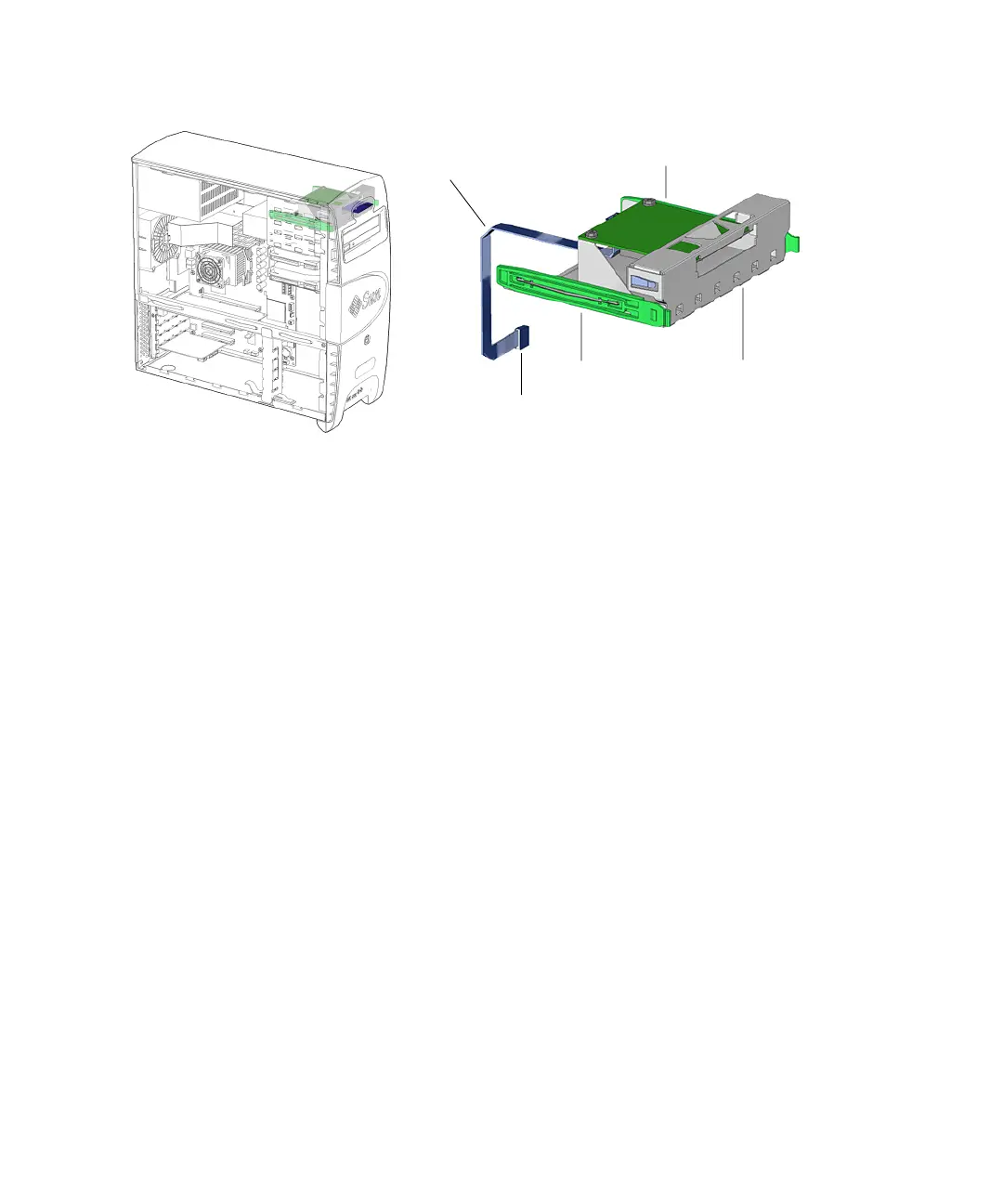
FIGURE 12-13 Smart Card Reader Location and Identification
12.3.2 Removing the Smart Card Reader
1. Power off the system, open the chassis, and remove the bezel.
Refer to:
■ “Powering Off the Workstation” on page 10-4
■ “Removing the Access Panel” on page 10-12
■ “Removing the Bezel” on page 10-14
2. Locate the smart card reader.
The smart card is installed on a smart card reader bracket that fits into the top slot of
the removable media bay. See
FIGURE 12-13.
3. Open the reader cable clip at the top of the chassis and remove the smart card
reader interface cable from the clip. See
FIGURE 12-14.
Smart card reader
Smart card reader
bracket
Drive rails
Smart card reader
cable
Connector SCR0














 To Next Page