Chapter 4 Troubleshooting Flowcharts 4-25
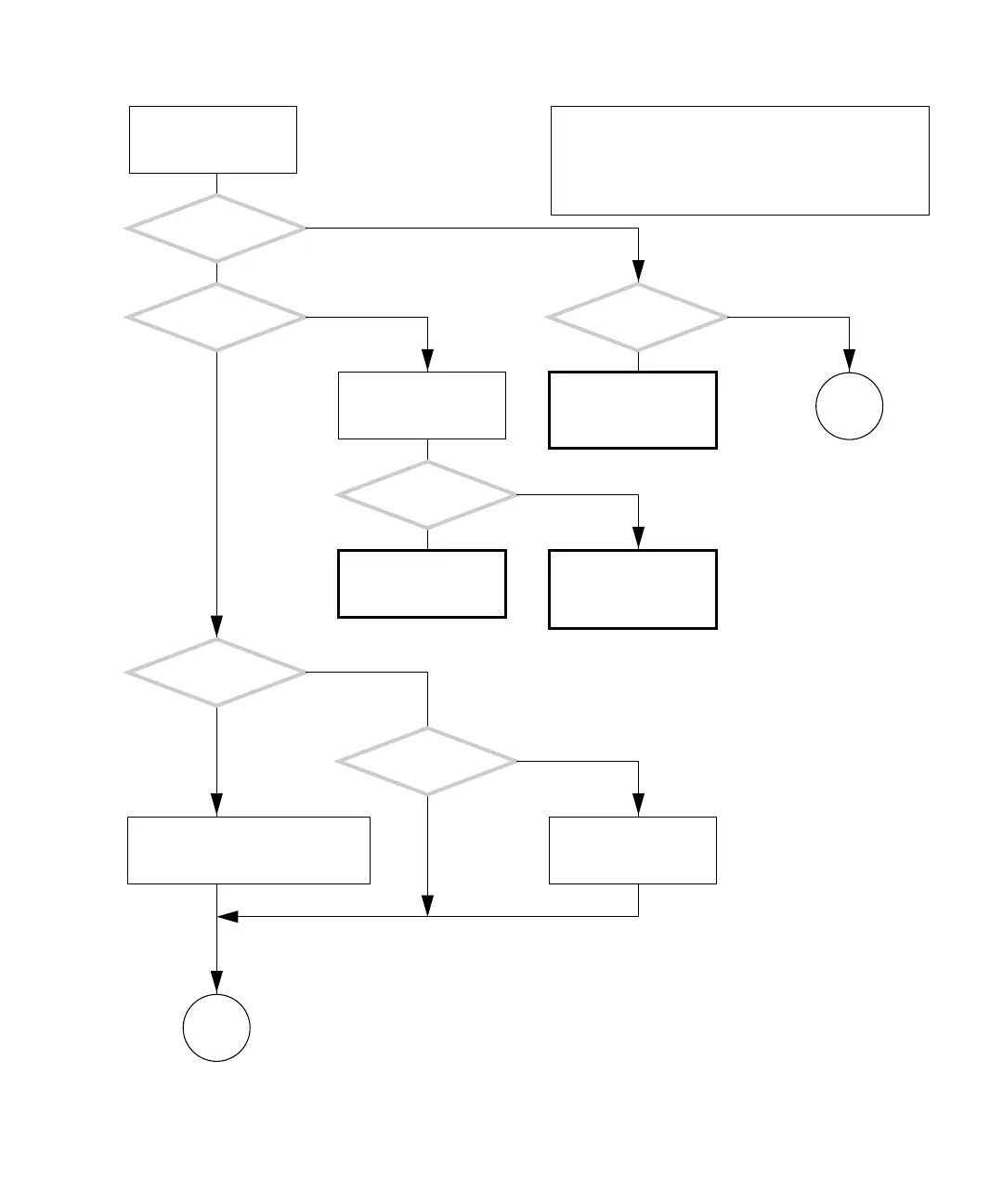
4.3.1 Optical Drive Problem
FIGURE 4-21 Optical Drive Problem
There is a problem with
the optical drive.
Did the optical
drive tray open?
Is there a disc inside of
the optical drive?
Is there a
message about the opti-
cal drive displayed?
Are you having
trouble opening the opti-
cal drive tray?
Return to “Power-On
Flowchart” on page 4-3.
Press the Eject button.
Refer to the displayed
message tables. See “Dis-
played Messages” on
page 3-5.
Is the
operating system
running?
Is the ok prompt
displayed?
Press the Stop-A keys.Stop the volume manager. As supe-
ruser, type:
# /etc/init.d/volmgt stop
Y
N
Y
N
Y
N
Y
N
Y
N
Y
N
In normal operation, the optical drive reads most common
optical media discs. The vold daemon must be running
to automount optical media discs.
Similarly, the disc must be unmounted before it can be
ejected. This includes pressing the eject button. Contin-
ued in “Optical Drive Problem (Continued)” on page 4-26.
Go to
H
Go to
I
Check the optical drive
and replace if necessary.
See “Replacing the Opti-
cal Drive” on page 12-9.














 To Next Page