11-32 Sun Blade 1500 Service, Diagnostics, and Troubleshooting Manual • December 2004
Note – Use care not to damage the EMI fingers around the PCI card slots.
7. Choose your next step:
■ If you removed the PCI card to replace it, install the new PCI card. Proceed to
“Installing a PCI Card” on page 11-38 to install the new PCI cards.
■ If you removed PCI cards prior to removing the NVRAM, return to Step 4 of
“Removing the NVRAM” on page 11-26.
■ If you removed PCI cards prior to removing the motherboard, return to Step 7 of
“Removing the Motherboard” on page 11-46.
■ Otherwise, continue with Step 8 to install a filler panel.
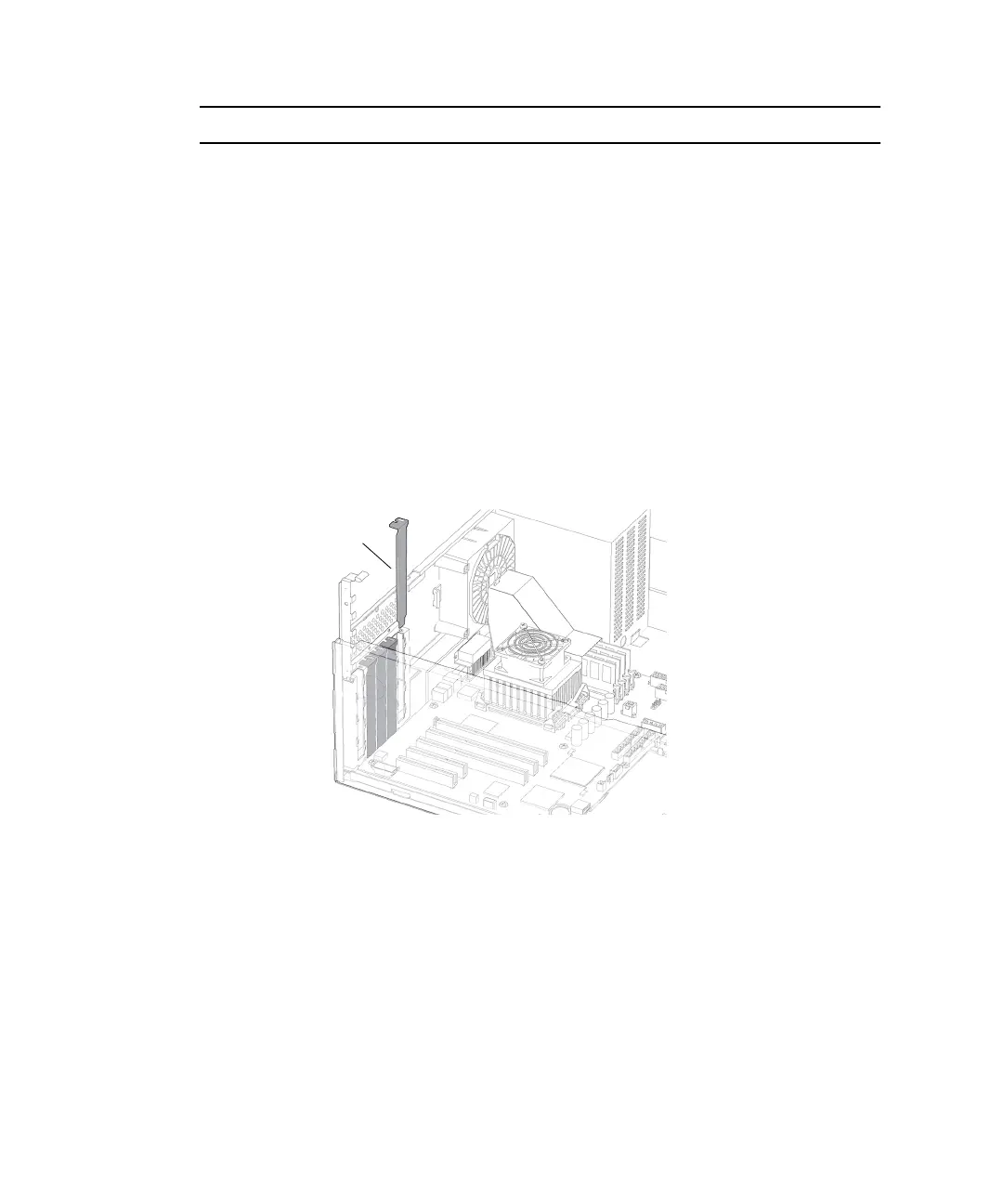
8. Insert a filler panel into the chassis rear panel slot.
The rear panel slot must be closed with a filler panel to meet system EMI and airflow
requirements. See
FIGURE 11-35.
FIGURE 11-35 Installing a PCI Card Filler Panel
9. Use a No. 2 Phillips screwdriver to fasten the screw that secures the PCI card
retainer.
See FIGURE 11-40.
10. Install the chassis cross brace (if removed previously), reposition the chassis,
install the access panel, and power on the system.
Refer to:
■ “Installing the Chassis Cross Brace” on page 13-53
■ “Repositioning the Chassis” on page 15-1
Filler panel














 To Next Page