Chapter 13 Replacing Chassis Components 13-45
13.7 Replacing the PCI Card Support
This section describes removal and installation of the PCI card support. Topics
include:
■ “Identifying the PCI Card Support” on page 13-45
■ “Removing the PCI Card Support” on page 13-45
■ “Installing the PCI Card Support” on page 13-47
13.7.1 Identifying the PCI Card Support
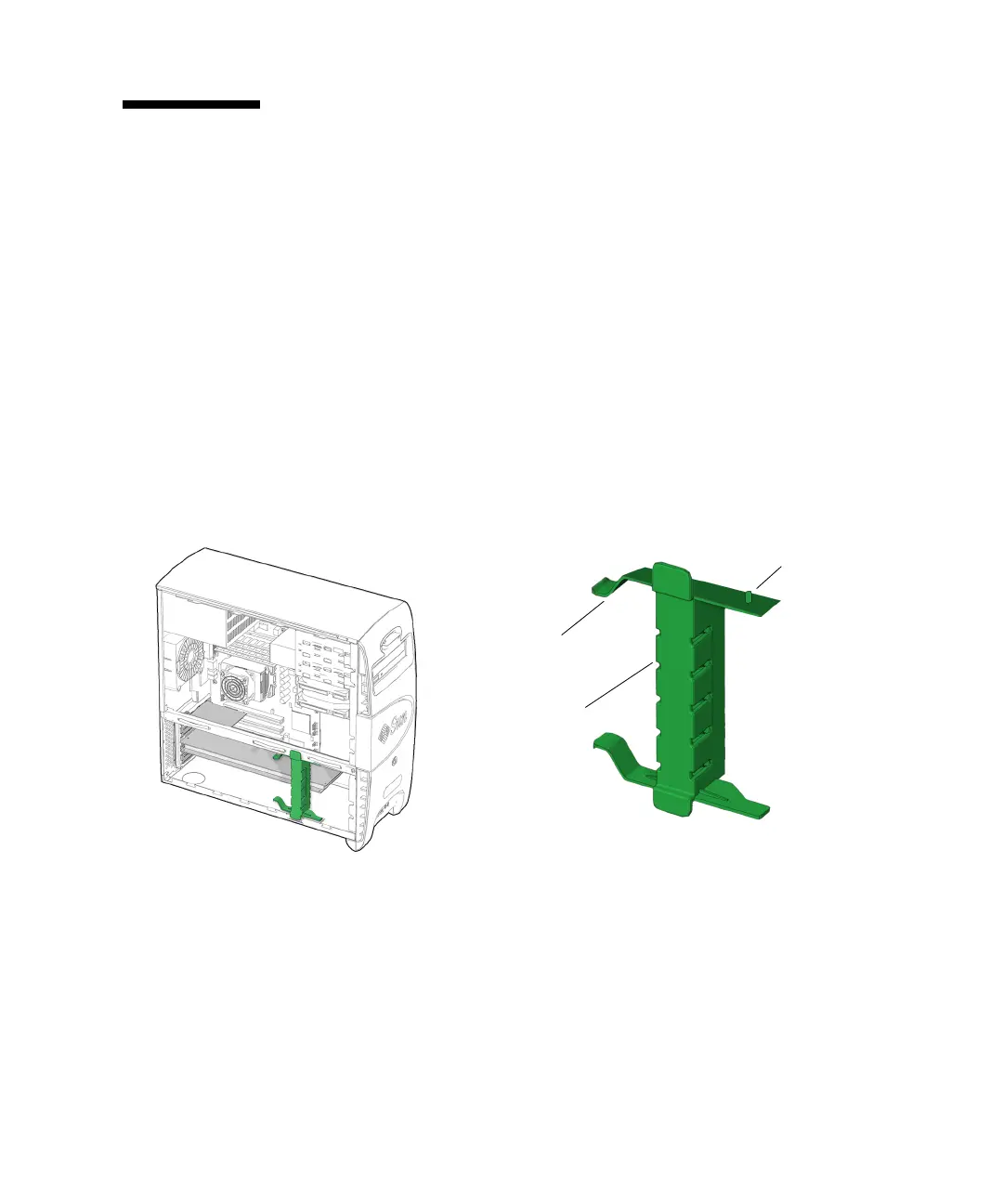
The PCI card support provides shock and vibration protection for long PCI cards. It
supports the PCI cards with spring-loaded fingers, one for each card. The PCI card
support is held in place between the chassis cross brace and the bottom of the
chassis. See
FIGURE 13-47.
FIGURE 13-47 PCI Card Support Location and Identification
13.7.2 Removing the PCI Card Support
1. Power off the system and open the chassis.
Refer to:
■ “Powering Off the Workstation” on page 10-4
■ “Removing the Access Panel” on page 10-12
PCI card support
squeeze tabs (2)
PCI card support
fingers (5)
PCI card support
chassis pivot
tabs (2)














 To Next Page