12-4 Sun Blade 1500 Service, Diagnostics, and Troubleshooting Manual • December 2004
2. Locate the hard drive to be removed.
See FIGURE 12-1.
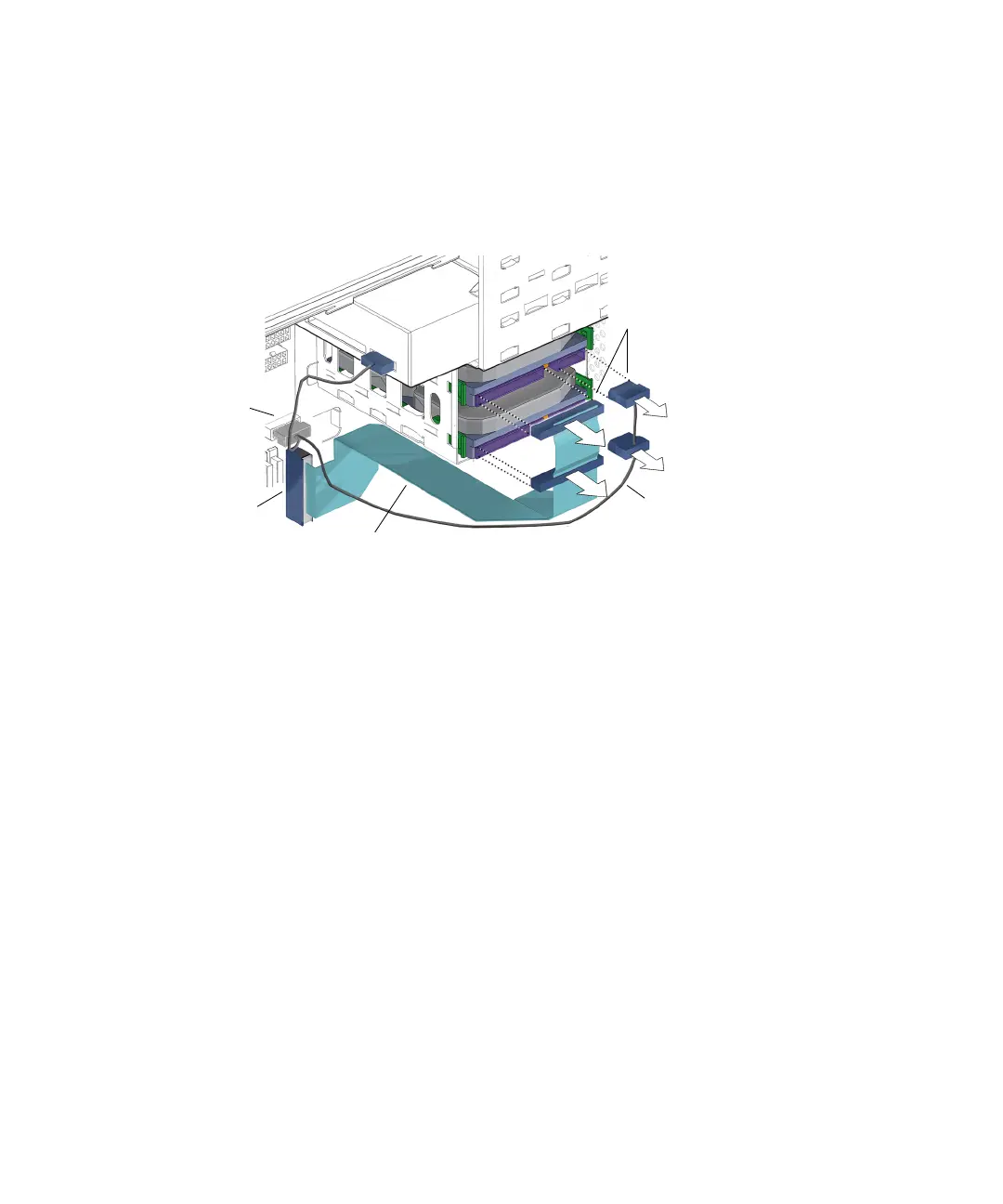
3. Disconnect the power and interface cables from all installed hard drives. See
FIGURE 12-2.
FIGURE 12-2 Disconnecting the Hard Drive Cables
4. Squeeze the green tabs on both sides of the hard drive to be removed.
5. Pull the hard drive out of the hard drive bracket.
See FIGURE 12-3.
Interface cable
IDE power cable
Connectors for
HDD0
Connector
IDE PWR
Connector
IDE PRI














 To Next Page