4-6 Sun Blade 1500 Service, Diagnostics, and Troubleshooting Manual • December 2004
4.2.1 Power Problem
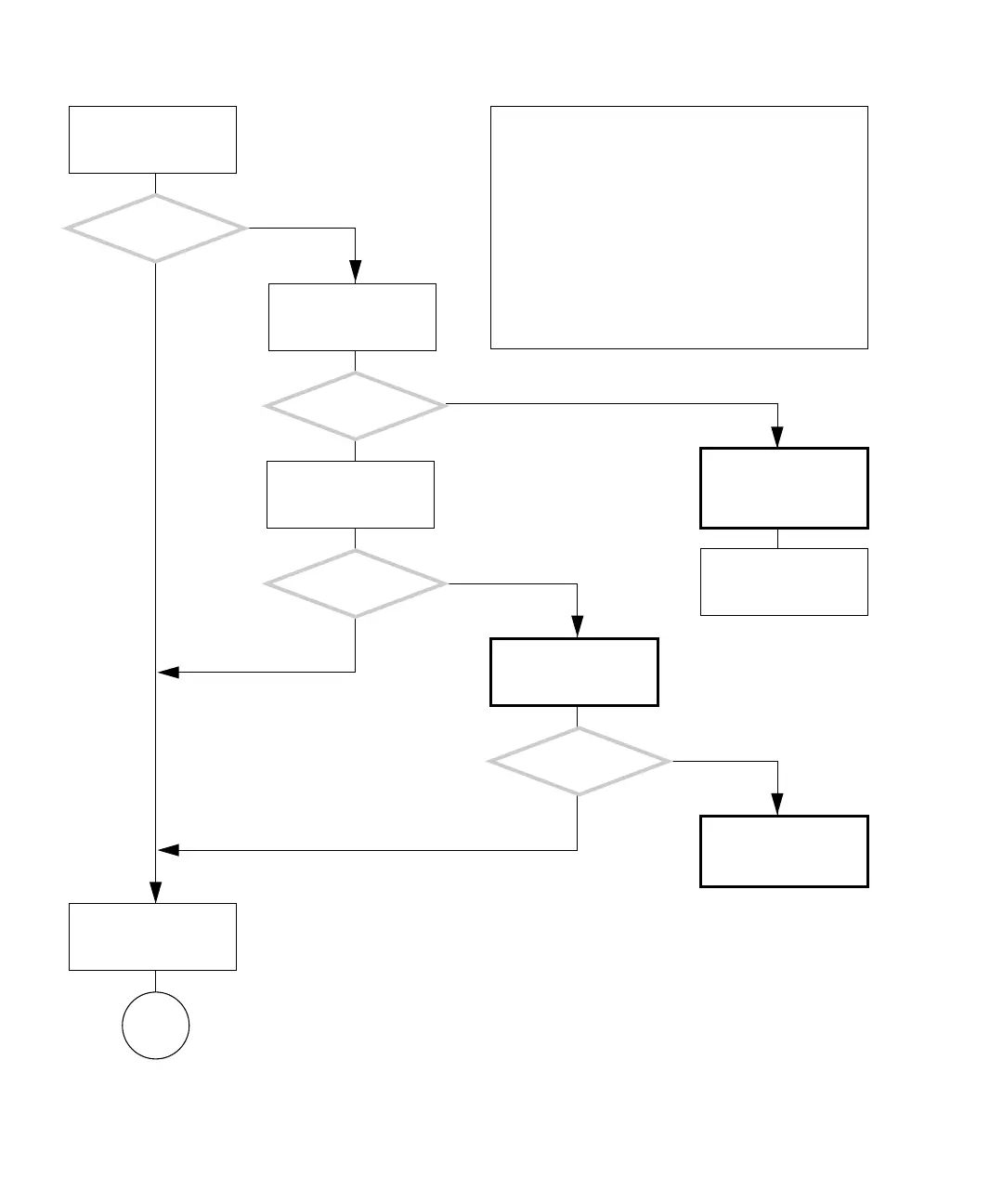
FIGURE 4-3 Power Problem
There is a power prob-
lem.
Attach known good elec-
tric device or tester to
wall receptacle.
Is the motherboard
LED0 on?
Resolve facility power
supply issues.
Is the specified power
supplied?
Check power require-
ments. See “Electrical
Specifications” on
page A-2.
Replace power cables.
Is the motherboard
LED0 on?
Replace power supply.
See “Replacing the Power
Supply” on page 13-2.
Is the motherboard
LED0 on?
Check motherboard and
replace if necessary. See
“Motherboard Problem”
on page 4-34.
Power on system.
Y
N
Y
N
Y
N
Y
N
In normal operation, the motherboard LED0 glows as
standby power is supplied to the workstation. You can
view the glow from LED0 by looking into the system chas-
sis through the rear system fan, or the mounting holes for
the fan. If room lighting is bright, the glow might not be
seen.
Upon powering on the workstation, the system fans imme-
diately spin to full speed. In a moment, they slow down to
the required speed.
Further into the boot process, the light in the Power but-
ton flashes, then stays lit.
If there is a serious problem with the system memory, the
workstation beeps three times and power off.
Checking a component means checking the electrical con-
nections and fit.
Go to
A














 To Next Page