Chapter 13 Replacing Chassis Components 13-11
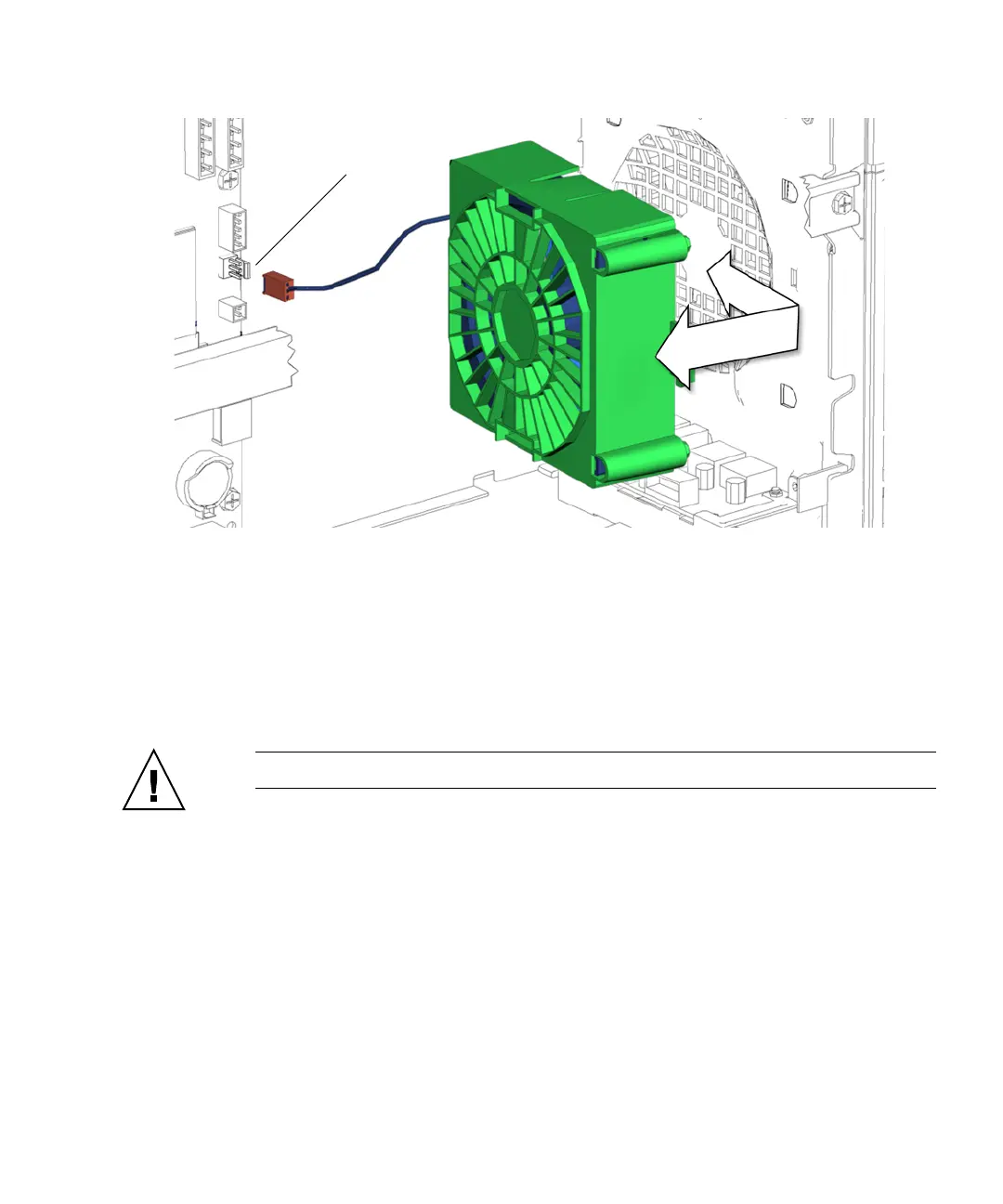
FIGURE 13-10 Removing the Front Fan Bracket
5. Squeeze the front fan bracket latch, then slide the front fan bracket toward the
chassis opening.
See FIGURE 13-10.
6. Lift the front fan bracket out of the system chassis and set it aside.
Proceed to “Installing the Front Fan” on page 13-11.
Caution – Do not operate the workstation without the front fan.
13.2.3 Installing the Front Fan
1. Open the chassis.
Refer to “Removing the Access Panel” on page 10-12
2. Locate where the front fan is to be installed.
See FIGURE 13-8.
3. Remove the front fan assembly from its packaging.
The front fan is shipped in its green bracket.
Connector FAN0 SYS














 To Next Page