Chapter 13 Replacing Chassis Components 13-19
3. Remove the rear fan assembly from its packaging.
The rear fan is shipped in its green bracket.
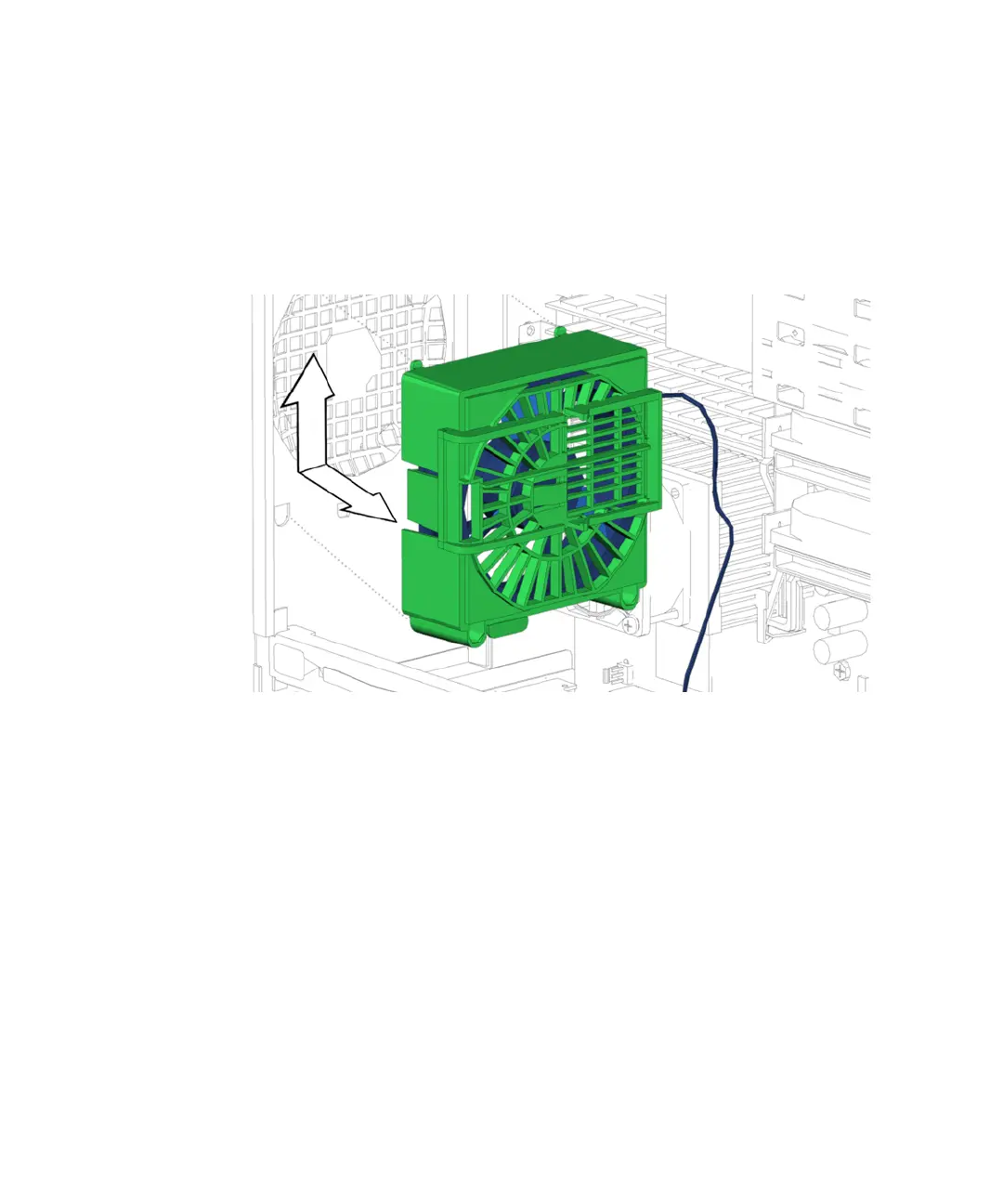
4. Align the four tabs on the open side of the fan bracket with their matching D-
shaped holes in the chassis rear panel.
Have the rear fan cable leading down and toward the bottom of the chassis. See
FIGURE 13-17.
FIGURE 13-17 Installing the Rear Fan Bracket
5. Press the rear fan bracket to the chassis and slide the bracket up toward the power
supply until the fan bracket latch clicks into place.
The tabs on the fan bracket protrude to the outside of the chassis. See FIGURE 13-18.














 To Next Page