Chapter 14 Replacing Internal Cables 14-3
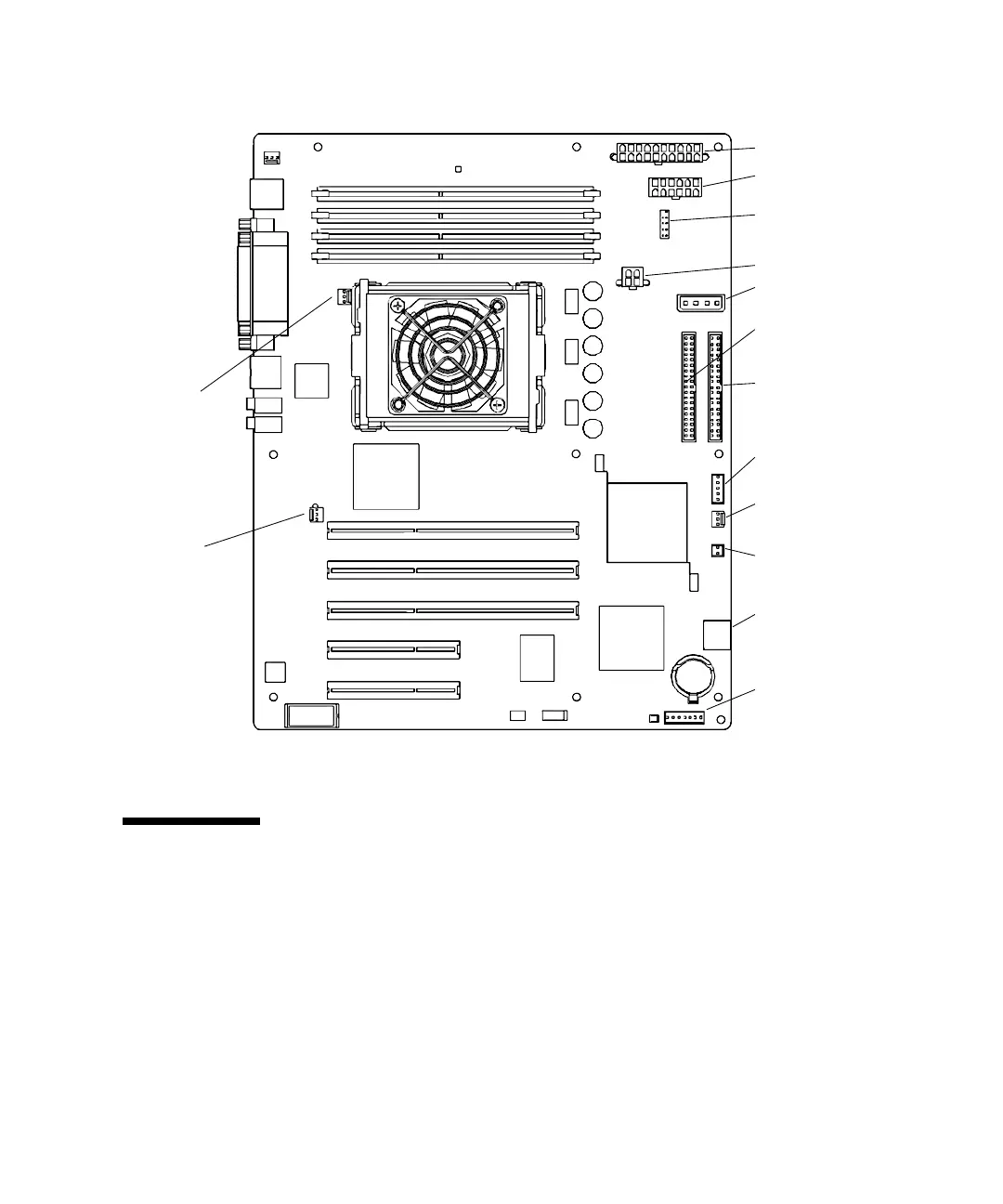
FIGURE 14-1 Sun Blade 1500 Motherboard Cable Connections
14.1 Replacing the Smart Card Reader Cable
This section describes removal and installation of the smart card reader cable. Topics
include:
■ “Identifying the Smart Card Reader Cable” on page 14-4
■ “Removing the Smart Card Reader Cable” on page 14-4
■ “Installing the Smart Card Reader Cable” on page 14-5
Power supply (PS2)
Power supply (PS1)
IDE power (IDE PWR)
Smart card reader
(SCR0)
Optical drive
Hard drive (IDE PRI)
(IDE SEC)
Power button
Front fan (FAN0 SYS)
Speaker (SPK0)
Audio (J13 AUDIO)
USB (J19 USB)
Rear fan
(FAN1 SYS)
Power supply (PS0)
CPU fan
(FAN2)
(J24 SW0)














 To Next Page