Chapter 13 Replacing Chassis Components 13-47
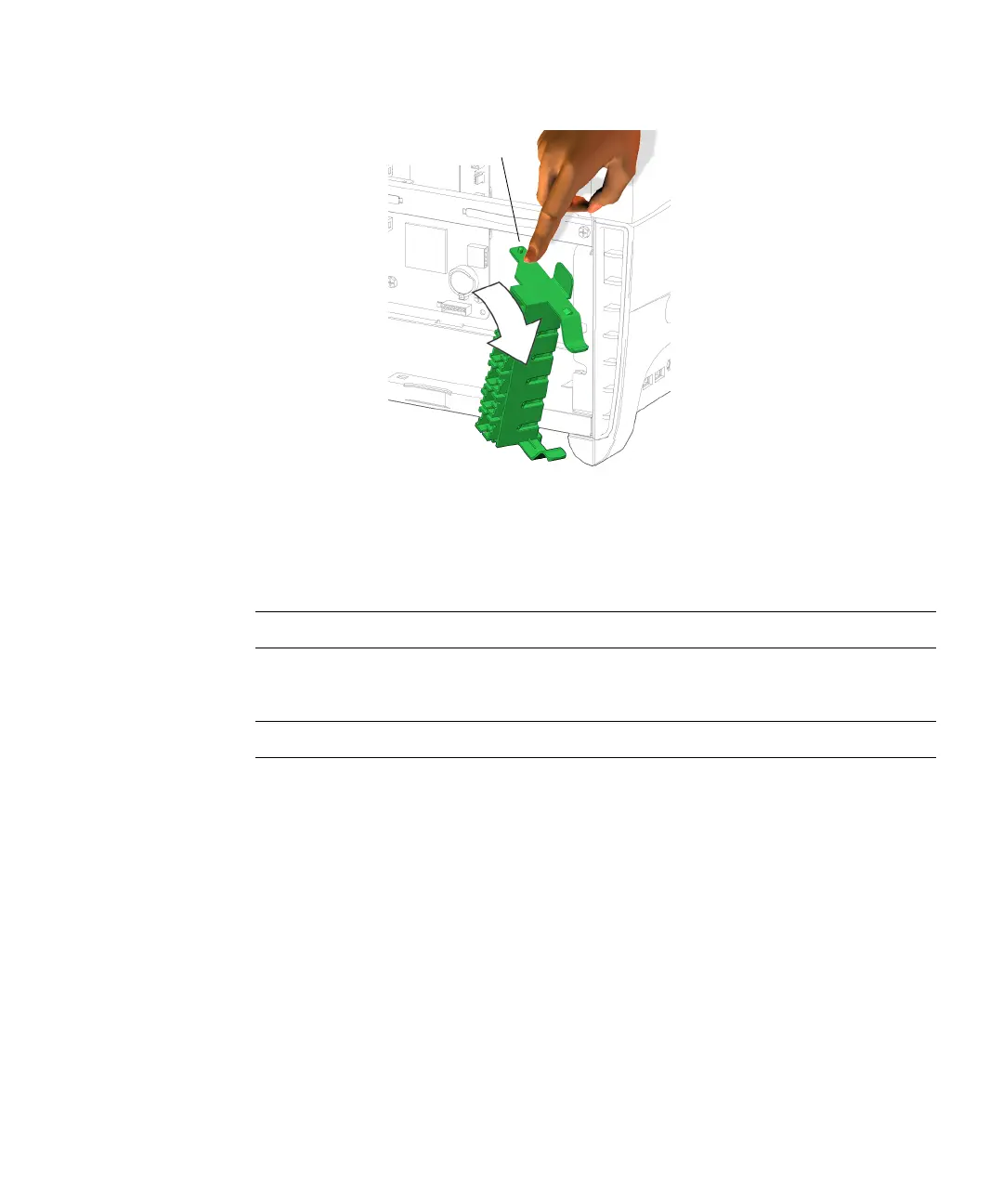
FIGURE 13-49 Removing the PCI Card Support
5. Lift the PCI card support up and out.
Set it aside.
Note – Do not use the chassis cross brace as a handle.
Proceed to “Installing the PCI Card Support” on page 13-47.
Note – Do not operate the workstation without the PCI card support installed.
13.7.3 Installing the PCI Card Support
1. Open the chassis.
Refer to “Removing the Access Panel” on page 10-12
2. Identify where the PCI card support is to be installed.
See FIGURE 13-47.
3. Align the lower pivot tab of the PCI card support with the hole in the chassis
bottom.
Pivot tab














 To Next Page