10-16 Sun Blade 1500 Service, Diagnostics, and Troubleshooting Manual • December 2004
4. Carefully move the middle pair of mounting tabs apart, and then push them
forward slightly.
See FIGURE 10-10. As you do this, you should see the bottom of the bezel move
further away from the chassis.
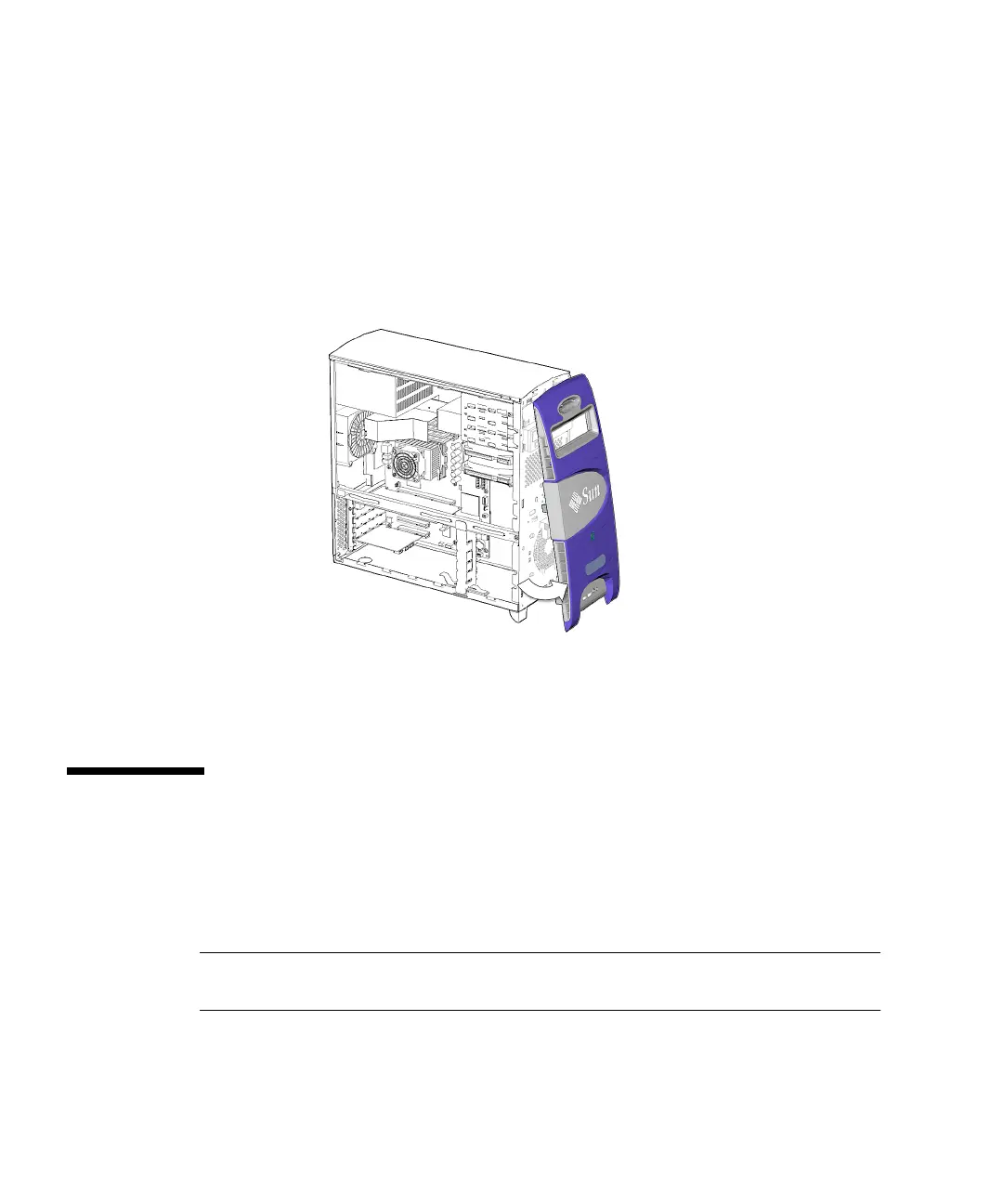
5. Grasp the bezel from the front near the bottom, and pull it down and away from
the chassis.
See FIGURE 10-11.
FIGURE 10-11 Removing the Bezel
6. Set the bezel aside.
10.6 Positioning the Chassis
Before removing the motherboard or one of its components, lay the chassis on its
side. You may choose to keep the chassis in its upright position for other removal
and installation procedures. Take care that you do no tip over the chassis.
Note – Make sure that your working area is flat, has an antistatic mat, is large
enough to accommodate working on the chassis, and is clear of debris and dust.
1. If you have not already done so, complete the procedure in “Removing the Access
Panel” on page 10-12.














 To Next Page