4-22 Sun Blade 1500 Service, Diagnostics, and Troubleshooting Manual • December 2004
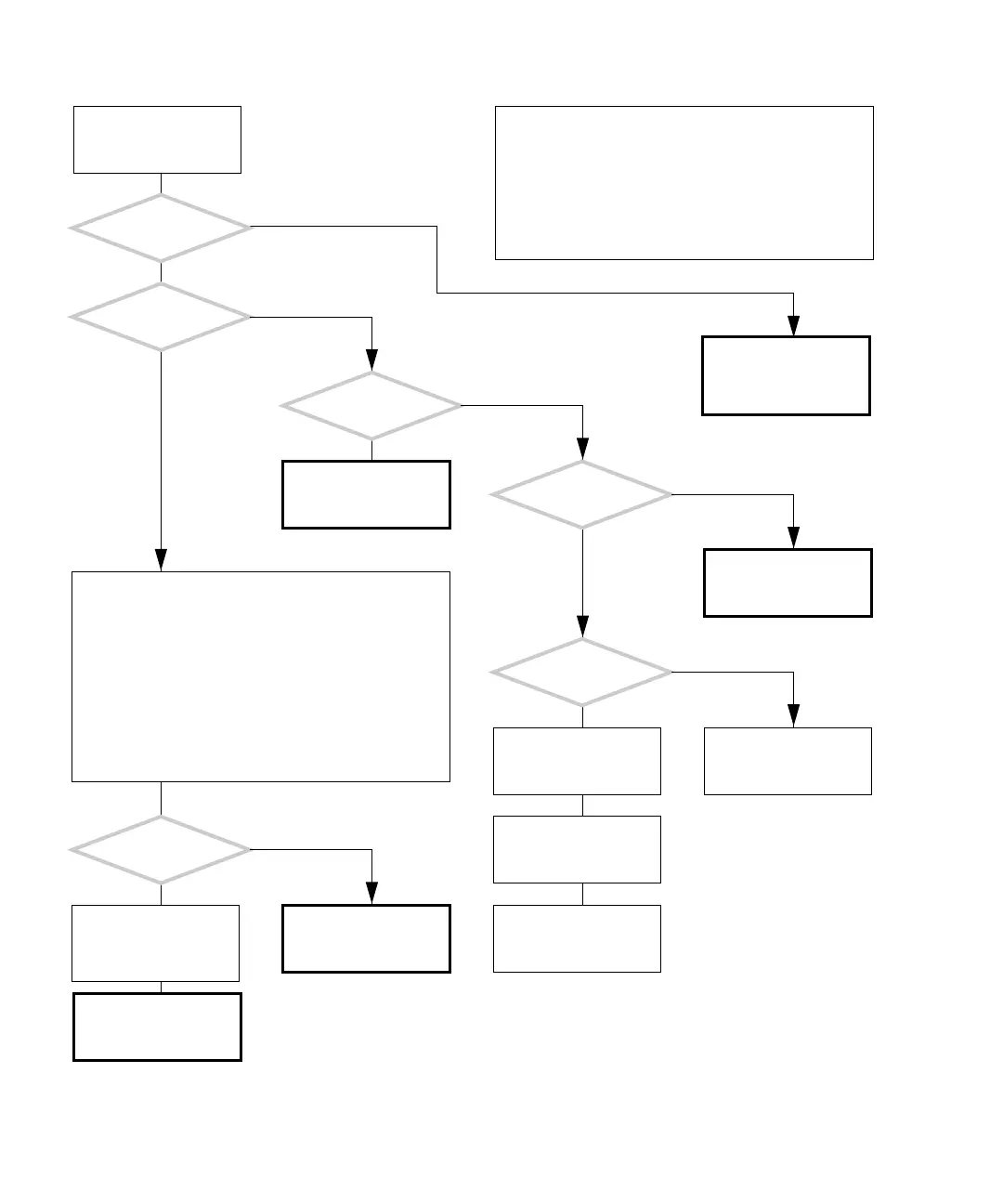
4.2.10 Graphical User Interface Problem
FIGURE 4-19 Graphical User Interface Problem
Refer to displayed screens
table. See “Displayed
Screens” on page 3-2.
Check the keyboard and
mouse and replace if nec-
essary. See “Keyboard
Problem” on page 4-19.
There is a problem using
the GUI.
Does the GUI look
different?
Is the GUI of
the system slow
and unresponsive?
Do the keyboard and
mouse work properly?
Is there
a process consuming
resources?
Can you
visibly determine which
application is hung?
Does the system
beep when you click on
actions and buttons?
Contact system adminis-
trator.
Check the network con-
nection. See “Network
Problem” on page 4-17.
In a terminal window,
type:
# xkill
Click the cursor on the
window of the applica-
tion that is hung.
Check the network con-
nection. See “Network
Problem” on page 4-17.
1. Save information.
2. Kill the process.
3. Restart the applica-
tion.
Return to “Power-On
Flowchart” on page 4-3.
To determine CPU resource consumption, type:
# ps -eo pcpu,pid,comm|sort -rn|head -5
To determine memory resource consumption, type:
# ps -eo pmem,pid,comm|sort -rn|head -5
When using these commands, if the number in the first col-
umn displayed is 60.0 or more, you can kill that process
using the PID number displayed in the second column.
To kill a process, type:
# kill -9 pidnumber
Restart the application.
Y
N
Y
N
Y
N
Y
N
Y
N
Y
N
In normal operation, the GUI responds instantly to your
keystrokes or mouse movements. Windows should close
quickly. Erratic behavior, or inaction, could mean that a
process is consuming too many resources and affecting
system performance.
Sometimes, the hard drive, memory, or CPU can be at
fault.
Checking a component means checking the electrical con-
nections and fit.














 To Next Page