Chapter 13 Replacing Chassis Components 13-51
13.8.2 Removing the Chassis Cross Brace
1. Power off the system and open the chassis.
Refer to:
■ “Powering Off the Workstation” on page 10-4
■ “Removing the Access Panel” on page 10-12
2. Locate the cross brace.
The cross brace is the long metal bar that extends the width of the chassis. It is
engaged in a slot on the chassis rear panel and it fastened to the chassis front panel
with a screw. See
FIGURE 13-52.
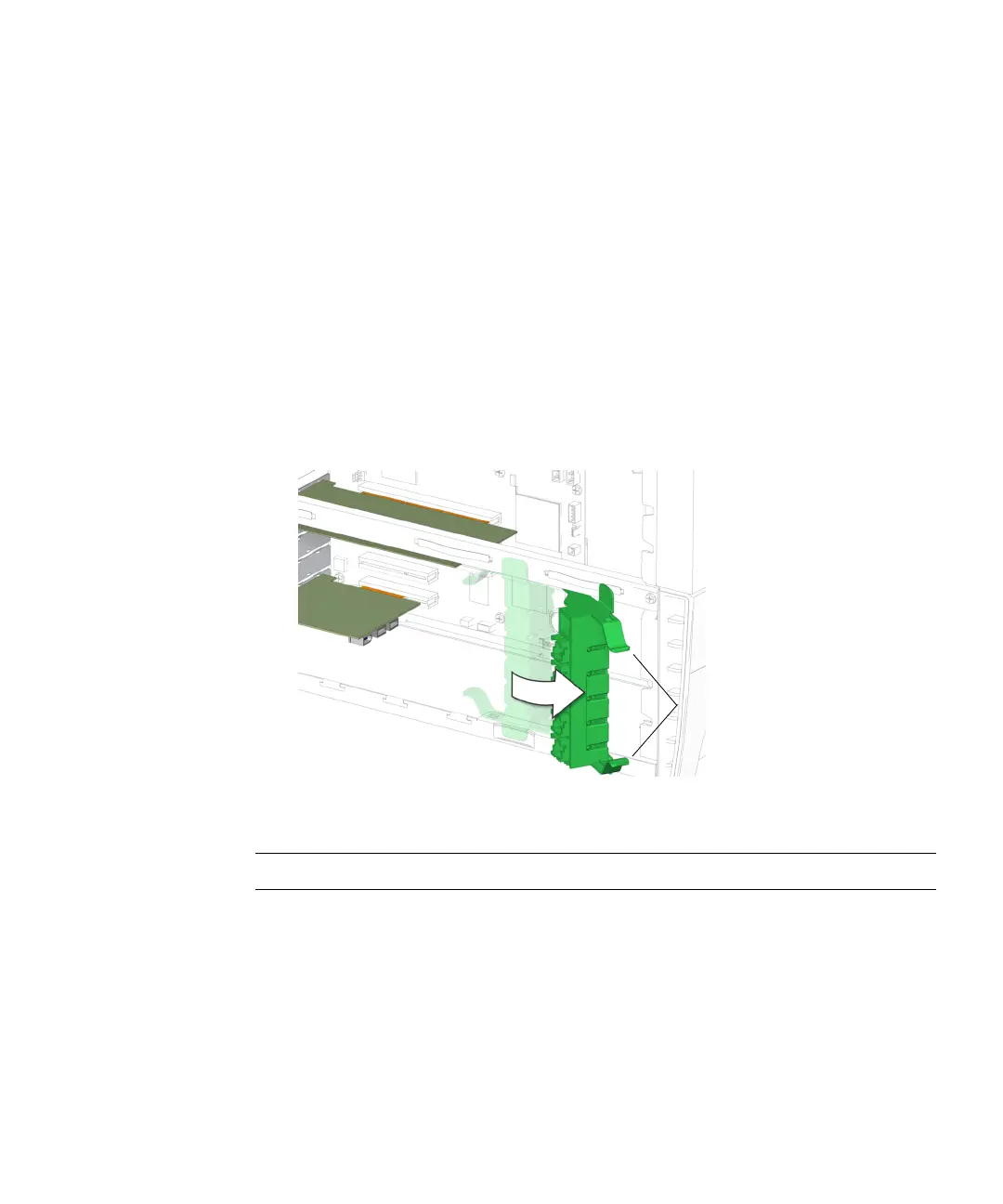
3. Compress the inside tabs together and swing the PCI card support out.
See FIGURE 13-53.
FIGURE 13-53 Swinging out the PCI Card Support
Note – Do not use the chassis cross brace as a handle.
4. Using a No. 2 Phillips screwdriver, remove the screw that secures the chassis cross
brace to the chassis.
See FIGURE 13-54. Set the screw aside in a container.
Inside tabs














 To Next Page