4-8 Sun Blade 1500 Service, Diagnostics, and Troubleshooting Manual • December 2004
4.2.2 Hard Drive Problem
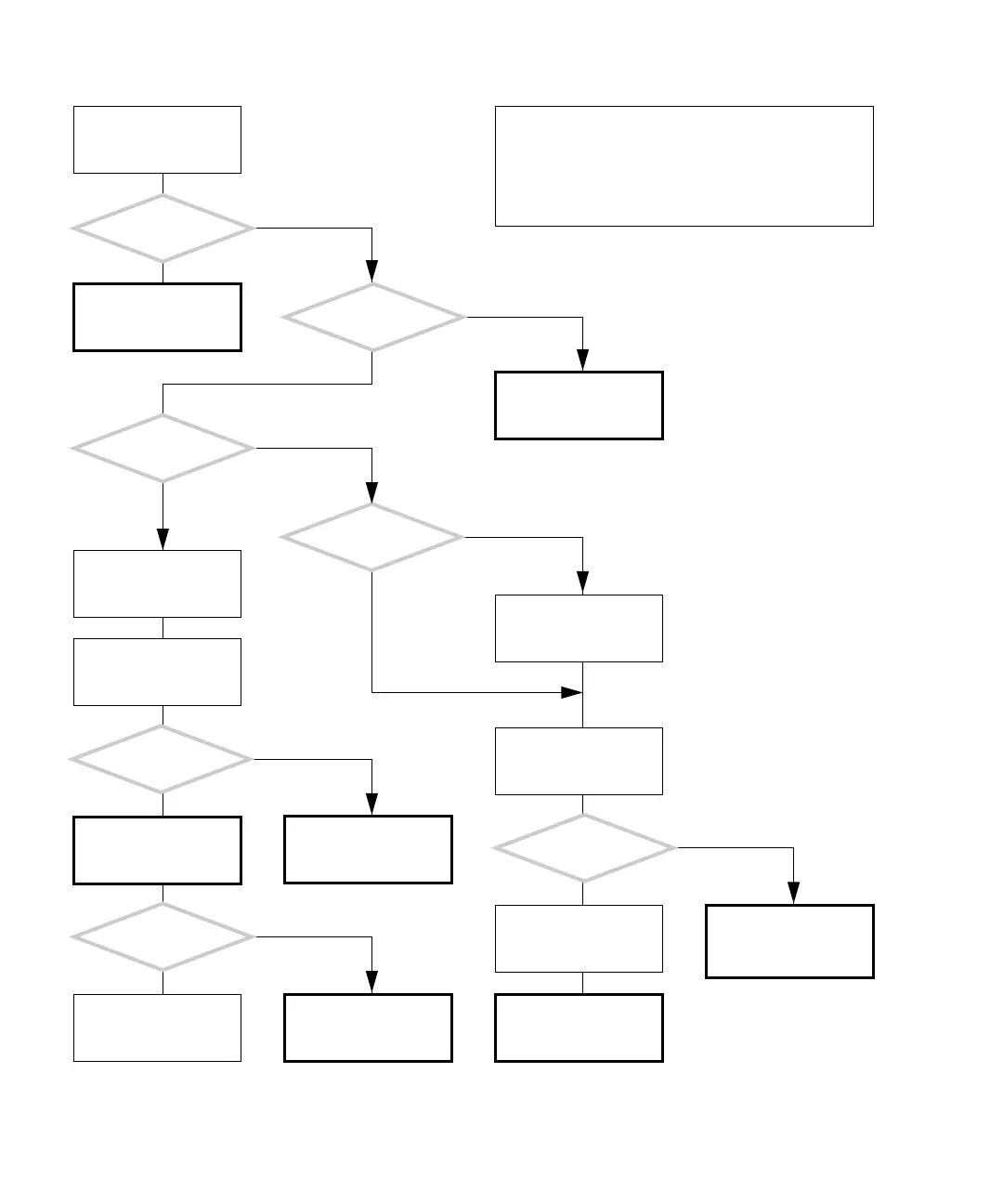
FIGURE 4-5 Hard Drive Problem
There is a problem with
the hard drive.
Refer to the message
tables. See “Displayed
Messages” on page 3-5.
Is a message about the
hard drive displayed?
Does the hard
drive sound like that of a
known good system?
Is the
operating system
running?
Is the problem
still there?
1. Save data.
2. Close all applications.
As superuser, run fsck:
# /usr/bin/fsck
Answer the questions.
Return to “Power-On
Flowchart” on page 4-3.
Check the hard drive with
SunVTS. See “SunVTS” on
page 9-1.
Is the ok prompt
displayed?
Press the Stop-A keys.
Type:
probe-ide
Is the manufacturer
and model of the suspect
hard drive displayed?
Check the hard drive with
OpenBoot Diagnostics.
See “OpenBoot Diagnos-
tics” on page 8-5.
Type boot to start the
operating system.
Check the hard drive with
SunVTS. See “SunVTS” on
page 9-1.
Refer to audio responses
table. See “Audio
Responses” on page 3-12.
Y
N
Y
N
Y
N
Y
N
Y
N
Y
N
Did the hard drive
pass the test?
Data on the hard drive is
corrupt. Contact the sys-
tem administrator.
Replace the hard drive.
See “Replacing a Hard
Drive” on page 12-2.
Y
N
In normal operation, the hard drive spins up shortly after
powering on the workstation. The drive might stop spin-
ning later as part of the power management configura-
tion. Clicking the mouse can bring the hard drive out of
sleep state.
Checking a component means checking the electrical con-
nections and fit.














 To Next Page