Chapter 14 Replacing Internal Cables 14-5
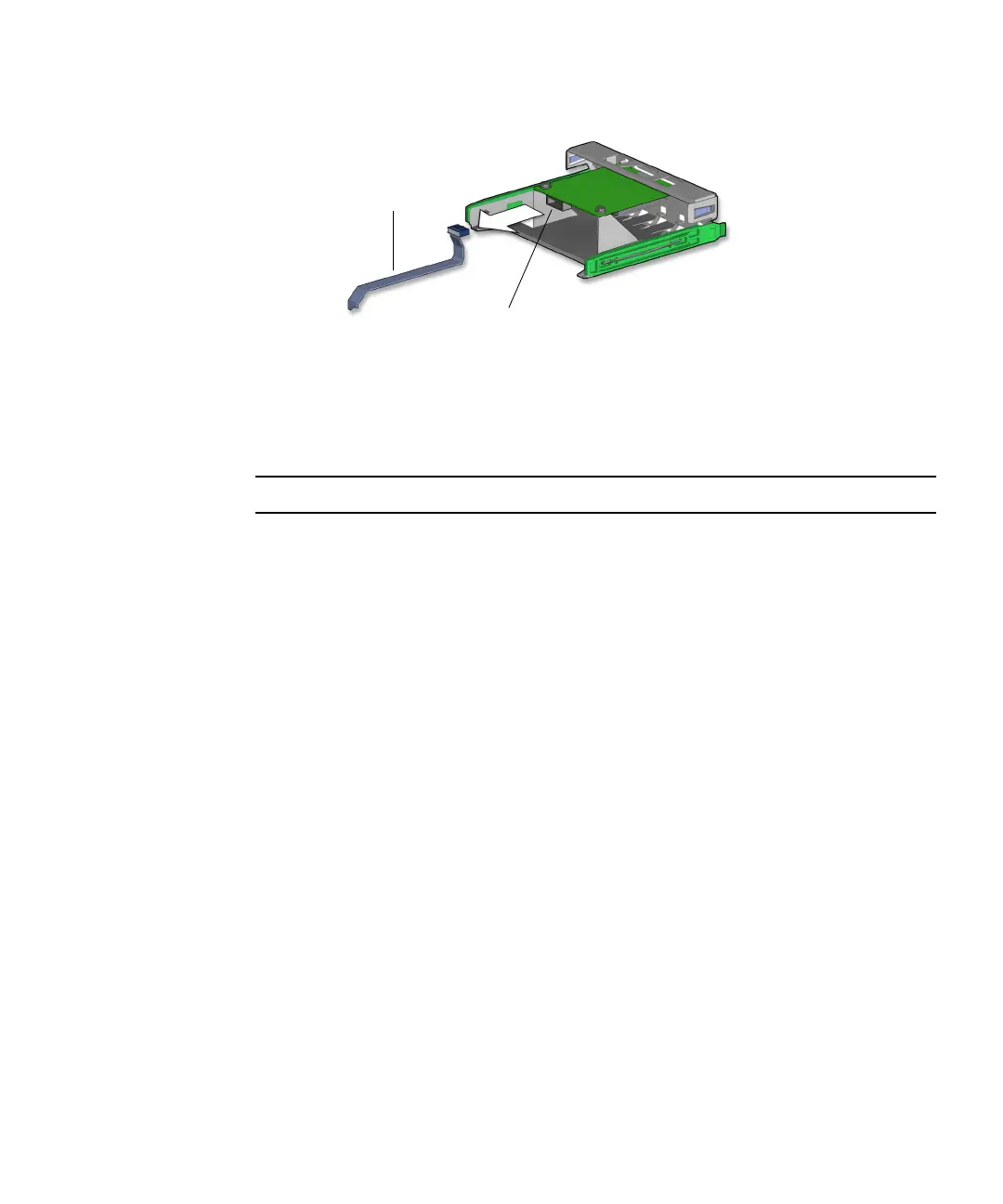
FIGURE 14-3 Disconnecting the Cable From the Smart Card Reader
Proceed to “Installing the Smart Card Reader Cable” on page 14-5.
Note – The smart card reader does not operate without the interface cable.
14.1.3 Installing the Smart Card Reader Cable
1. Open the chassis and remove the bezel.
Refer to:
■ “Powering Off the Workstation” on page 10-4
■ “Removing the Access Panel” on page 10-12
■ “Removing the Bezel” on page 10-14
2. Locate where the smart card reader cable is to be installed.
The cable connects to the smart card reader and to the motherboard at SCR0. See
FIGURE 14-1 and FIGURE 14-2.
3. Remove the smart card reader cable from its packaging.
4. With the smart card reader bracket on an antistatic mat, connect the interface cable
to the smart card reader.
See FIGURE 14-4.
Smart card reader
interface cable
Cable connection














 To Next Page