11-28 Sun Blade 1500 Service, Diagnostics, and Troubleshooting Manual • December 2004
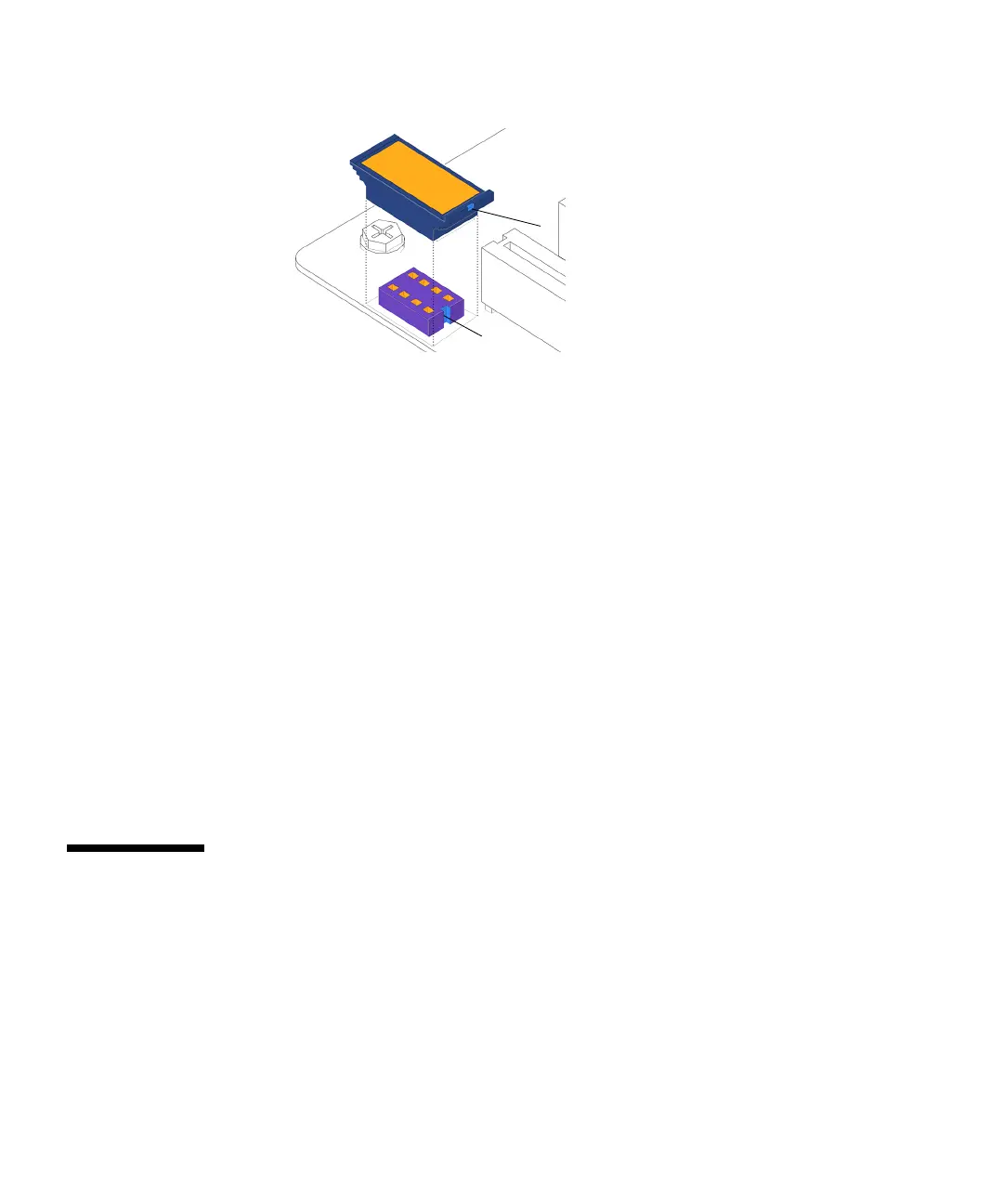
FIGURE 11-30 Installing the NVRAM
4. Press the NVRAM down until snug.
5. Make sure the NVRAM is tight in its connector.
6. If you removed the PCI cards prior to replacing the NVRAM, install the PCI cards.
Refer to “Installing a PCI Card” on page 11-38.
7. Choose your next step:
■ If you installed the NVRAM after installing a new motherboard, return to Step 15
of “Installing the Motherboard” on page 11-50.
■ Otherwise, reposition the chassis, install the access panel, power on the system,
and verify the NVRAM installation.
Refer to:
■ “Repositioning the Chassis” on page 15-1
■ “Installing the Access Panel” on page 15-5
■ “Powering On the Workstation” on page 15-8
■ “Verifying an Installation” on page 15-11
11.5 Replacing the PCI Cards
This section describes removal and installation of PCI cards in the workstation.
Topics include:
■ “Identifying the PCI Cards” on page 11-29
■ “Removing a PCI Card” on page 11-30
■ “General PCI Card Guidelines” on page 11-33
■ “Special Considerations for Graphics Accelerators” on page 11-34
NVRAM key
NVRAM connector key














 To Next Page