13-52 Sun Blade 1500 Service, Diagnostics, and Troubleshooting Manual • December 2004
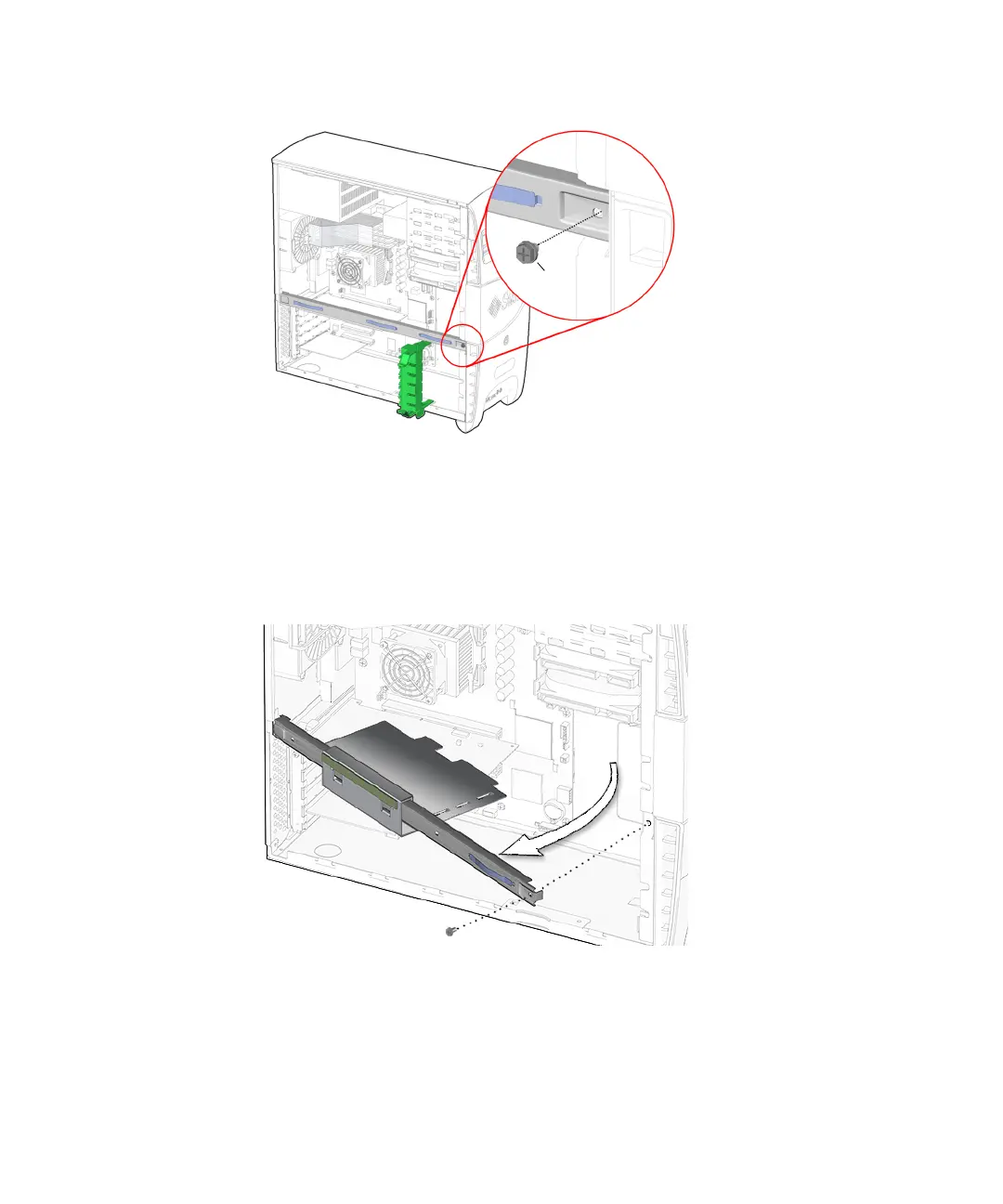
FIGURE 13-54 Removing the Cross Brace Screw
5. Angle the cross brace 6 inches (300 mm) away from where you removed the screw
and gently pull the rear end of the cross brace away from the rear panel.
See FIGURE 13-55.
FIGURE 13-55 Removing the Chassis Cross Brace
The PCI card support falls free from the chassis. Set the cross brace and PCI card
support aside.
6. Choose your next step:
Screw














 To Next Page