11-30 Sun Blade 1500 Service, Diagnostics, and Troubleshooting Manual • December 2004
11.5.2 Removing a PCI Card
1. Power off the system, open and position the chassis.
Refer to:
■ “Powering Off the Workstation” on page 10-4
■ “Removing the Access Panel” on page 10-12
■ “Positioning the Chassis” on page 10-16
2. Locate the PCI card you wish to remove.
If the PCI card is located in slot PCI4, remove the chassis cross brace according to
the procedure in
“Removing the Chassis Cross Brace” on page 13-51.
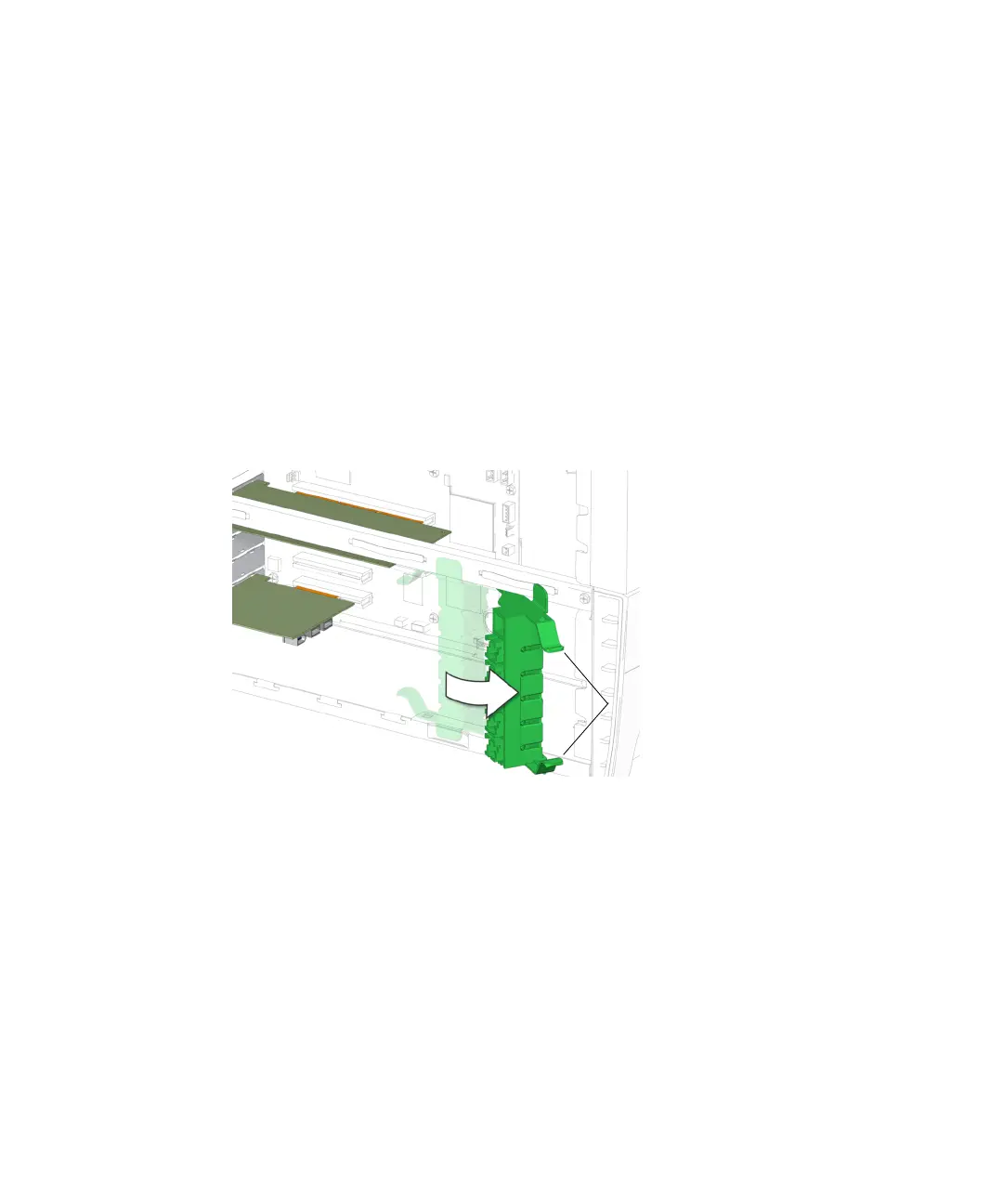
3. If necessary, squeeze the inside tabs together and swing the PCI card support out.
See FIGURE 11-32.
FIGURE 11-32 Swinging Out the PCI Card Support
4. Using a No. 2 Phillips screwdriver, remove the screw that secures the PCI card
retainer to the chassis rear panel.
See FIGURE 11-33. Set the screw aside in a container.
5. Unlatch the PCI card retainer and lift it up.
See FIGURE 11-33.
Inside tabs














 To Next Page