Chapter 12 Replacing Storage Devices 12-13
■ “Removing the Bezel” on page 10-14
2. Locate the optical drive bay.
The optical drive installs into the removable media bay.
3. Remove the new optical from its packaging.
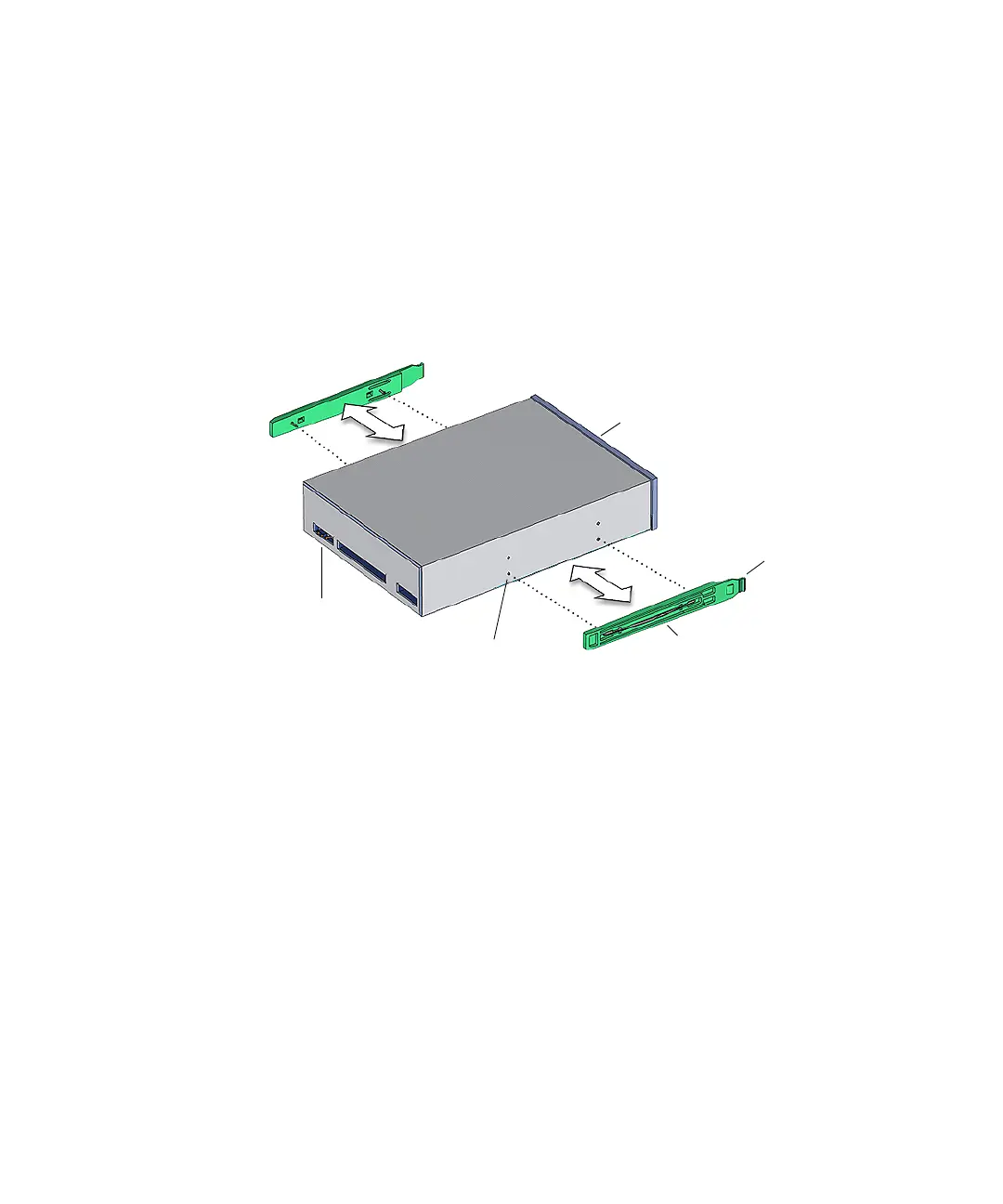
4. Snap the drive rails, removed from the old optical drive, into the lower pair of
holes on both sides of the optical drive.
The drive rail tabs are toward the front of the optical drive media. See FIGURE 12-11.
FIGURE 12-11 Installing the Drive Rails
5. Verify that the optical drive configuration jumpers are set to Master or MA.
Refer to the optical drive documentation for configuration instructions.
6. Slide the optical drive into the removable media bay, located below the smart card
reader, until the drive rails click.
See FIGURE 12-10.
7. Connect the optical drive power cable.
See FIGURE 12-12.
Lower holes (4)
Optical drive
Drive rails (2)
Ta b
Configuration
jumpers














 To Next Page