13-42 Sun Blade 1500 Service, Diagnostics, and Troubleshooting Manual • December 2004
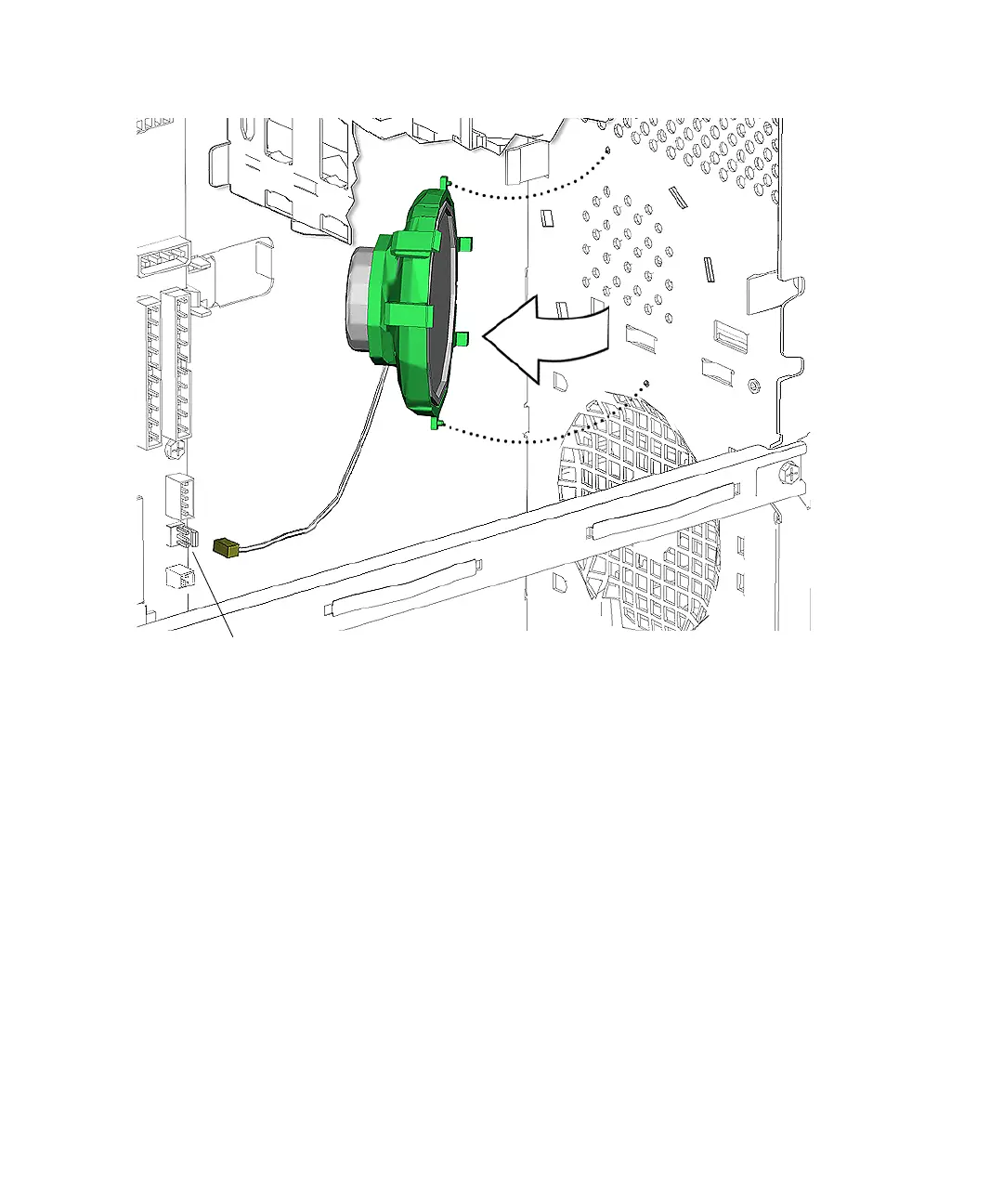
FIGURE 13-44 Removing the Speaker
5. Press both speaker bracket latches and swing the speaker bracket away from the
chassis.
See FIGURE 13-44.
6. Lift the speaker bracket out of the chassis and set the it down on a flat surface,
speaker facing down.
Proceed to “Installing the Speaker” on page 13-42.
13.6.3 Installing the Speaker
1. Open the chassis.
Refer to:
■ “Powering Off the Workstation” on page 10-4
■ “Removing the Access Panel” on page 10-12
Connector SPK0














 To Next Page