Chapter 13 Replacing Chassis Components 13-43
2. Locate where the speaker is to be installed.
See FIGURE 13-42.
3. Remove the speaker assembly from its packaging.
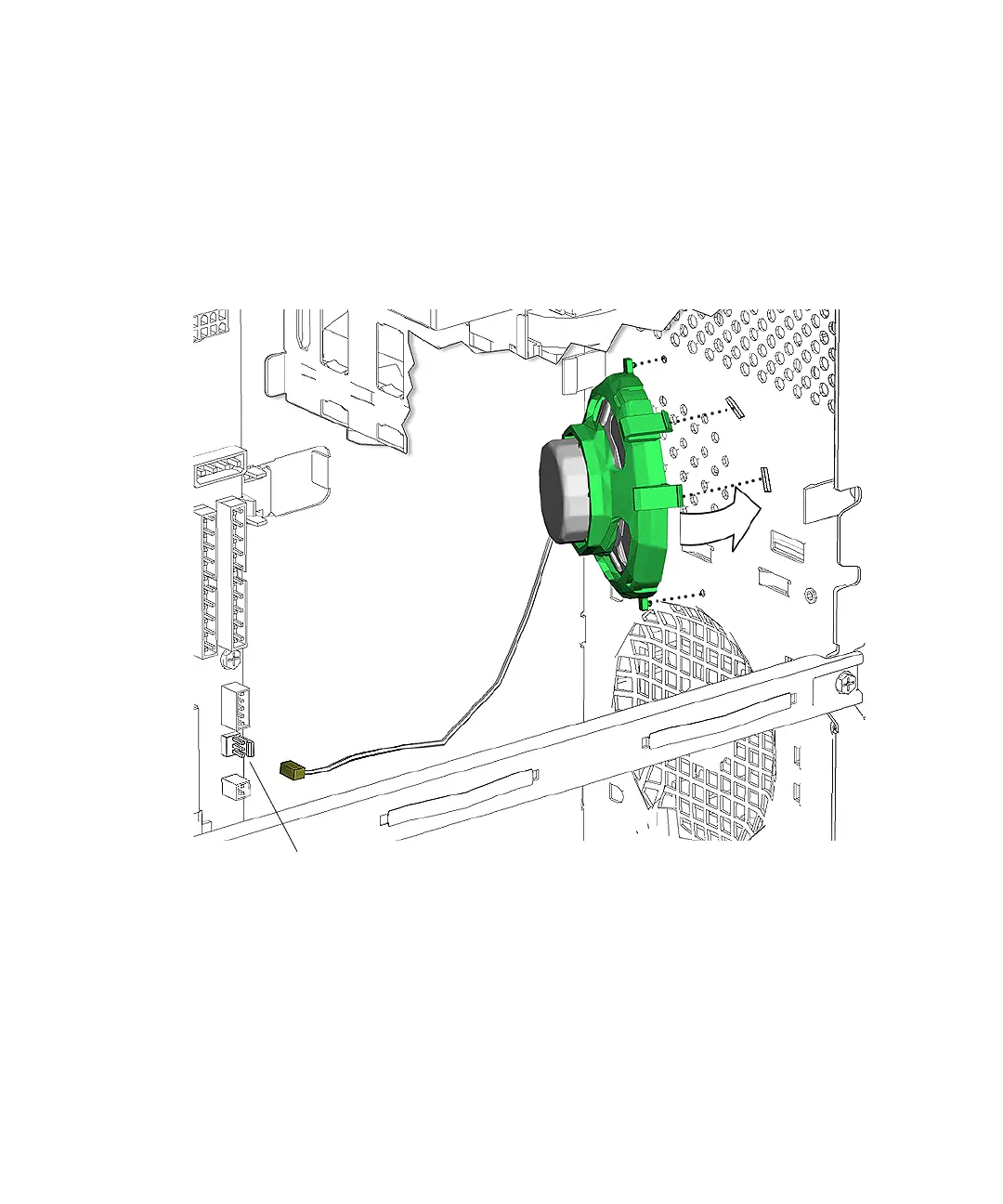
4. Align the speaker bracket tabs to the D-shaped holes on the inside of the chassis
front panel.
See FIGURE 13-45.
FIGURE 13-45 Installing the Speaker
5. Press both speaker bracket latches into the chassis front until they click in place.
6. Press the speaker cable connector into connector SPK0 on the motherboard.
See FIGURE 13-45.
7. Guide the speaker cable through the bezel cable clip at the center of the chassis
and close the clip.
See FIGURE 13-46.
Connector SPK0














 To Next Page