Chapter 12 Replacing Storage Devices 12-19
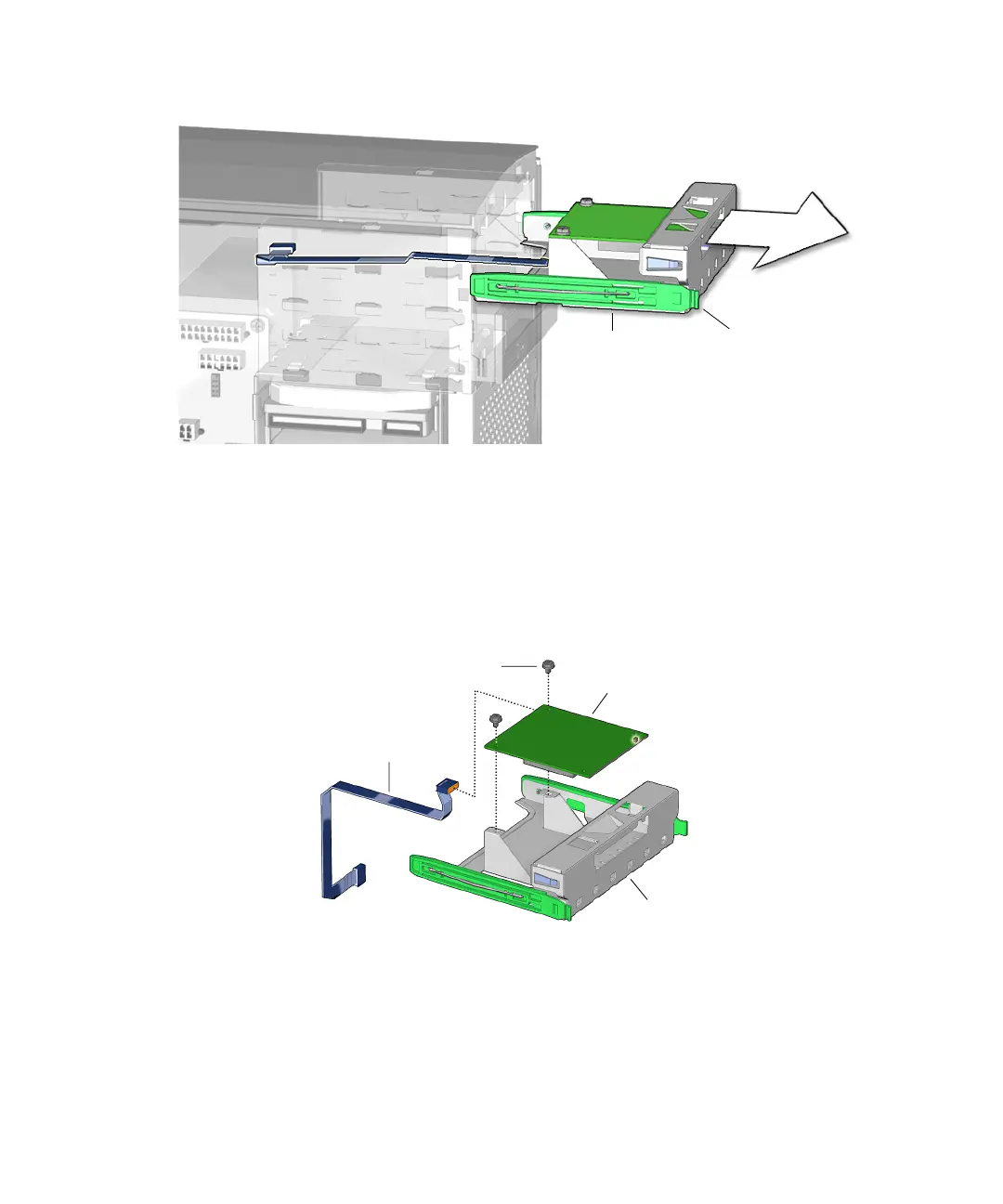
FIGURE 12-16 Removing the Smart Card Reader
6. If you removed the smart card reader bracket to replace the interface cable, return
to
Step 3 of “Removing the Smart Card Reader Cable” on page 14-4.
7. Remove the interface cable from the smart card reader.
See FIGURE 12-17. Set the cable aside.
FIGURE 12-17 Removing Smart Card Reader Interface Cable
8. Using a No. 2 Phillips screwdriver, remove the two screws that secure the smart
card reader to its bracket.
See FIGURE 12-17. Set the screws aside in a container.
Tabs (2)Drive rails (2)
Interface cable
Smart card reader
Bracket
Screws (2)














 To Next Page