Chapter 14 Replacing Internal Cables 14-15
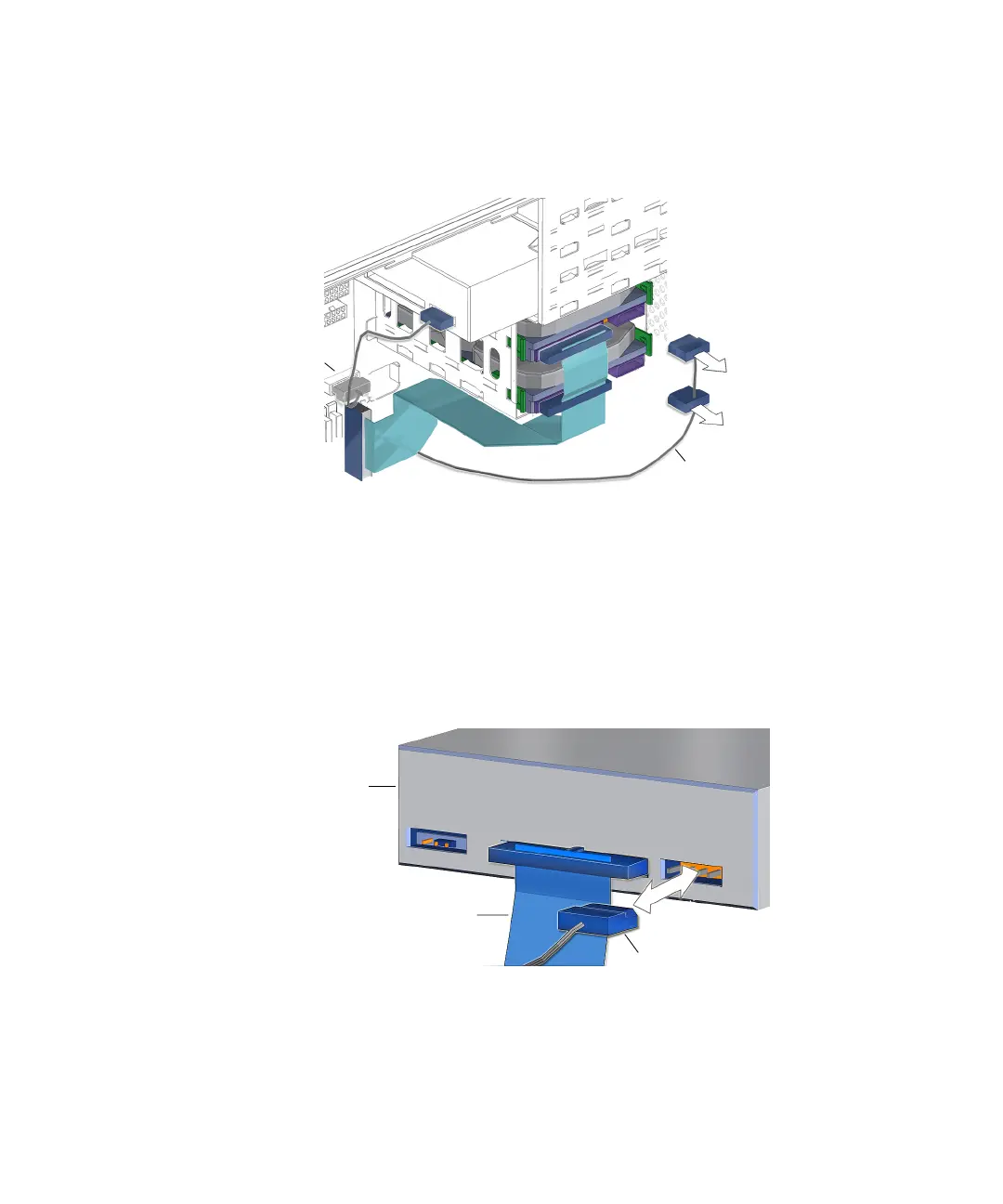
3. Disconnect the IDE power cables from the upper hard drive HDD0.
See FIGURE 14-12.
FIGURE 14-12 Disconnecting the IDE Power Cable From the Hard Drive(s)
4. If installed, disconnect the IDE power cable from the lower hard drive HDD1.
See FIGURE 14-12.
5. Disconnect the IDE power cable from the optical drive.
See FIGURE 14-13.
FIGURE 14-13 Disconnecting the IDE Power Cable From the Optical Drive
6. Disconnect the IDE power cable from the motherboard at IDE PWR.
See FIGURE 14-1 and FIGURE 14-12.
IDE power cable
Connector
IDE PWR
Interface cable
IDE power cable
Optical
drive














 To Next Page