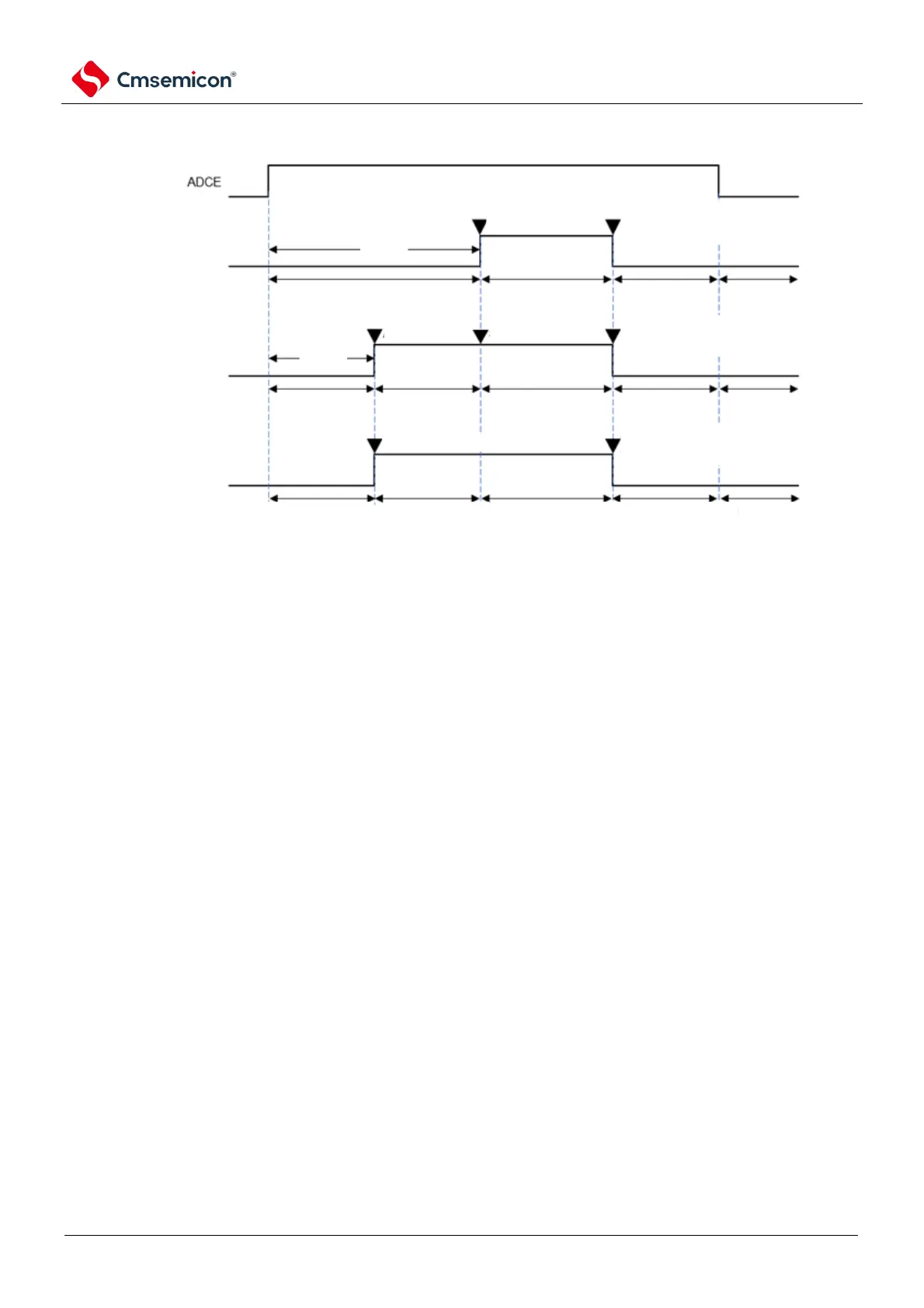
software trigger mode
(ADCS)
hardware trigger zero
delay mode ADCS
hardware trigger delay
mode ADCS
conversion idle
trigger idle
A/D power
ssourcde
stablization wait
time.
Note 2
conversion ongoing
conversion idle
trigger idle
conversion stops
detected hardware trigger
ADCS write 0
Auto clear to zero while A/D
conversion completes
conversion idle conversion idletrigger idle conversion ongoing
conversion stops
ADCS
write 1
detected
hardware trigger
conversion idle conversion ongoing conversion idle
conversion stops
ADCS write 0
*Do not auto clear to zero while
A/D conversion completes
ADCS write 0
Auto clear to zero while A/D
conversion completes
ADCS
write 1
Note1
Note1
Note 1. In software-triggered mode or hardware-triggered wait-free mode, it takes at least 2us (TBD) to rise from the
ADCE bit to the ADCS bit to stabilize the internal circuitry.
2. In hardware-triggered wait mode, the A/D power supply settling time of 1uis guaranteed by design.
Notice 1. To use the hardware trigger wait mode, setting the ADCS bit to "1" is prohibited (it is automatically switched to
"1" when a hardware trigger signal is detected). However, the ADCS bit can be set to "0" in order to set the
standby state for A/D conversion.
2. The ADCE bit must be overridden when the ADCS bit is 0 (Stop Transition/Transition
Standby).
3. In order to end the A/D conversion, the hardware trigger interval must be set at least to
the following time:
When hardware triggers no-wait mode: 2 f-CLK clocks + A/D conversion time
When the hardware triggers the wait mode: 2 f
CLK
clock + A/D power supply stable wait time + A/D transition time
Remark f
CLK
: Clock frequency of the CPU/peripheral hardware



 To Next Page