EasyManua.ls Logo

Sun Microsystems Blade 1500 - Page 122

Sun Microsystems Blade 1500
500 pages
Print Icon
To Next Page IconTo Next Page
To Previous Page IconTo Previous Page
Loading...
4-38 Sun Blade 1500 Service, Diagnostics, and Troubleshooting Manual December 2004
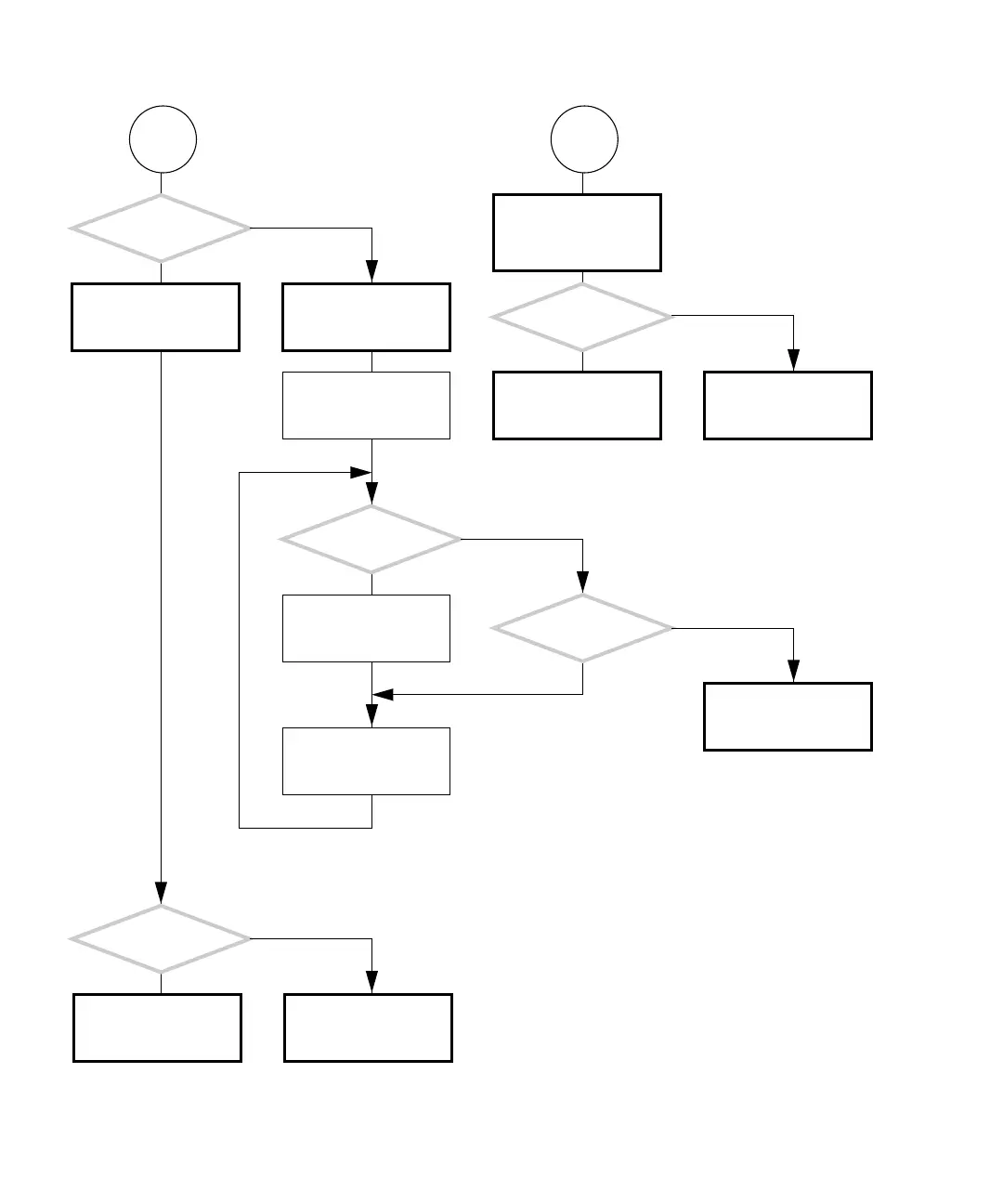
FIGURE 4-33 Memory Problem (Continued)
Q
Are
there any untested
memory pairs left?
Did this solve
the problem?
Are
DIMM1 and DIMM0 the
only memory used?
Replace the memory. See
“Replacing the DIMMs”
on page 11-2.
Return to “Power-On
Flowchart” on page 4-3.
Check memory seating in
slots. See “Installing
DIMMs” on page 11-7.
Add another memory
pair.
Memory pair just added
is bad. Remove bad mem-
ory pair.
Remove all memory. See
“Removing DIMMs” on
page 11-3.
Upon power on, does
the system beep three
times and power off?
Return to “Power-On
Flowchart” on page 4-3.
Add memory DIMM0 and
DIMM1 for CPU0.
Return to “Power-On
Flowchart” on page 4-3.
Check memory installa-
tion at that location. See
“Installing DIMMs” on
page 11-7.
Did this solve the prob-
lem?
Replace the memory. See
“Replacing the DIMMs”
on page 11-2.
R
Y
N
Y
N
Y
N
Y
N
Y
N

Table of Contents

Related product manuals