Chapter 7 Power-On Self-Test 7-5
The second system must have a serial port capable of RS-232 communications. Use a
crossover cable with the TIP connection.
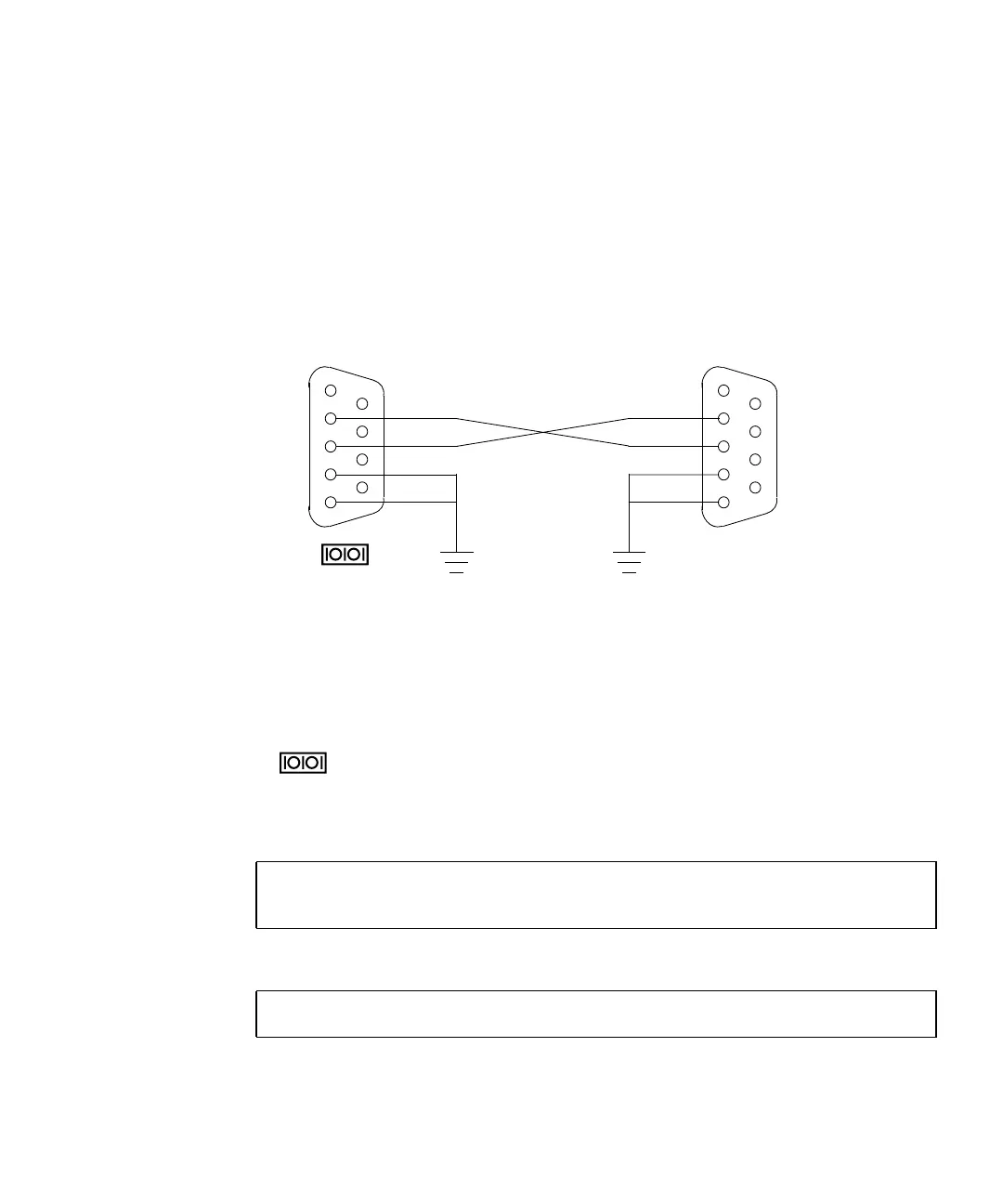
FIGURE 7-1 shows the wiring for a crossover cable. If your system does not have a
DB-9 F connector at its serial port, adapters are available from most computer
supply stores or from your Sun Microsystems sales representative.
The following URL provides part numbers for adapters and other Sun cables:
http://sunsolve.sun.com/handbook_pub/Devices/Cables/cables_ext_data.html
FIGURE 7-1 Crossover Cable Wiring Diagram
7.2.4.3 Make a TIP Connection
Making a TIP connection requires configuring the serial port of the second system
and using the tip command. The following procedure configures for serial port A,
or
.
1. As superuser of the second system, edit the /etc/remote file.
2. Replace the hardwire property with the following:
3. Make sure the communication parameters are correct. Type:
hardwire:\
:dv=/dev/term/a:br#9600:el=^C^S^Q^U^D:ie=%$:oe=^D:
# eeprom ttya-mode=9600,8,n,1,-
1
2
3
4
5
6
7
8
9
RD
TD
DTR
GND
1
2
3
4
5
6
7
8
9
RD
TD
DTR
GND
DB-9F
DB-9F or other
To 1
To other serial
port
1














 To Next Page