12-8 Sun Blade 1500 Service, Diagnostics, and Troubleshooting Manual • December 2004
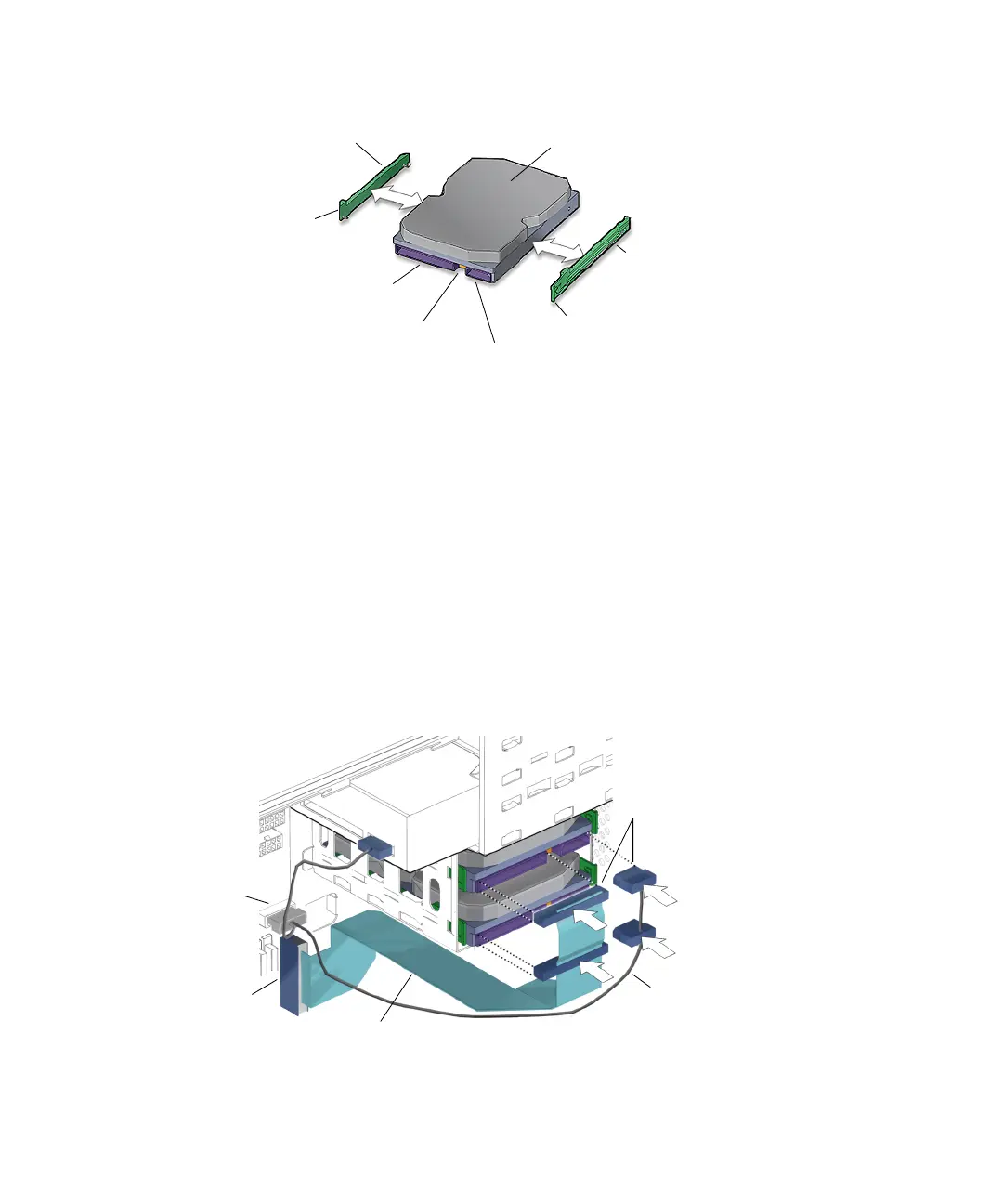
FIGURE 12-6 Installing the Drive Rails
6. Verify that the hard drive configuration jumpers are set to Cable Select or CS.
Refer to the hard drive documentation for configuration instructions.
7. Install the hard drive.
See FIGURE 12-3. Place the boot drive into the upper drive bay HDD0.
8. Slide the hard drive into the hard drive bay until the drive rail tabs click.
9. Connect the hard drive interface cables to the installed hard drives.
Connect the boot drive to the connector labeled HDD0 at the end of the interface
cable. If a second drive is installed, attach the connector labeled HDD1 to it. See
FIGURE 12-7.
FIGURE 12-7 Installing the Hard Drive Cables
Drive rail
HDD-L
Drive rail
HDD-R
Interface connector
IDE power connector
Tab R
Tab L
Hard drive
Configuration jumpers
Interface cable
IDE power cable
Connectors for
HDD0
Connector
IDE PWR
Connector
IDE PRI














 To Next Page