CLI Commands
4.15 R
SCALANCE W1750D CLI
Function Manual, 03/2019, C79000-G8976-C452-04
221
4.15 R
4.15.1 radius-vsa-redirect-url
Description
This command allows the user to manually add the VSA redirect URL for debugging
purpose.
Syntax
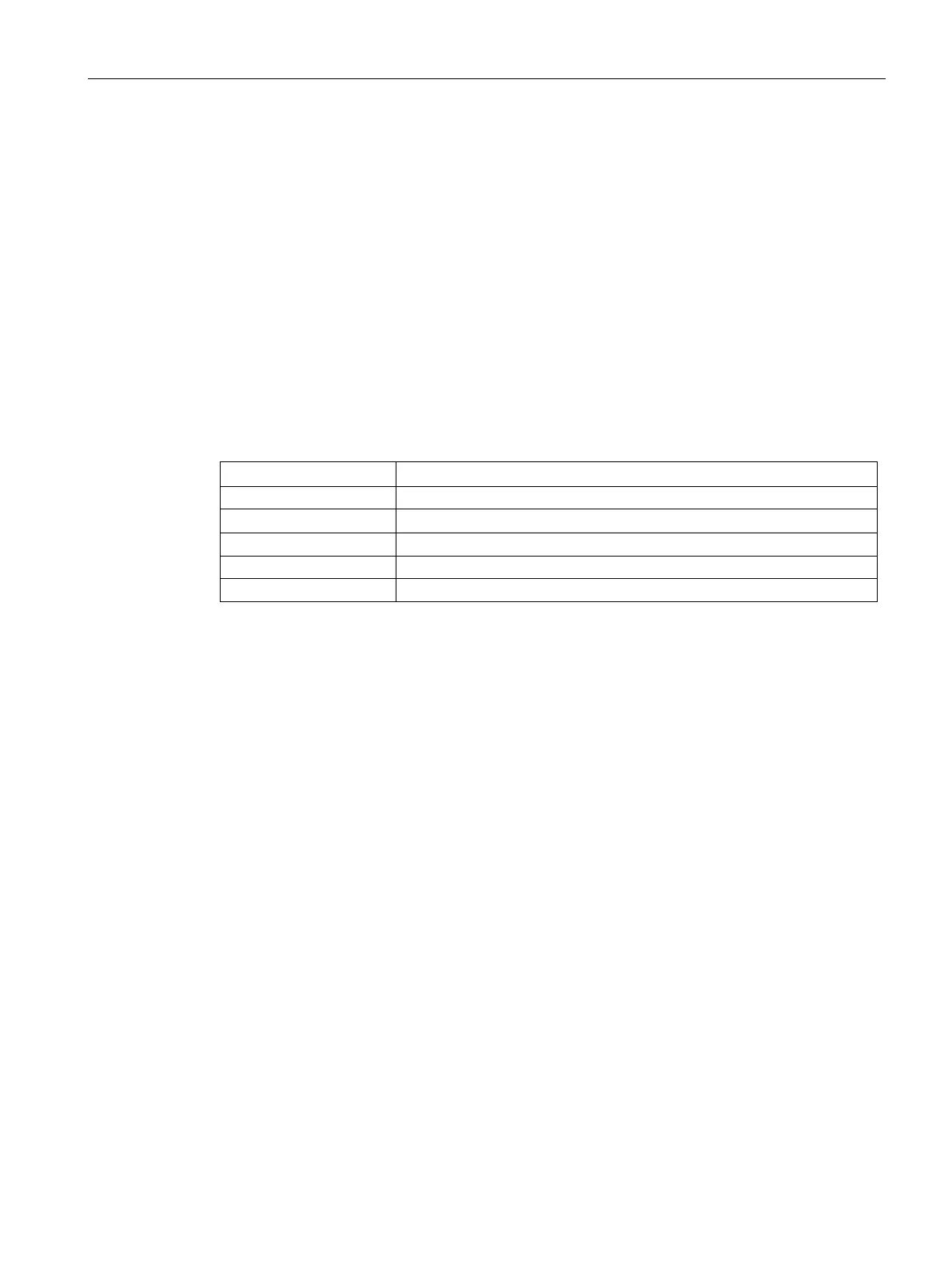
radius-vsa-redirect-url {add| clear} <client MAC-address> <URL> [count]
Adds radius redirect url on the AP for debug.
Clears radius redirect url on the AP for debug.
Enter the MAC address of the client to the AP.
Enter the URL of the website.
Allows you to add the number of clients.
Usage Guidelines
Use this command to manually add the VSA redirect URL for debugging purpose.
Example
The following output is displayed for radius-vsa-redirect-url add <client MAC-address>
<URL> [count] command:
c8:b5:ad:c3:af:16# radius-vsa-redirect-url add 0e:00:32:f8:ef:10
https://172.10.10.10/guest 1
c8:b5:ad:c3:af:16# sh radius-redirect-url
Radius VSA Redirect URL
-----------------------
MAC URL
--- ---
0e:00:32:f8:ef:10 https://172.10.10.10/guest
The following output is displayed for
radius-vsa-redirect-url clear command:
c8:b5:ad:c3:af:16# radius-vsa-redirect-url clear
c8:b5:ad:c3:af:16# sh radius-redirect-url
Radius VSA Redirect URL










 To Next Page