482
Upgrade and Maintenance Manual TX2560 M2 / RX2560 M2
System board and components
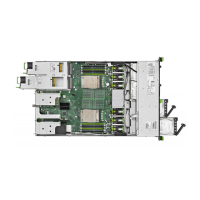
14.7 System board
14.7.1 Replacing the system board
Field Replaceable Unit
(FRU)
Hardware: 40 minutes
Software: 20 minutes
Tools:
Replacing the system board:
– Phillips PH2 / (+) No. 2 screw driver
– Magnifying glass for inspecting CPU socket springs
(recommended)
Replacing the TPM:
– Bit screw driver
– flat nose pliers
– TPM bit insert
(
*
)
– thin slotted screw driver (2 x 0.4 mm)
(
*
)
(
*
)
For the Japanese market:
– Dedicated TPM screw driver (CWZ8291A)
– TPM module fixing tool (S26361-F3552-L909)
If an UFM is installed:
– Phillips PH1 / (+) No. 1 screw driver
If a DynamicLoM module is installed:
– Phillips PH0 / (+) No. 0 screw driver
– hexagon screw driver 5mm


 To Next Page
 Loading...