1 T
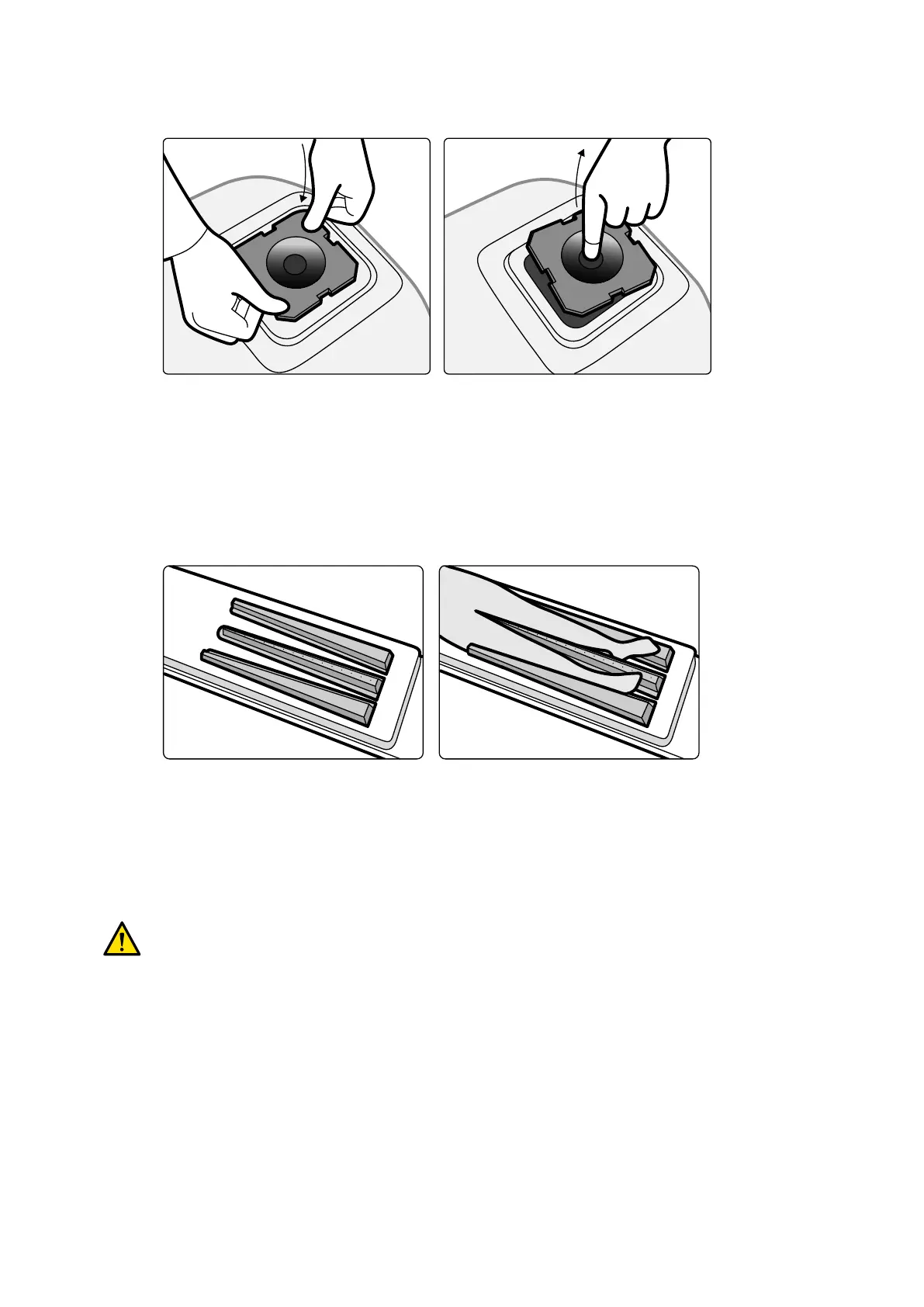
o t the cerebral lter, push the cerebral lter into the rim of the X-ray tube housing.
Figure 90 Fing the cer
ebral lter
2 To remove the cerebral lter, inserng your nger into the lter hole and li the lter out of the rim
of the X-ray tube housing.
11.1.9 Peripheral X-ray Filters
Peripheral X-ray lters minimize paent movements during lower peripheral angiography procedures.
Figure 91 P
eripheral X-ray lters
The center lter is marked to facilitate measurements in acquired images. The marks are spaced
approximately 5 cm (2 inches) apart.
1 Posion the central peripheral lter carefully between the paent's legs, with the wide end at the
paent's feet and the narrow end as high up as possible.
WARNING
The peripheral X
-ray lters contain copper. You must use a sheet or cover to avoid direct contact
with the paent's skin.
2 Immobilize the paent's legs at knee and ankle using straps.
For paents with genu varum (O), the paent's knees should be slightly lied and supported
underneath, and then strapped closely together.
For paents with genu valgum (X), the paent's knees should be slightly lied and supported
underneath, and then the paent's ankles should be strapped closely together.
3 Posion the side lters as close as possible to the sides of the paent's legs, with the wide end at
the paent's feet.
4 Fit the lters to the shape of the paent's legs to avoid gaps between the lters and the legs.
Using Other Equipment Accessories
Azurion Release 1.2 Instrucons for Use 192 Philips Healthcare 4522 203 52421



 To Next Page