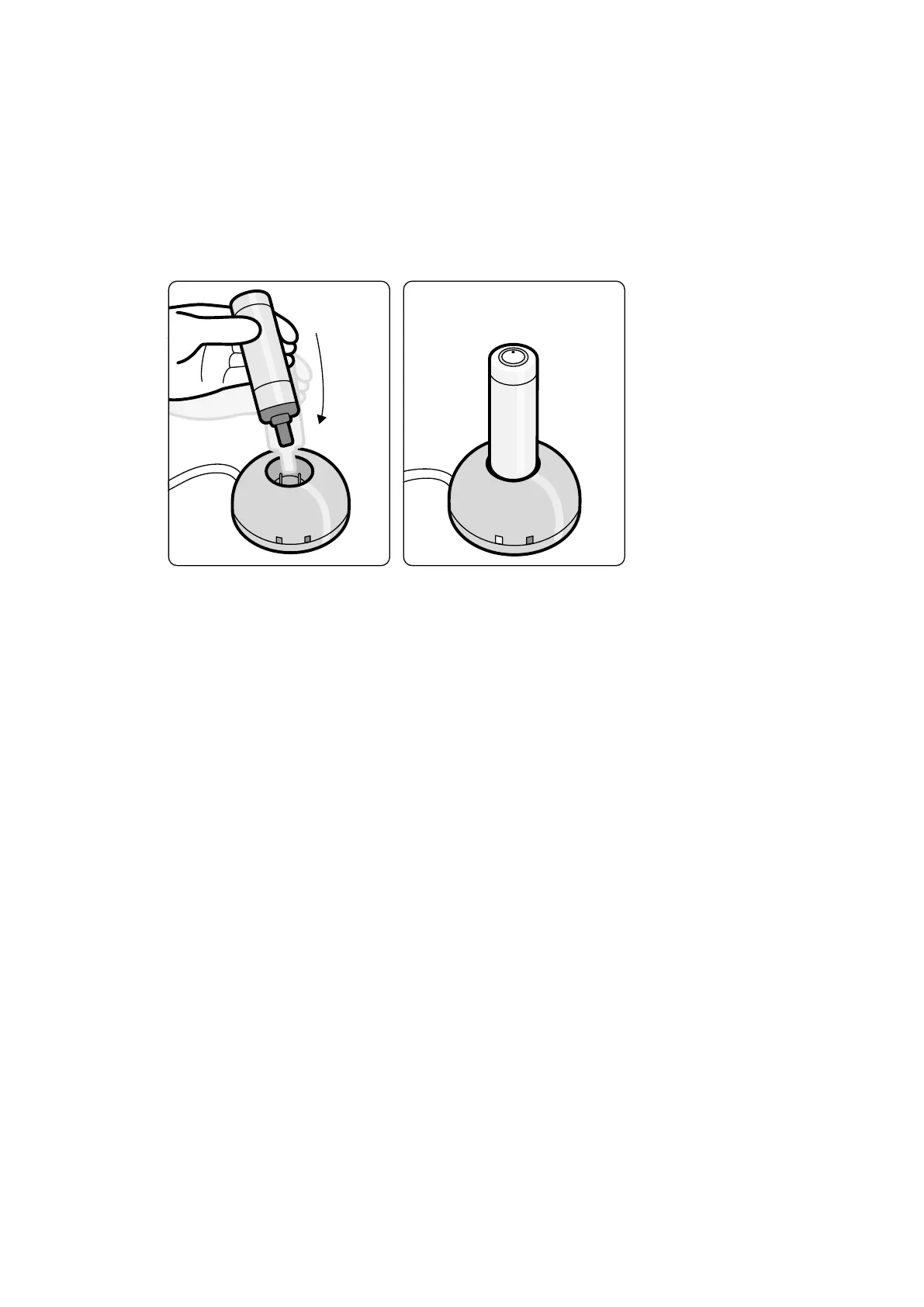
Charging the XperGuide Laser Tool
K
eep the laser tool charger in the control room (out of the paent environment).
1 Connect the laser tool charger to the mains.
When the red indicator light on the laser tool charger is illuminated, the charger is connected to the
mains.
2 Insert the laser tool to the charger.
Figure 104 XperGuide Laser T
ool Charger
When the green indicator light is illuminated, the laser tool is charging.
When the green indicator light switches o the laser tool is fully charged.
3 Disconnect the laser tool charger from the mains.
4 Recharge the laser tool aer each use to ensure the availability of the laser for the next procedure.
11.1.17 Wireless Foot Switch (Opon)
The wireless foot switch provides the same funcons as the wired foot switch delivered with the X-ray
system.
NOTE The wireless foot switch generates, uses, and can radiate radio frequency energy and, if not
installed and used in accordance with the instrucon manual, may cause harmful
interference to radio communicaons.
There is no guarantee that radio interference will not occur in a parcular installaon. If this equipment
does cause harmful interference to radio or television recepon, which can be determined by turning
the equipment o and on, contact technical support.
The wireless foot switch must be installed by a qualied service engineer with a Philips installaon kit.
Contact a Philips representave for details.
NOTE The wireless foot switch is not intended for paent contact. It is classied as insulaon class
II.
Idencaon Labels
During installaon, the wireless foot switch is paired with the X-ray system, so that the foot switch
acvates funcons only on the matching X-ray system.
Using Other Equipment Accessories
Azurion Release 1.2 Ins
trucons for Use 199 Philips Healthcare 4522 203 52421



 To Next Page