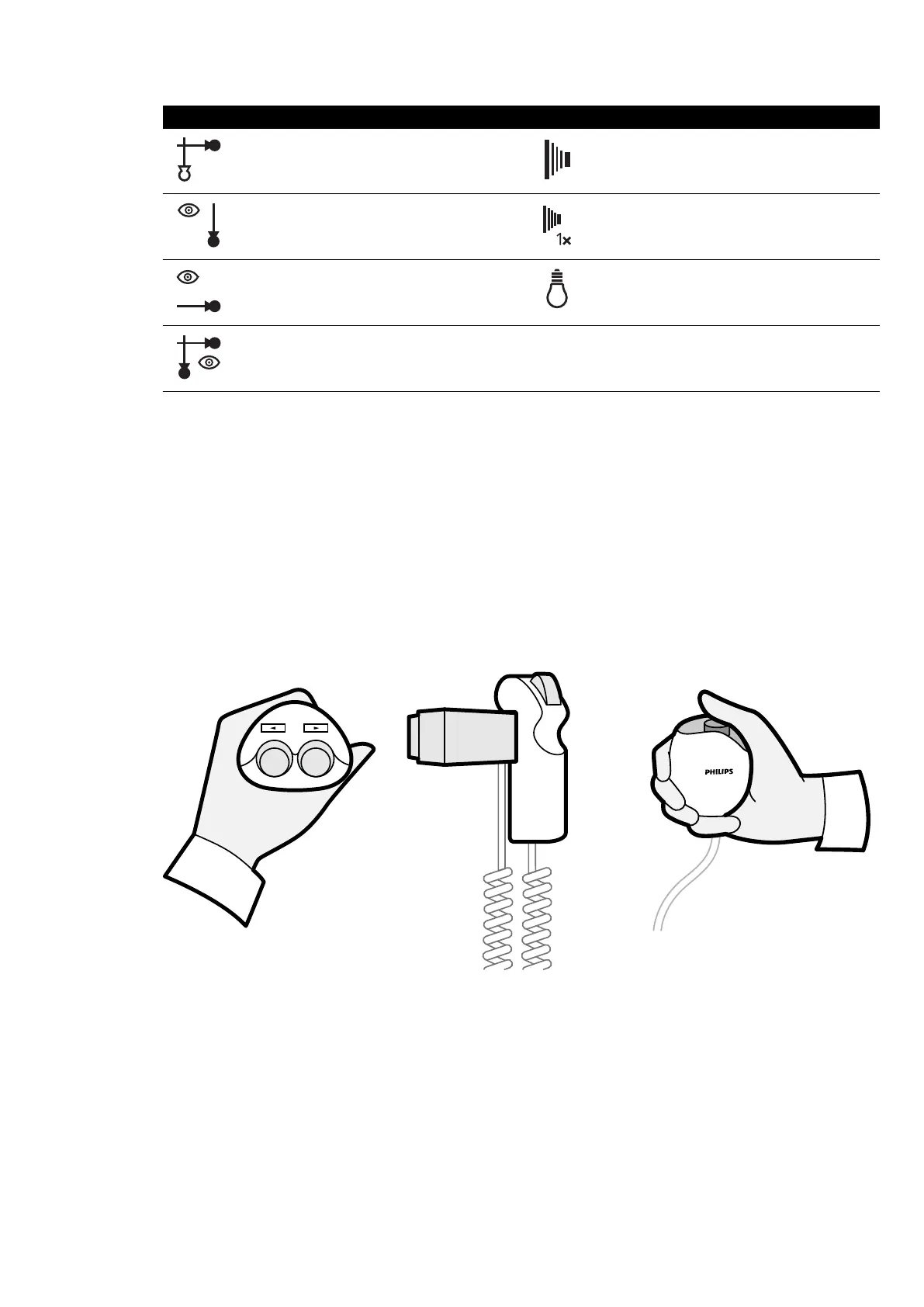
Symbol Funcon
Select channel Prepare and perform exposure
Perform uor
oscopy on the frontal channel
Prepare and perform single-shot exposure
Perform uor
oscopy on the lateral channel
Switch the room light on and o
Perform biplane uor
oscopy
Addional F
oot Switch
If an addional foot switch is available, it provides the same funcons as the standard foot switch. X-ray
can be started from either foot switch in the examinaon room.
Wireless Foot Switch (Opon)
A wireless foot switch opon is available. For more informaon, see Wireless Foot Switch
(Opon) (page 199).
3.1.12 Hand Switches
The system has three hand switches, each controlling dierent funcons.
Figure 16 S
wivel hand switch (le), speed controller (middle), exposure hand switch (right)
Swivel Hand Switch
You use the swivel hand switch to swivel the table towards the head end or towards the foot end.
Speed Controller
You use the speed controller to control the speed of longitudinal table movements when acquiring
images for Bolus Chase Reconstrucon.
About the System Equipment in the Ex
aminaon Room
Azurion Release 1.2 Ins
trucons for Use 38 Philips Healthcare 4522 203 52421



 To Next Page