3.1.10 Monitor Con
guraon
For a monoplane system, there is always at least one monitor in the examinaon room that displays live
and reference images. For a biplane system, there are always at least two monitors, and the live images
for the frontal and lateral channels are always synchronized and displayed side by side. Addional
monitors to display reference images can be congured at installaon.
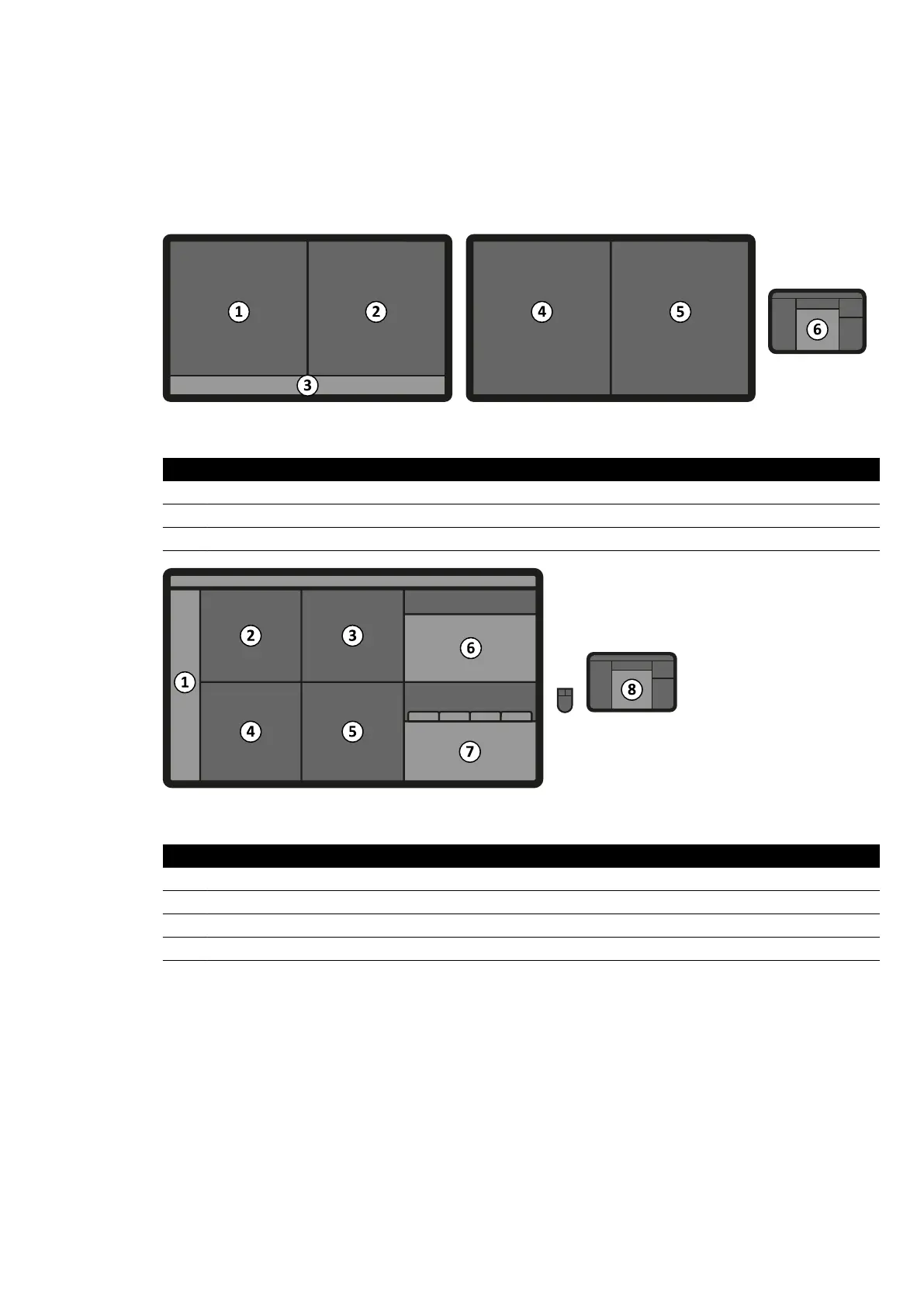
Figure 11 St
andard monitor layout in the examinaon room
Legend
1 Live view 4 Reference 2 view
2 Reference 1 view 5 Reference 3 view
3 Status bar 6 Touch screen module
Figure 12 Fle
xVision (opon) layout in the examinaon room
Legend
1 Status bar 5 Applicaon vie
w
2 Reference 1 view 6 Applicaon workstaon
3 Reference 2 view 7 X-ray workstaon
4 Live view 8 Touch screen module
Monitors are mounted within a monitor ceiling suspension unit. For more in
formaon, see Posioning
the Monitor Ceiling Suspension (page 60).
NOTE When a third-party video source has no paent idencaon, the hospital should have a
procedures in place to assess the video feeds on the large screen without the risk of mixing
up paent data.
Switchable Monitors (Opon)
The switchable monitors opon allows you to manage up to 16 displays in the examinaon room and
display video and applicaons originang from the Azurion system and up to 11 video sources from
auxiliary systems.
About the System Equipment in the Ex
aminaon Room
Azurion Release 1.2 Ins
trucons for Use 35 Philips Healthcare 4522 203 52421



 To Next Page